FYDO Clinic Update 13/02/2023

Medicare/DVA Billing

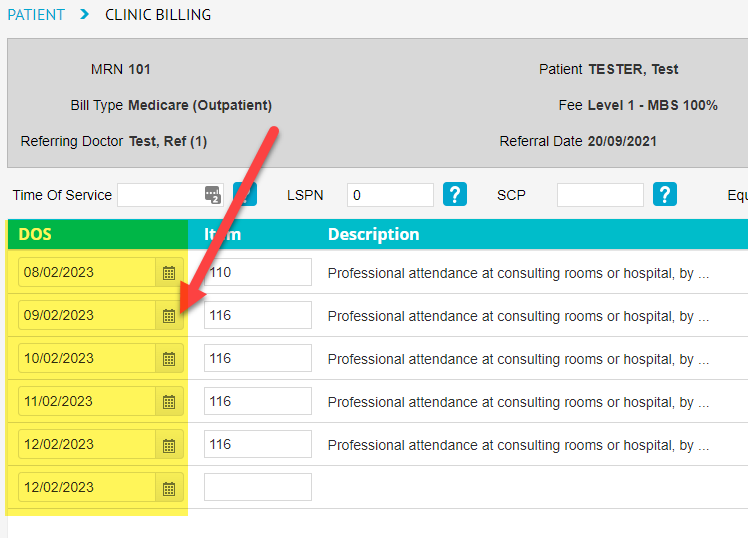
Users can now easily bill multiple dates of service for Medicare/DVA claims. Prior, users would billing different dates of services by creating a new invoice each time. Now, users can change the date of service for each Item under the DOS column on the Clinic Billing screen & when the billing is saved, FYDO will automatically create separate invoices per each different date of service.
(Please note: This is not recommended for DVA Community Nursing clients due to Community Nursing Hours/Visits will not be allocated correctly per invoice)


Edit Referral

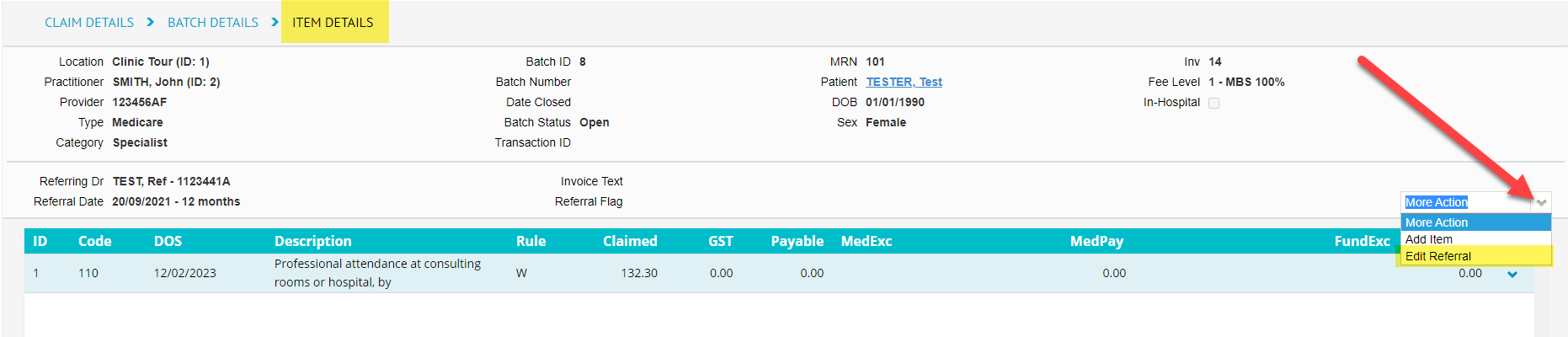
FYDO has a new option added to Claiming Medical called Edit Referral, it is located on the Item Details screen under the More Action drop down. Users can now simply edit, delete or add another referral without having to completely rebill. Any changes made to a patients referral on this screen will also update over to the Patient Details screen.
 

Accounts – List View

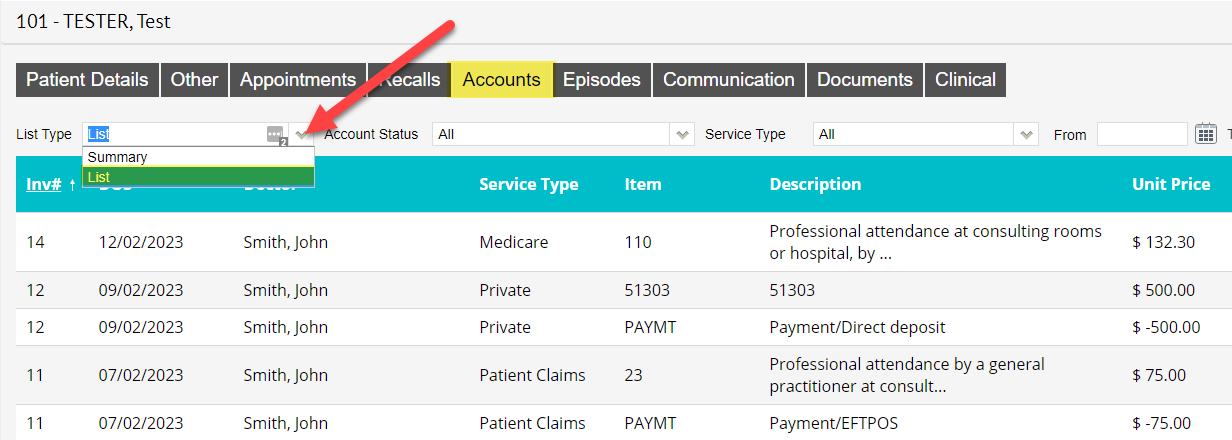
A new view has been added to the patient Accounts screen called List. Compared to the Summary view that shows the patients list of invoices, the List view will show the items that have been billed for the patient.
 

Adjustments 

Users can now add, edit or remove adjustment types for Settings > Adjustments. 
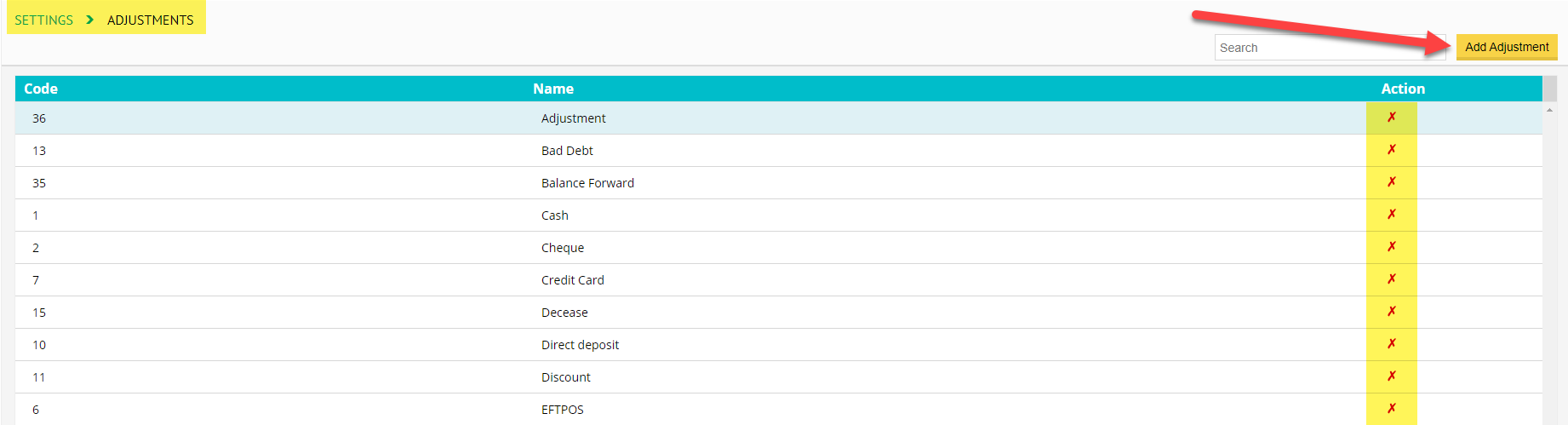
(Please note: An adjustment type cannot be removed if it has been used before and if the name of an adjustment type is changed this will also reflect on historical data) 


For previous updates, please visit https://wiki.fydo.cloud/updates-clinic
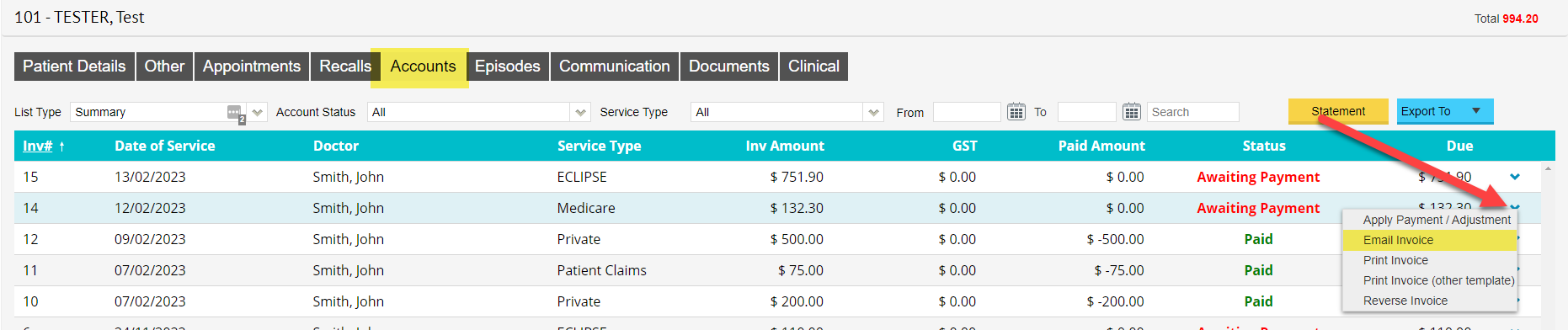


FYDO Clinic Update 06/02/2023

Online Patient Verification (OPV) tick added to the Appointment Screen

Users can now clearly see if the OPV check has been successful with the addition of the Blue Tick to the Appointments Screen.  FYDO will automatically do an OPV check in the background when saving an appointment if the patients details have not yet been verified.


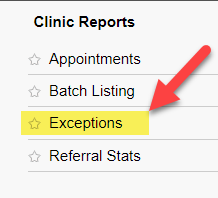
Exceptions Report

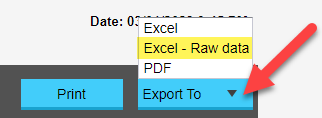
A New Report  has been added called Exceptions. Users can now export their claims with exceptions codes into Excel – Raw Data format.


Additional user access options

Facilities can now give users access to 3 additional functions.


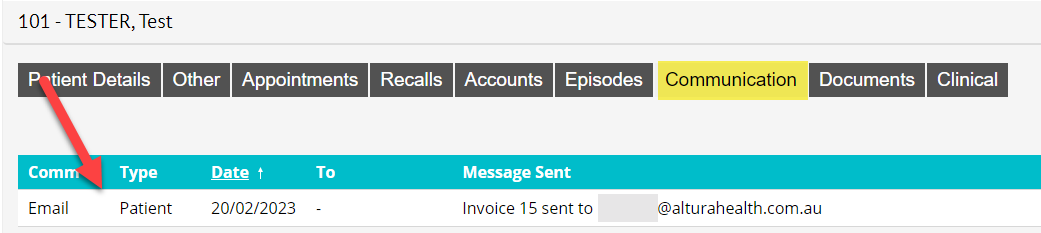
These functions allow certain users to access, edit & delete the communications information. The Communication tab can be located by going to the Patient Details screen & selecting the Communication Tab.
It is a great spot for doctors, nurses & administration staff to add notes relating to the patient.


Two-Step Authentication App Option

Users are now given the option to use a Two-Step Authentication App when logging into FYDO, as opposed to the SMS or Email options. The SMS & Email options are still available, however the Authentication App is a more secure, timely & reliable option. Especially for facilities that have poor mobile phone reception or slow internet speeds. Please visit https://wiki.fydo.cloud/fydo-two-step-authentication/ for more information on this addition to FYDO.


For previous updates, please visit https://wiki.fydo.cloud/updates-clinic


FYDO Clinic Update 24/01/2023

Patient Archive

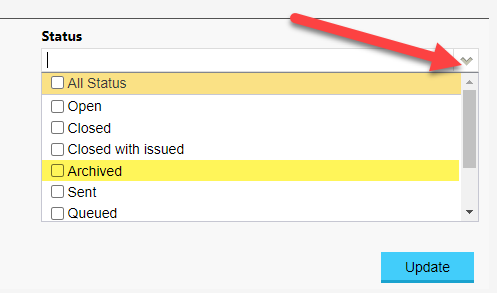
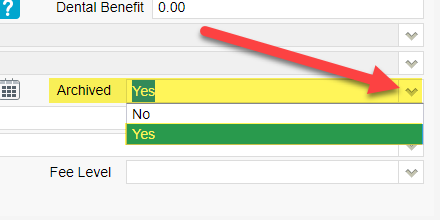
Archived patients are now hidden by default on the patient list. Users are able to show Archived patients by clicking on the tick box called Show Archived to the right of the Search field.   


To mark/unmark a patient as Archived go to Patient Details > Edit > Archived (found under the Other Information section) > Yes/No > Save


For previous updates, please visit https://wiki.fydo.cloud/updates-clinic



FYDO Clinic Update 06/01/2023

Payments (Clinic) Report

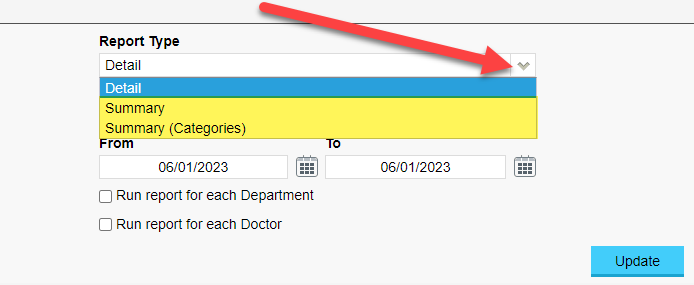
We have added new Report Type options to the Payments (Clinic) report, Summary and Summary (Categories). The new options allow users more flexibility to tailor the report to their specific needs.


Bug Fixes

The issue with custom views disappearing from the appointment book has now been rectified.


For previous updates, please visit https://wiki.fydo.cloud/updates-clinic/


FYDO Clinic Update 04/01/2023

1st of January MBS & DVA Community Nursing Schedule

Has been added to FYDO.

For more information about the Medicare Benefits Schedule (MBS) Updates, please visit: http://www.mbsonline.gov.au/internet/mbsonline/publishing.nsf/Content/news-230101

For more information about the DVA Community Nursing Fee Schedule Updates, please visit: https://www.dva.gov.au/providers/health-programs-and-services-our-clients/community-nursing-services-and-providers-0


Payments (Clinic) Report

A New Export To option has been added to the Payments (Clinic) Report. Users are now able to export this report to Excel – Raw Data format.


New Letter Defaults 

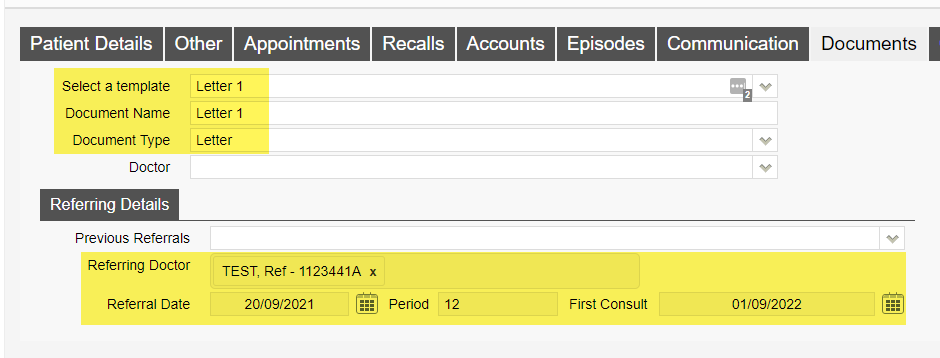
When creating a new letter the Select a Template, Document Name and Document Type fields will default to the default letter templates details (Note: users can override the default Document Name and Document Type by typing in or clicking on the fields drop down arrow). To set a letter template as the Default go to Settings > Templates > Tick the Default tick box of the letter template you want to make the Default.

Users will also notice that the Referring Details section will automatically prefill to the patients current active referral details.


For previous updates, please visit https://wiki.fydo.cloud/updates-clinic


FYDO Clinic Update 19/12/2022

Writing Clinical Notes

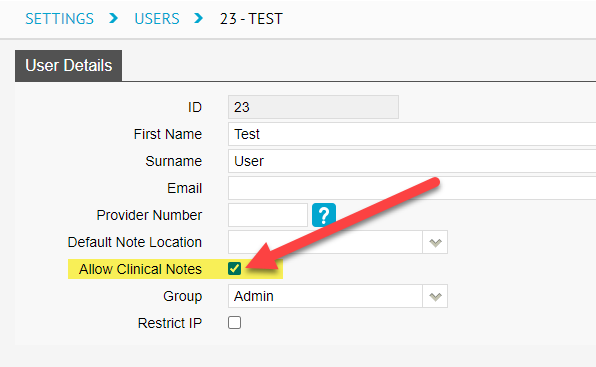
All users now have the ability to write “Clinical notes”. To enable this function go to “Settings” > “Users” > Click the blue dropdown arrow at the end of the users line > “Edit” > “Edit” again > Tick “Allow Clinical Notes” > “Save”.


Report Permissions

We have introduced new permission options to “User Groups” for “Reports”. Users can now be restricted/or allowed access to Statistical and Financial “Reports”. To modify user permissions go to “Settings” > “User Groups” >  Double click on the group you wish to change permissions for > “Edit” > Toggle “ON/OFF” > “Save”.


For previous updates, please visit https://wiki.fydo.cloud/updates-clinic



FYDO Clinic Update 08/12/2022

Opening the Patient Screen

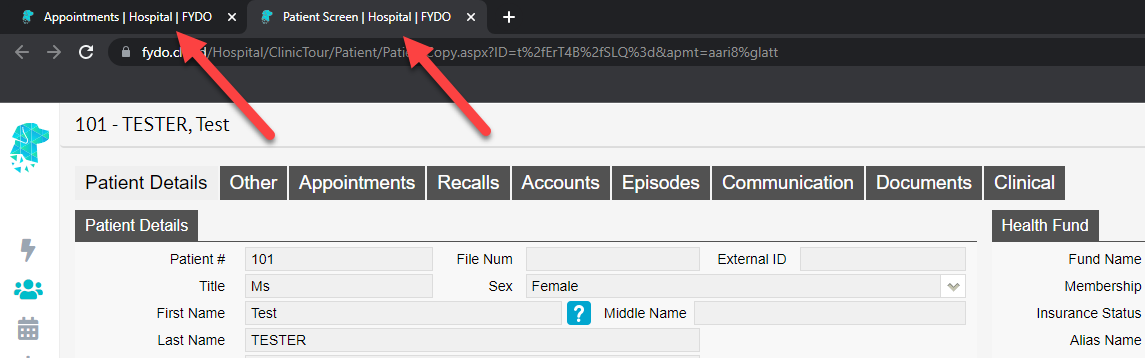
This new feature will open the “Patient Details” screen in a new tab which allows the user to return to view the “Appointments” screen, in the original tab, without having to close the “Patient Details” screen.


Bug Fixes

  • The “Revenue Clinic” report is now calculating correctly when using date of service as the type.
  • Referral expired message no longer showing in error on the patients “Other”, “Appointments”, “Recalls”, “Accounts”, “Communication”,     “Documents” and “Clinical” screens.
  • When a new referral is added to an appointment on the “Appointments” screen, it will now be reflected in the “Patient Details” screen.

For previous updates, please visit https://wiki.fydo.cloud/updates-clinic



FYDO Clinic Update 06/12/2022

Email Documents

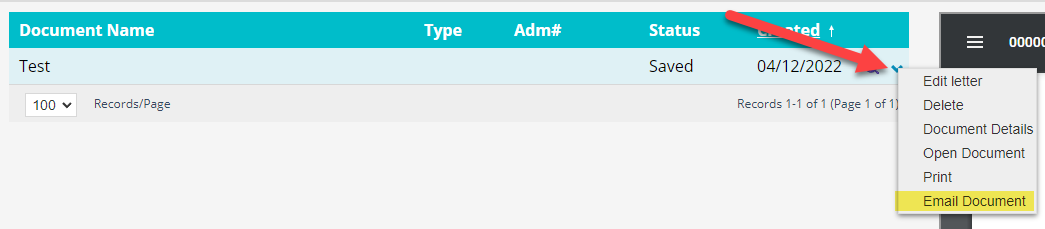
Users now how the ability from the patient “Documents” screen to email documents directly from FYDO. Documents can be sent to the Patient Email, Referring Doctor Email or Doctor Email. Once an option is selected the user will then be able to edit the subject line, add text and override the email address to where the email is to be sent if required. This feature can be turned on by going to  “Settings”> “System Config”> “Email Notification”.

Batch Listing Report

New filter option called  “Archived”  has been added to the “Batch Listing” report.


Auto Confirm Appointments

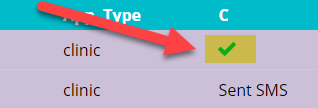
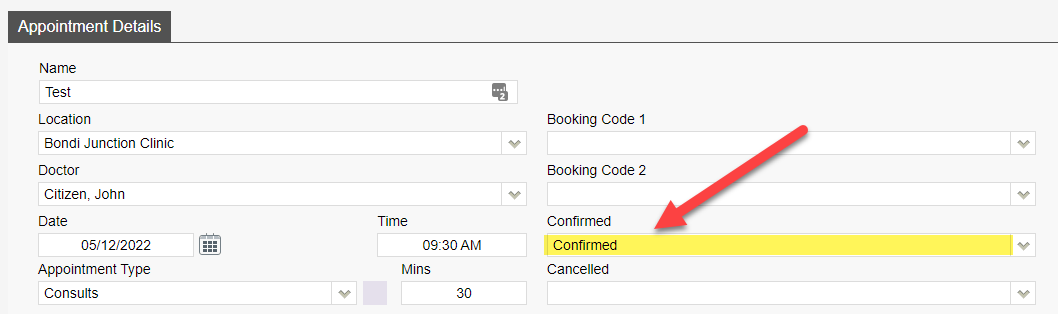
We have introduced an auto confirm feature for patient appointments. The “Confirmed” field (if added to your custom view) will automatically change to confirmed with a tick on the appointment book if the patient has replied to the SMS reminder with a Y or Yes. This will also update in the “Appointment Details” screen to show the appointment as “Confirmed”.


For previous updates, please visit https://wiki.fydo.cloud/updates-clinic



FYDO Clinic Update 28/11/2022

Default Bill Type

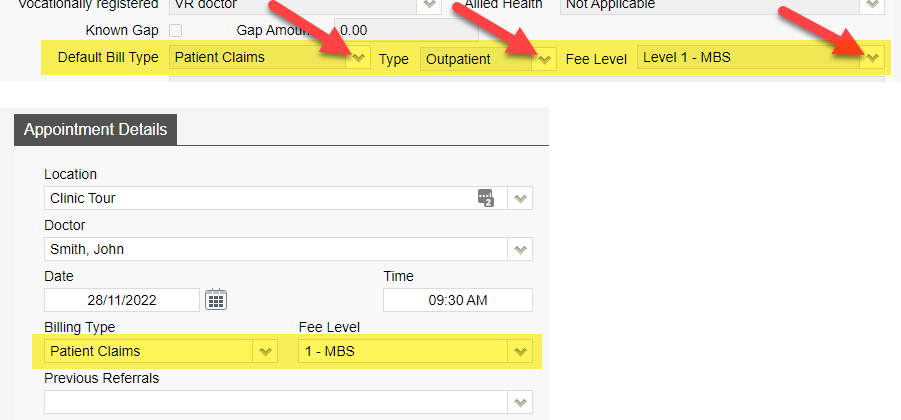
Users now have the option to set a “Default Bill Type” for a doctor under the “Doctors” setup. If a “Default Bill Type” is set this will then automatically populate into the “Bill Type” fields when making an appointment. Please note if the patient has a Veterans card this will override the “Default Bill Type”.


For previous updates, please visit https://wiki.fydo.cloud/updates-clinic


FYDO Clinic Update 04/11/2022

Bug Fixes

Users were unable to print in bulk on the “Processing and Payment Reports” screen. This has been fixed and users are able to print bulk processing and payments reports again.