FYDO Clinic Update 04/11/2022
Bug Fixes
Users were unable to print in bulk on the “Processing and Payment Reports” screen. This has been fixed and users are able to print bulk processing and payments reports again.
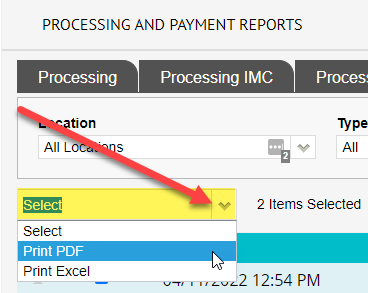
Users were unable to print in bulk on the “Processing and Payment Reports” screen. This has been fixed and users are able to print bulk processing and payments reports again.
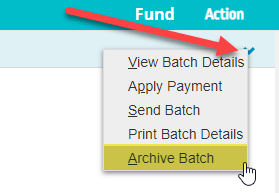
We have introduced a new option called ”Archive Batch” in the “Claiming Medical Screen”. This option allows users to archive a patient claim from the “Claiming Medical Screen” without removing it from the patients “Accounts” history.
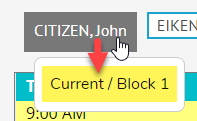
On the “Appointments” screen if you hover your cursor over a Doctor/Room tab it will pop up below with the Roster/Block information.
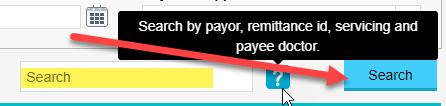
Users can now search by payor, remittance id, servicing and payee doctor on the “Payments” screen.
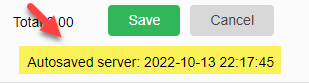
Some users were experiencing loss of information on new letters not yet saved. To prevent this from happening, we have introduced an Autosave feature that will Autosave a letter every couple of minutes and a few seconds after typing is stopped. The last Autosaved performed will display in the top right hand corner below save and cancel icons.
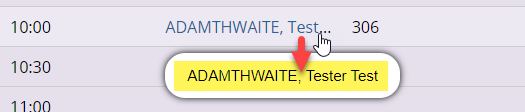
On the “Appointments” screen if you hover your cursor over a patient name it will now pop up below. This new feature allows the user to view a patients name in full regardless of its length.
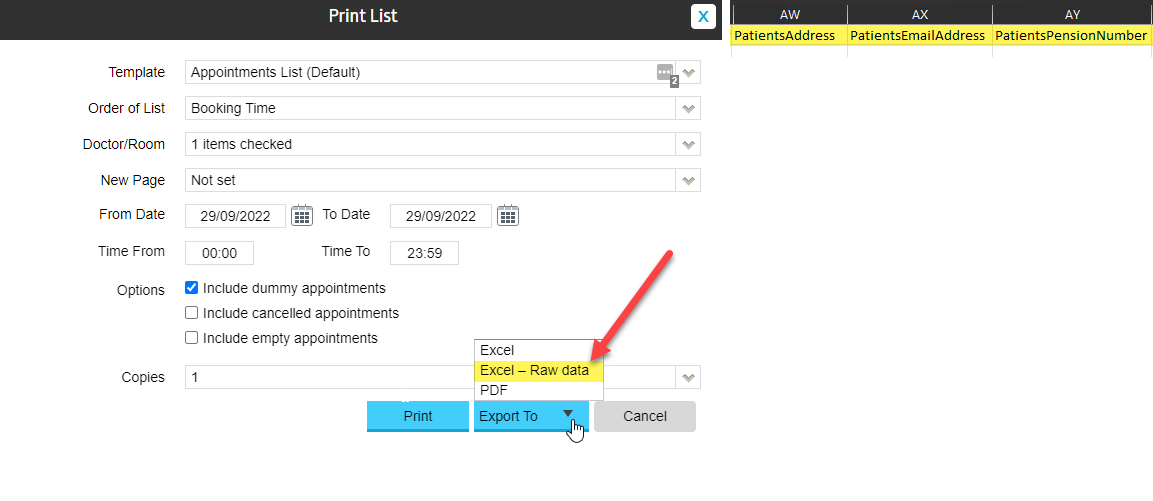
New fields have been added to the “Print List” when exported in “Excel – Raw Data” format.
New fields include:
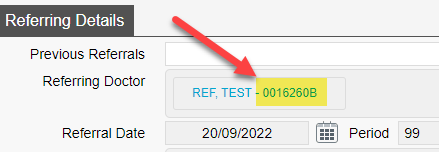
On the “Patient Details” screen under “Referring Details”, the user can now view the referring doctor’s provider number next to their name.
Users were experiencing an issue with the “Print Batch Details” function only printing the first items date of service and item note (if any) and repeating the same details on all items within a invoice. This bug has been fixed and users are able to “Print Batch Details” with the correct dates of service and item notes (if any).
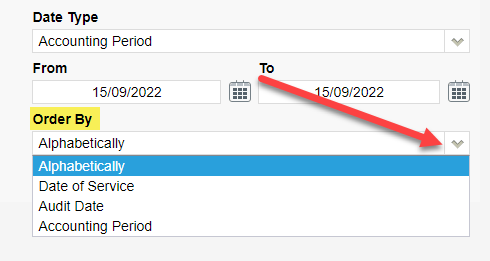
We have added a new option “Order By” to the “Transactions (Clinic)” Report.
This option allows the user to run the report in order by:
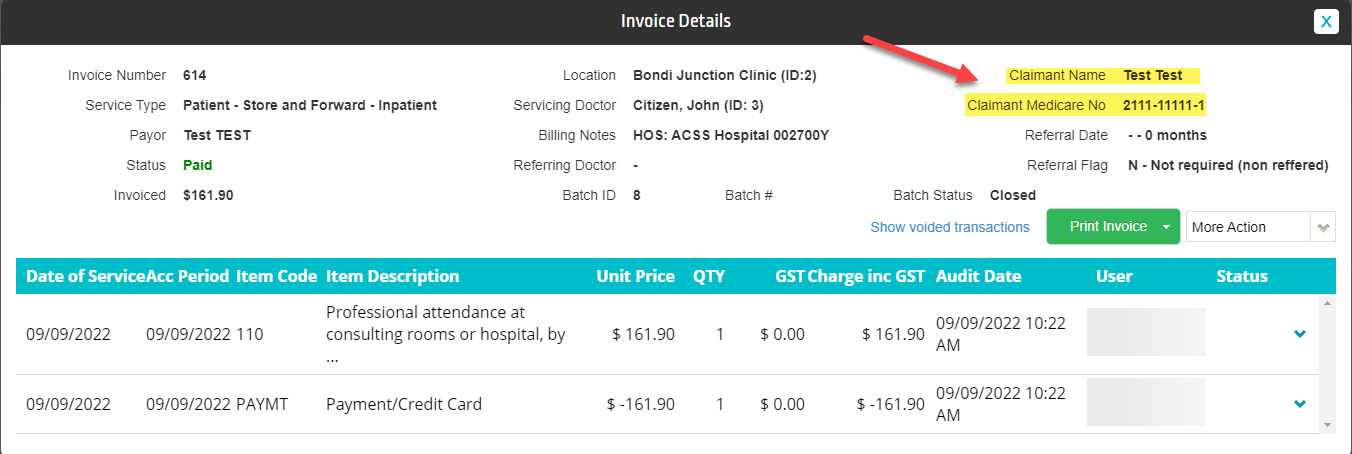
Patient Claim invoices now show the claimant details when viewing the invoice under ”Patient Details” > “Accounts”. (Note: This will only show if the claimant is not the patient)
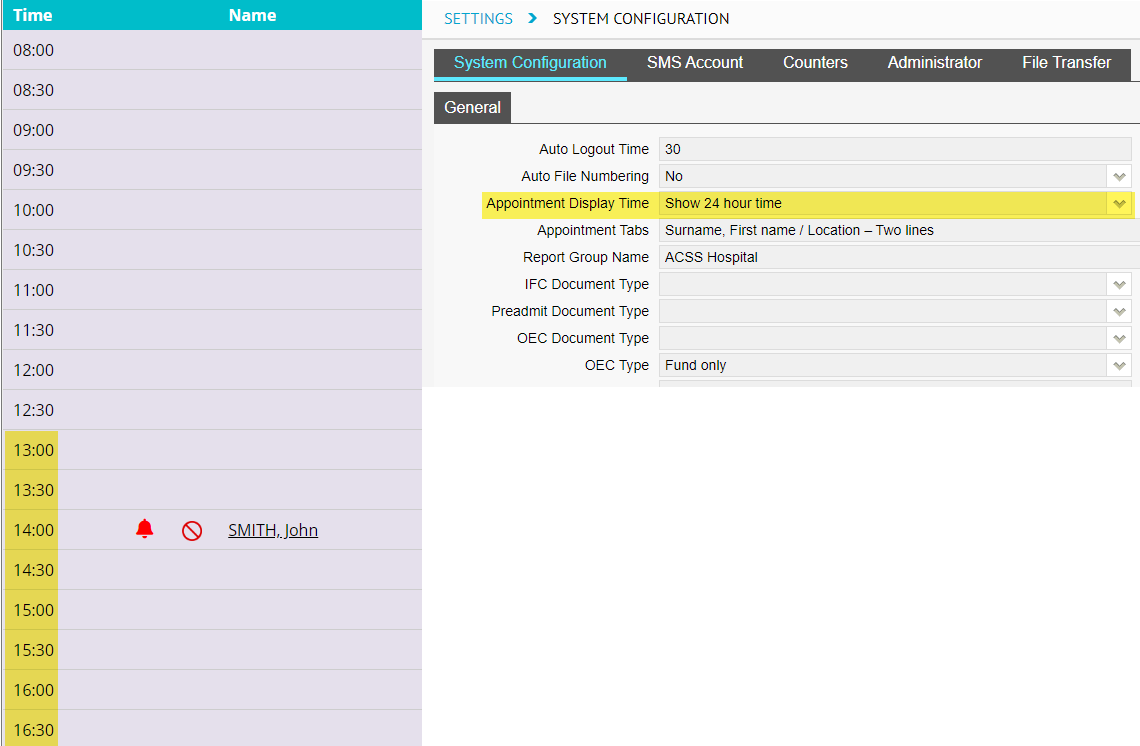
The Appointment screen now displays all times in 24-hour time. This will be reflected if the users have toggled 24-hour time to be displayed in “Settings” > “System Configuration” screen.
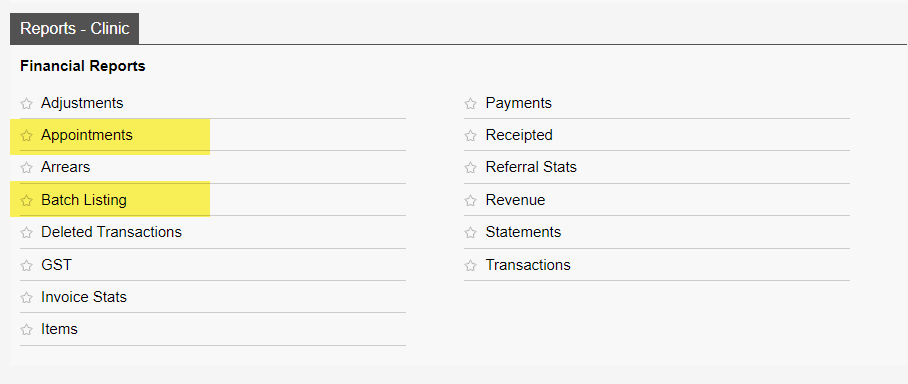
We have introduced two new reports called “Batch Listing” report and “Appointments”, they can be found in the reports menu under the “Reports – Clinic” tab as highlighted below. (The Batch Listing Report is similar to the report in eClaims known as Batch Summary Report).
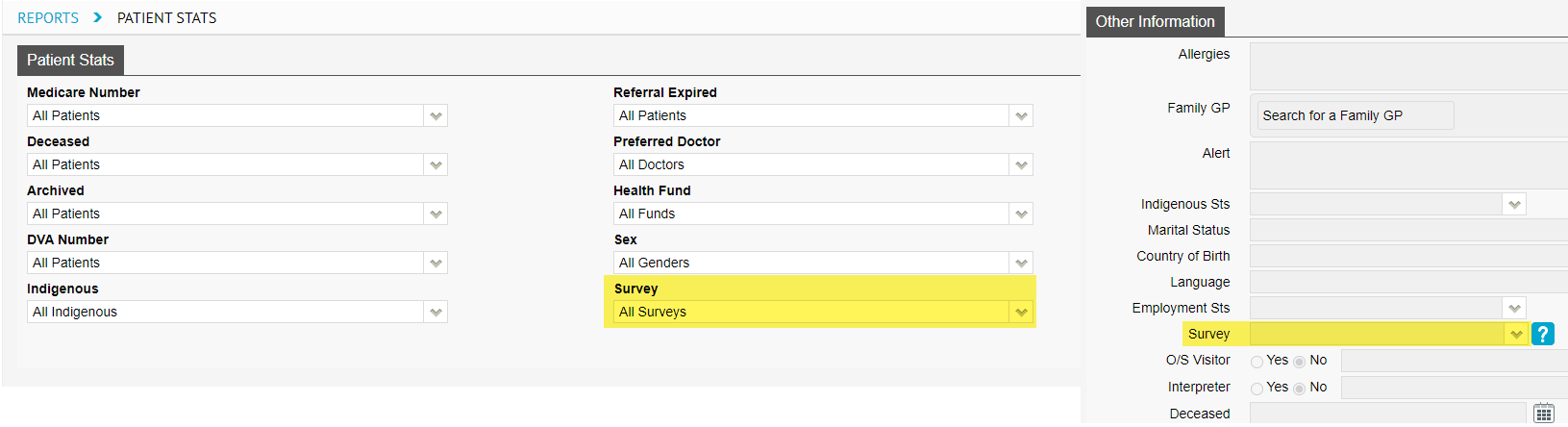
New filter option called “Survey” has been added to the “Patient Stats” report. Survey data can be entered in the the “Patient Details” screen under the “Survey” field. This field is used to record how the patient found/heard about your clinic.
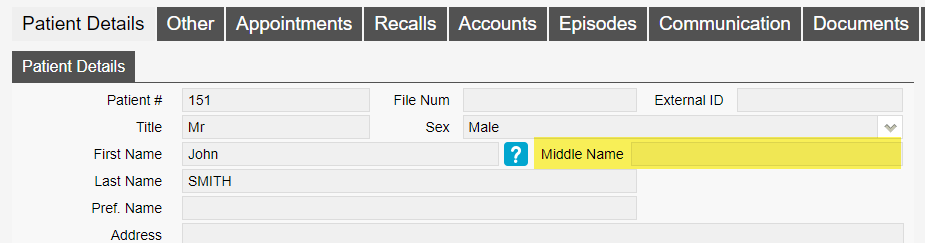
We have replaced the the field “M” with “Middle Name” in the “Patient Details” screen. The new updated field allows a full middle name to be typed, before the “M” field only allowed for an initial.
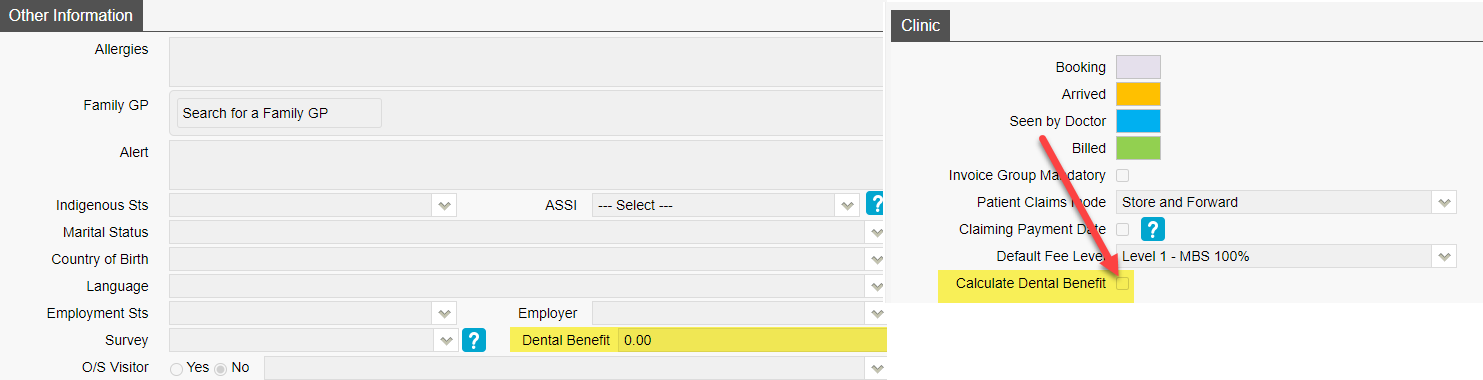
On the “Patient Details” screen there is now a field called “Dental Benefit”. This field works by the user entering the patients dental benefit amount and when invoicing to Medicare/Veterans it will deduct the invoice total from this value. To turn this feature on go to “Settings” > “System Configuration” and tick “Calculate Dental Benefit” tick box.
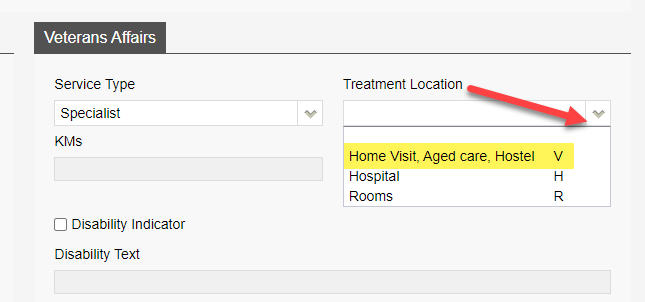
Update to the “Treatment Location” drop down for Veterans billings. Home visit, residential care facility, community health centre or hostel are now consolidated into one option as per Medicare web services rule.
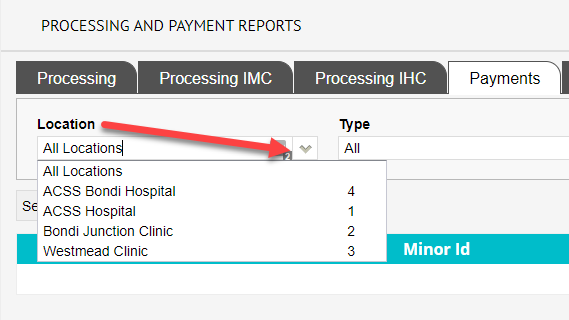
New filter option “Location” has been added in the “Processing and Payment Reports” screen. The filter works by filtering the processing or payment reports by a specific location.
We have added the option “Print Note” in the “History Notes” screen. This option allows the user to download a clinical note as a PDF and print.
