FYDO Hospital Update – 20/4/2023

New Tokens Available for Invoices

There are now tokens available to be used on Invoice Templates to show
Invoiced Amount Excluding GST & Total Invoice Charge Excluding GST.
A full list of available Invoice Tokens can be found at:
https://wiki.fydo.cloud/tokens-hospital-invoices/


Bug Fixes

  • The custom view option, that shows the Surgeons Initials, has been corrected to show the initials in the correct order. For example, Dr John Smith will now show as JS
  • The issue with the Interactive Arrears Report hover feature has now been rectified.

If you’re not already familiar with our wonderful Interactive Arrears Report then pop into Reports > Arrears > Interactive and see how easy it is to run & use! This is a great feature to help keep on top of outstanding debtors.


FYDO Hospital Update – 17/4/2023

Additions to the Theatre Rosters Report

There have been some exciting new additions to the Theatre Rosters Report to allow facilities to obtain Theatre Utilisation Information.
This report can be based on Appointment Booking Time, to get an estimate of utilisation, or based on Time in Theatre to Time Out of Theatre to get an exact utilisation figure once the theatre times have been added to FYDO.
The report also gives the option to view this information by Surgeon or Theatre and totals everything for the timeframe that has been selected!
This will allow for easy collation of utilisation data for any timeframe to assist in hospital planning, budgeting & much more.


New Nurse List View

The Nurse List is now able to be viewed with relevant Expiry Dates that have been added into the system. This allows for easy identification of when the expiry of the nurses AHPRA, Insurance & Working With Children is approaching.
This information can be viewed from Settings > Nurse List by selecting Dates from the View dropdown. The dates will be colour coded depending on when the expiry date is.
Red – Expired
Orange – Expiring in less than 3 months
Black – Expiring in more than 3 months
This information can also be exported to Excel for printing or emailing.


New option for the Theatre Roster requirements

FYDO now gives each facility the ability to decide if they wish to allow bookings to be made with or without a Theatre Roster.
For the new Theatre Utilisation Report (as listed above) to be completely accurate, the bookings need to be made in a Theatre Roster. Therefore, if the facility wants accurate utilisation data, we suggest turning this function on to ensure bookings are not accidentally made outside the Theatre Rosters.
This option is found in Settings > System Configuration > Theatre Roster required when making bookings.


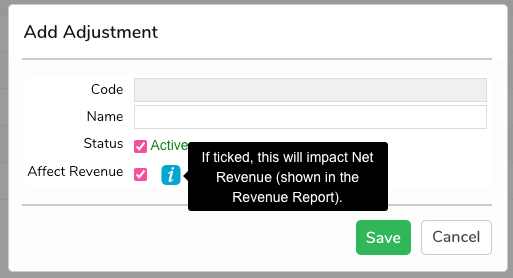
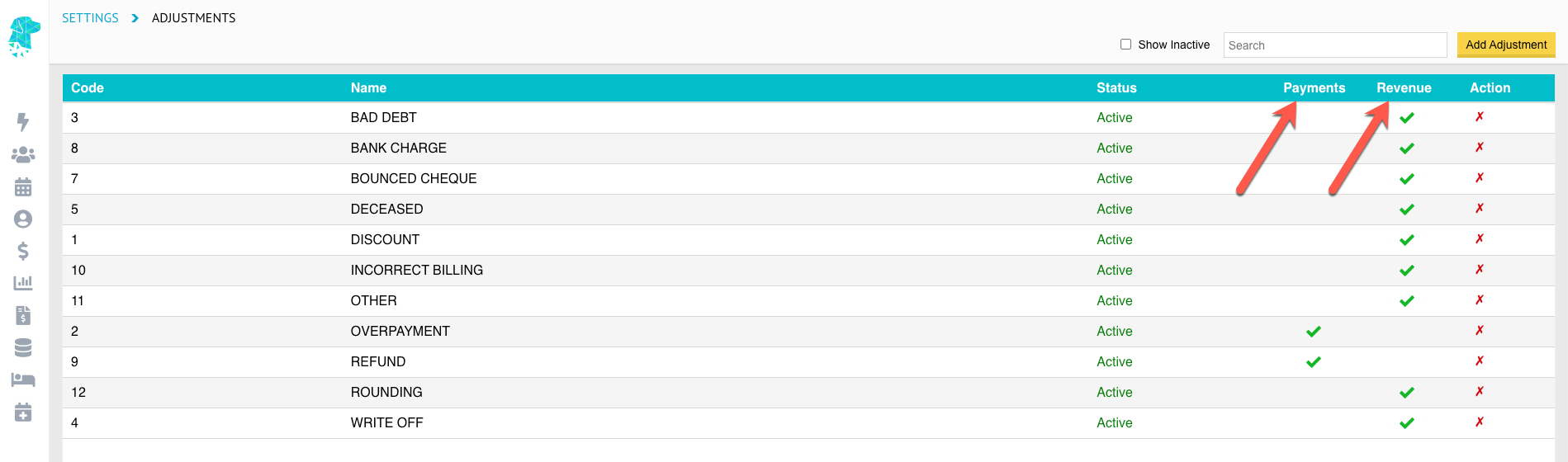
Adjustment Reasons now Customisable

Facilities are now able to customise the Adjustment Reasons to facilitate the collection of data that is relevant to them.
These reasons can be added, amended, deactivated or deleted from Settings > Hospital > Adjustments.


List Re-Ordering Addition

FYDO now shows the Procedure in the List Re-Ordering pop-op box to assist in utilising this new feature.


FYDO Hospital Update – 11/4/2023

New Informed Financial Consent (IFC) Token

The name of the user that is generating the IFC is now able to be displayed on the document.
Using the token <<IFCUser>> will print the users name in the desired location on the template.


Billing Status Report Additions

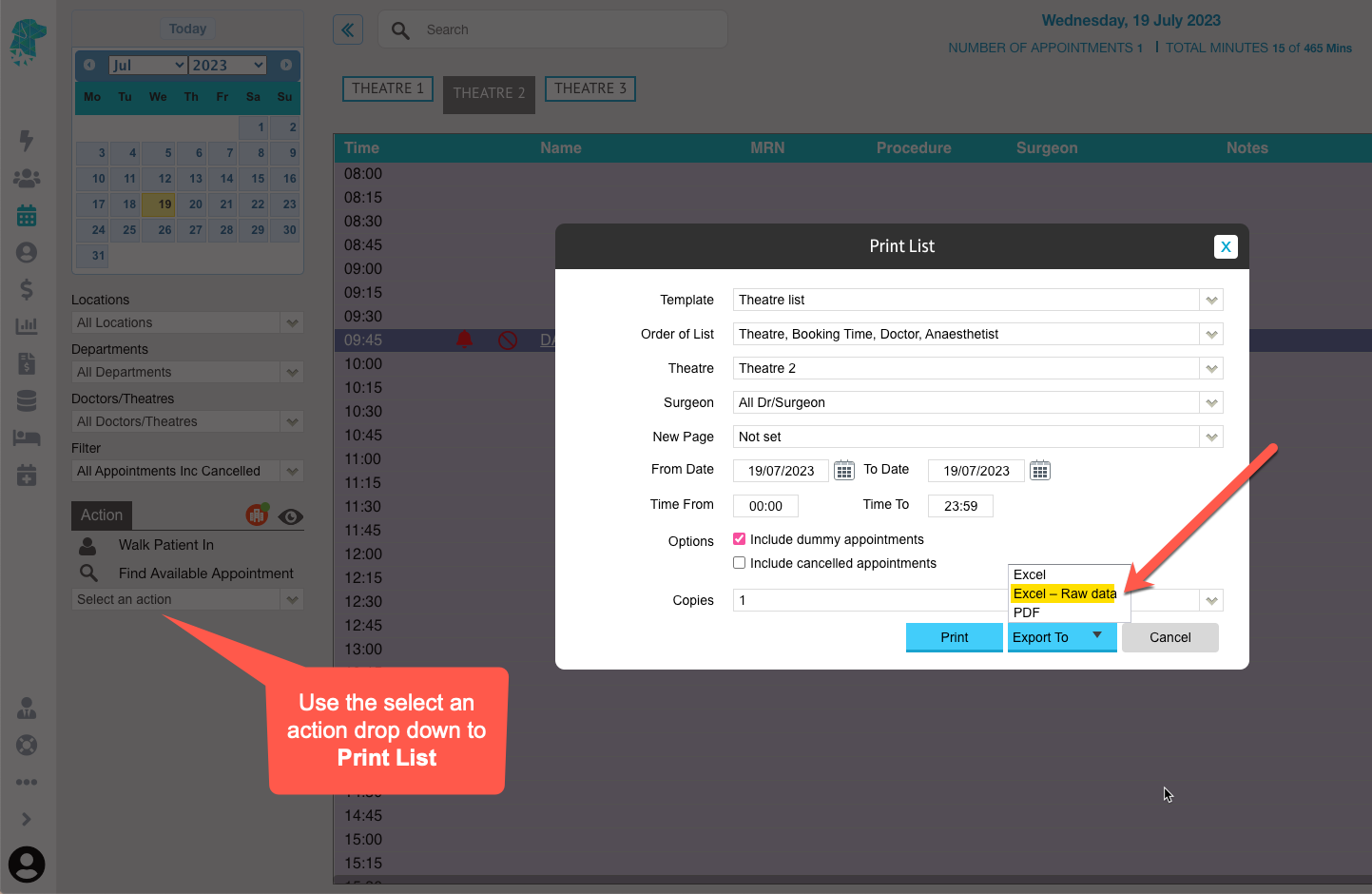
When running the Billing Status Report using the Report Type option Show All – Inv Summary the user is now able to see the following fields when they Export to > Excel – Raw Data:

  • Transaction Date (TransDate)
  • DRG
  • Date Grouped


Bug Fix

The issue that some users were experiencing with the system creating a different invoice number, from that of the deposit, has been rectified. This issue was identified as happening when the invoice was raised from the History/Episode Screen.


FYDO Hospital Update – 3/4/2023

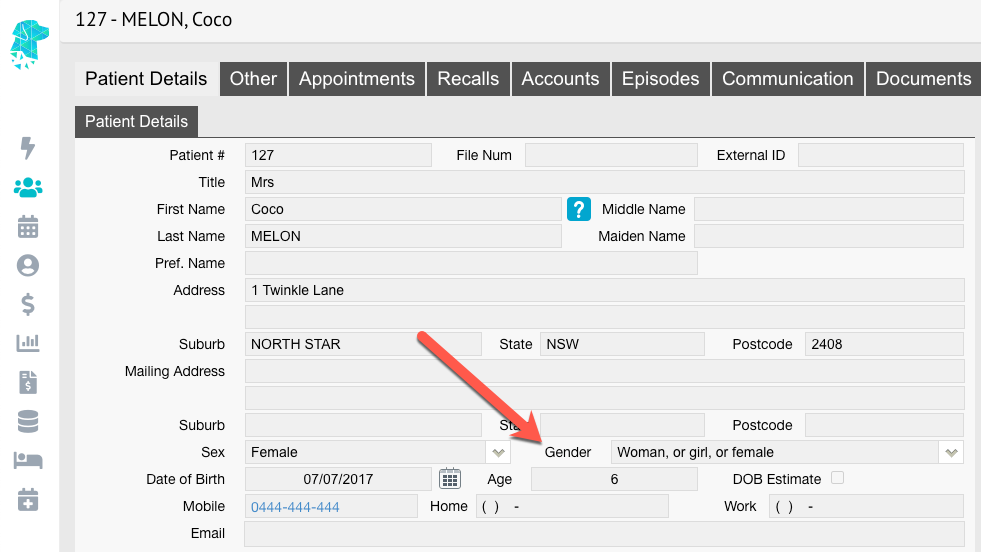
New Maiden Name Field

FYDO has a new field to enable users to keep the maiden name of a patient on file. When searching for a patient FYDO will also check the Maiden Name field for any matching information enabling easy identification of patients.


Email Log

Users are now able to view a log of all emails that have been sent from the Documents Tab in FYDO. This includes emails to the patient, referring doctor or doctor. This information is displayed in the Communication tab.


Sending Bulk SMS’s

A new column has been added to the Send Bulk SMS option to allow the user to see the Procedure Notes for each patient. This is to assist the user in determining which patients’ need to receive different SMS templates.


Arrears Report Addition

The patients’ health fund membership number and Date of Birth will now show on the Arrears Report when it is exported to Excel – Raw Data.


Bug Fix

The issue that some users were experiencing with the 2-step authenticator app not remembering them for 30 days has been resolved. (This issue did not affect users that utilise the SMS or Email 2 step authentication option)


FYDO Hospital Update – 28/03/2023

NEW List Re-Ordering Feature

FYDO can now re-order lists with a fabulous new feature that resembles the SimDay function Session Priority. This feature allows users to easily re-order patients’, move all patients’ appointments up at once (in the case of a cancellation) and set appointment times according to each appointment length.
This feature will work from the admission time of the FIRST patient on the list. It will then slot all other patients’ into their corresponding admission times, according to the appointment lengths.
The difference with using the List Re-Ordering feature is that it allows users to easily move a patients’ appointment up or down the list & will shuffle the other patients’ admission times to accommodate. Whereas other methods of moving appointments does not impact the admission times of any other patients’.
Click on the below image to see a little snip of the List Re-Ordering in action.


Fee Set Up – End of Current Fee Field

The End of Current Fee field is now functioning in FYDO & allows a date to be set for contracted fees to finish. Setting this date will prohibit invoices being raised for episodes that fall after the date entered.


Invoice on Hold Start Date Field

The Invoice Hold Start date field is now functioning in FYDO. This allows health funds to be put On Hold from a particular date. This feature still facilitates invoicing/billing for episodes that fall before the documented date, however will prohibit users from invoicing the particular fund for episodes that fall on or after the Invoice Hold Start date.


New Billing Checker

FYDO now has a new measure in place to assist in billing day patients’ & overnight patients’. Users will be unable to bill a patient if the admission & discharge dates are inconsistent with the Patient Category. Therefore, an episode with the same admission & discharge date will need a Patient Category of Day Only to be able to be billed. And an episode with a discharge date AFTER the admission date will need a Patient Category of Inpatient etc.


New Casebase Multi Feature

FYDO now allows the use of the same item number twice in the Casebase Multi fees set up. This will allow Casebase Multi fees to be set up for bilateral procedures or any procedure that requires the same item number to be billed twice.


FYDO Hospital Update – 20/03/2023

End of Day Banking Addition

Refunds, that are allocated the Payment Type of Cash, Credit Card, EFTPOS or Amex/Diners, will now appear in the End of Day Banking. This will assist users in balancing their End of Day Banking with their EFTPOS Settlement & the actual amount of cash they would have at the end of the day.
This will also mean that staff won’t need to raise an Excess/Deposit receipt for a negative amount to make the banking balance, resulting in all Refund Adjustments being captured together on the adjustments report.

For further information on performing a refund adjustment please see: https://wiki.fydo.cloud/adjustments/


2 Step Authenticator App

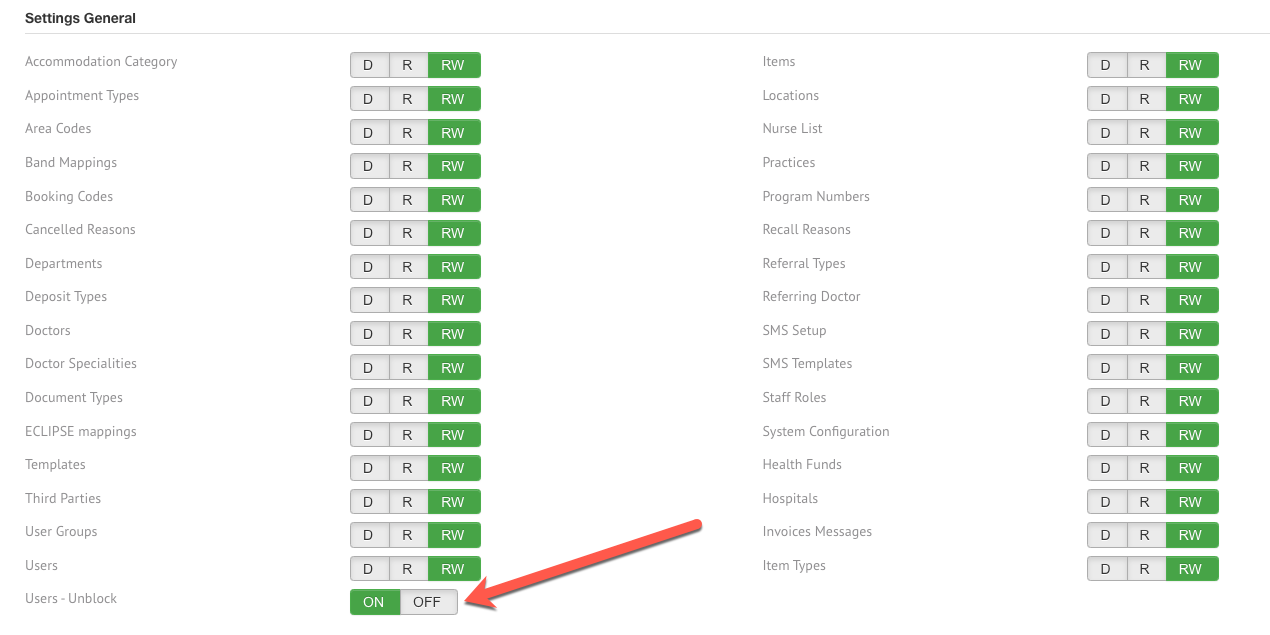
FYDO will now show which users are utilising the 2 Step Authenticator App with a green tick in Settings > Users. This allows the facility to view which users have chosen to use the Authenticator App option.
As per FYDOs Security Policy, all users are required to undertake the 2 Step Authentication process, however users without the green tick would be utilising the SMS or Email option for this feature instead of the App.


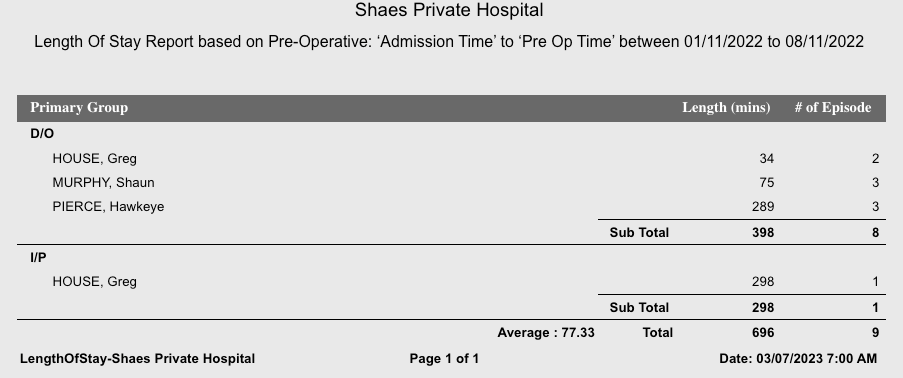
Length of Stay Report Addition

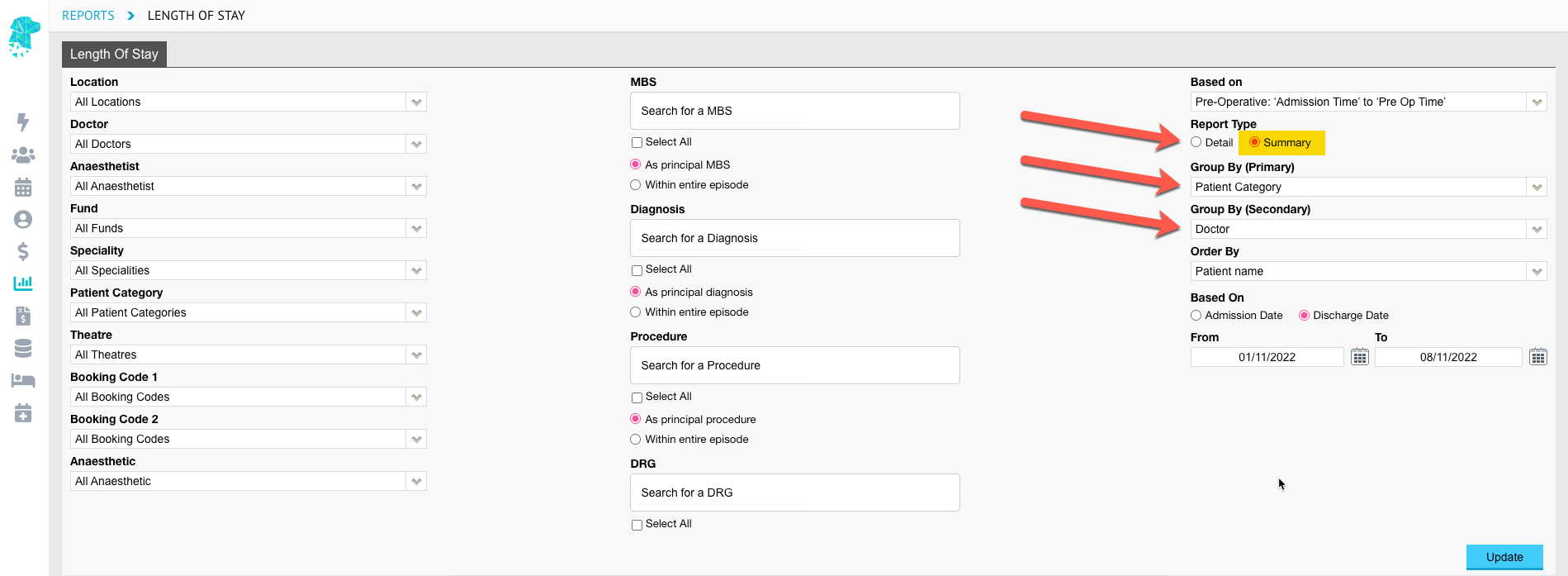
The Length of Stay Report now displays the Average Time for the episodes & criteria selected. The average is calculated by Total number of Minutes Number of Episodes = Average per Episode.


Bug Fix

The IFC Re-Order Item Numbers tick box will now ensure item numbers are NOT reordered if it is UNTICKED by the user.


FYDO Hospital Update – 13/03/2023

Excess/Deposit Screen Update

The Excess/Deposit screen now has the ability to raise two receipts at once. This will be beneficial & time saving to facilities that require additional payments to be made that cannot be invoiced to the health fund. For example:

  • A patient is required to pay an Excess & a gap payment
  • A patient is required to pay an Excess & a credit card surcharge

Receipting the excess amount under Fund Excess and the credit card surcharge/gap payment amount under Patient Account Deposit will ensure that an insured invoice number is generated for the excess & an un-insured invoice number is generated for the patient account.

Users are not required to use both fields & the addition has only been implemented to assist facilities that require this feature.


Billing Status Report – Invoice Summary

There is now an Export – Raw Data option for the Billing Status Report when run by the Report Type > Show all – inv Summary.


Bug Fix

Episode Notes, from the History/Episodes screen, are now showing in the Create Invoice screen.


FYDO Hospital Update – 6/3/2023

Revenue Report – Raw Data Additions

The Accounting Period date is now displayed on the Revenue Report when it is exported to Excel – Raw Data.


Coding Screen – Added Features

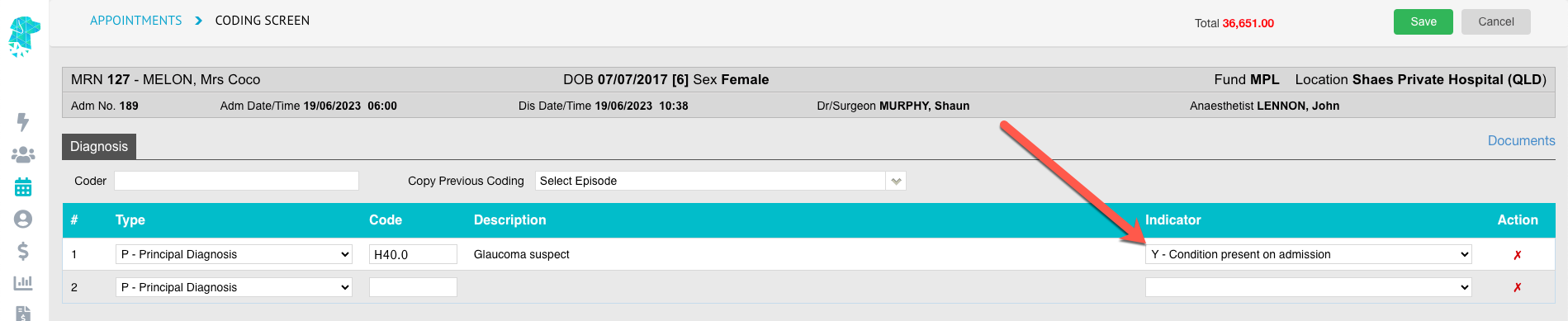
The coding screen has some great additions this week. The first is the ability for users to copy & paste the diagnosis & procedure information. This feature can be used for adding descriptions to certificates etc. The fields that can be copied are highlighted in yellow below:

The second new feature in the Coding Screen is the introduction of the Show MBS Hover. This section has been added to allow the user to view the MBS items, that are listed in the Theatre Screen, without having to close the coding screen down.
To use this feature simply hover over the button Show MBS and the list of items will be displayed.


New Raw Data Export Options

There has been Export > Excel – Raw Data options added to the following FYDO reports:

  • Adjustments (Hospital) Report
  • Payments (Hospital) Report
  • Billing Status Report


Additional Tick Box Options in the Appointment Screen

There have been two new tick boxes added in the Edit Appointment screen to assist with the workflow of facilities. These tick boxes are IFC Completed and Consent Received.
Users can manually check these boxes once the tasks have been completed.
These fields are NOT mandatory & are just available options.

These fields can then be added to the Appointment Screen by creating a custom view. An example of a custom view, to ensure all patients are ready for their admission, is shown below. It includes information such as Health Fund, OEC Received, OEC Checked, IFC Complete, Excess Amount, Co-Payment Amount, SMS status, Patient Consent Received.


Custom View Additions

As well as now being able to add the IFC Completed and Consent Received to the custom views, users are also able to add Planned Time in Theatre and the Procedure Time. These fields are entered in the Appointments Screen.


Bug Fix

The issue that some users experience with the session times not showing on their printed lists has been rectified.


FYDO Hospital Update – 27/02/2023

Bulk SMS amendments

When sending bulk SMSs the screen will now default to All appointments. This will assist in sending additional bulk SMSs to patients’ after they have already received an SMS & replied to it.


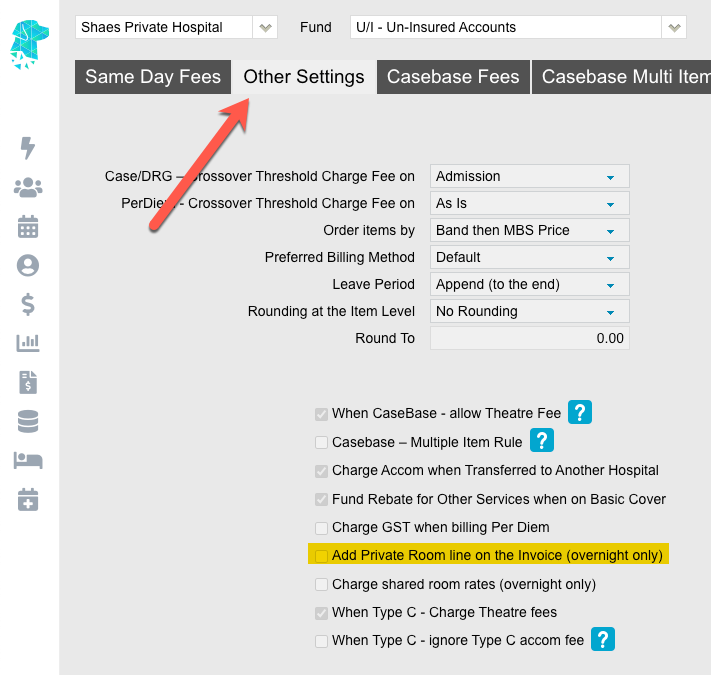
New Billing Rule for Overnight Facilities

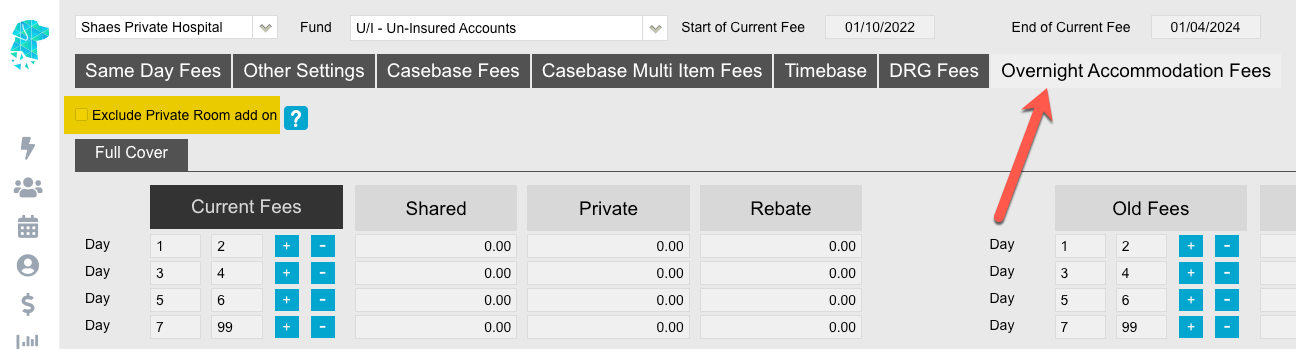
Facilities are now able to select how an inpatient episode is billed if it crosses over the contract threshold date.
Options that are available are:

  • Admission – bill the whole episode as per the contracted fees on the admission date
  • Discharge – bill the whole episode as per the contracted fees on the discharge date
  • As Is which will bill the old contracted fees before the threshold date & then revert to the current contracted fees after the threshold date.


Reports Favourites Feature

The ability to choose favourite reports is now available on a user level. This will enable each user to select the reports, that are most useful to them, to be displayed when they hover over the Reports icon
Reports can be added to the users short-list by clicking the star to the left of the desired report.
The complete list of reports will still be available for all users by simply clicking on the Reports icon, as opposed to just hovering over it.


Bug Fix

The issue that was occurring that prohibited some reports to be marked as a favourite has now been rectified.


FYDO Hospital Update – 20/2/2023

Preadmit Additional Feature

FYDO can now import the Emergency Contact & Pick Up Person from Preadmit.
If the patients are asked to provide these details when they complete their online admission form, through Preadmit, we are now able to update these details in FYDO.
Please contact us if your facility would like to utilise this feature.


New Referral Date Feature

FYDO now has the ability to allow facilities the choice of either requiring a referral date or allowing staff to enter the referring doctor without a referral date being necessary.
This feature can be activated by selecting Allow referral to be entered without a referral date/period in the Settings > System Configuration menu.


New ‘End of Current Fees’ feature

There is a new field that facilities can utilise in the Fees Setup. It allows for the End of Current Fees date to be entered. The next step we will undertake, in developing this feature, is to alert the user if they are trying to bill an episode that falls after the end date of the current fees. The implementation of the next development stage is expected to be in the next few weeks.


New ‘Estimated Recovery Time’ feature

The Estimated Recovery Time can now be added to print list templates. This time calculates by adding the Length of the Booking to the Booking time.
Therefore, Booking Time + Length of Booking = Estimated Recovery Time.

Theatre lists can then be generated in order of this Estimated Recovery Time using Order of List. This list will be beneficial as a Recovery List to enable recovery to see the patients’ order as they are expected out of theatre.