FYDO Hospital Update – 26/6/2023

New Feature in Processing IHC

FYDO now gives users the ability to mark rejected claims as actioned in the Processing IHC screen.
Once rejected claims have been addressed, the Actions drop down can be utilised to Mark as Actioned. This will remove the claim from the default view.

The Rejection Handled dropdown can be used to Show All responses and display any claims that have previously been Marked as Actioned. However, by default the screen will open to show Not Actioned responses only.

Users are also able to Clear Actioned to then undo the Mark as Actioned function if required.


FYDO Clinic Update 15/06/2023

End of Day Banking

The End of Day Banking has been relocated to the main menu. This is to assist in easy access for staff performing this task, as they no longer need to enter the settings menu.

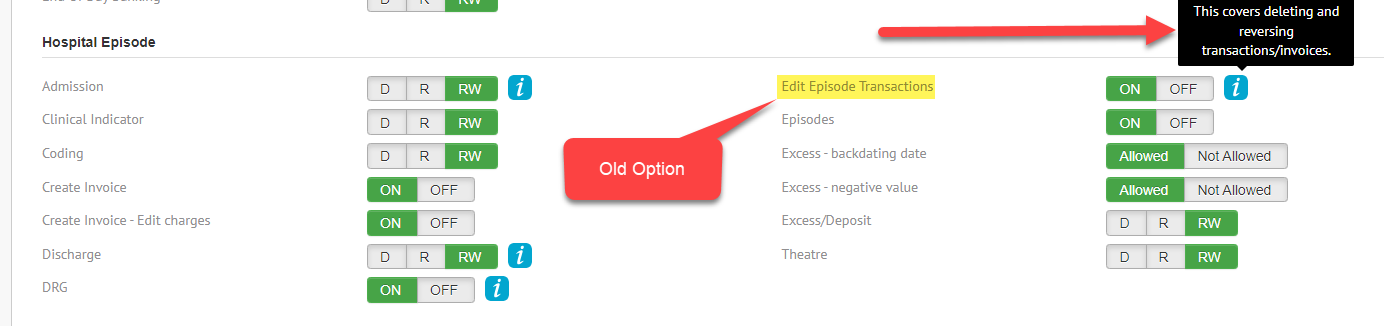
The permissions associated with the End of Day Banking have not changed. However, they have also been relocated in the User Groups to come under their own heading.


Gender Field

We have added a Gender field to the Patient Details screen. This field will automatically populate based on the sex.

For example – when Male is selected as Sex, Gender will automatically change to “Man, or boy, or male” and Female Sex has been mapped to “Woman, or girl, or female.” However, the Gender field can be overwritten to any other value provided.


Bug Fix

  • The issue that users were experiencing when using the Save As option for a letter is now resolved
  • The issue some users were experiencing with a doctors Default Bill Type not working has now been resolved
  • The issue some users were experiencing when billing using the bill type Private – Other has now been resolved


For previous updates, please visit https://wiki.fydo.cloud/updates-clinic/


FYDO Hospital Update – 15/6/2023

End of Day Banking

The End of Day Banking has been relocated to the main menu. This is to assist in easy access for staff performing this task, as they no longer need to enter the settings menu.

The permissions associated with the End of Day Banking have not changed. However, they have also been relocated in the User Groups to come under their own heading.


Billing Status Report

There has been an addition to the Billing Status Report when run for Show Not Billed Only that allows the user to Exclude Cancelled Episodes.


This option will not be checked by default. However, once the user ticks this box, the cancelled episodes will be excluded from the report.

Cancelled Episodes Report

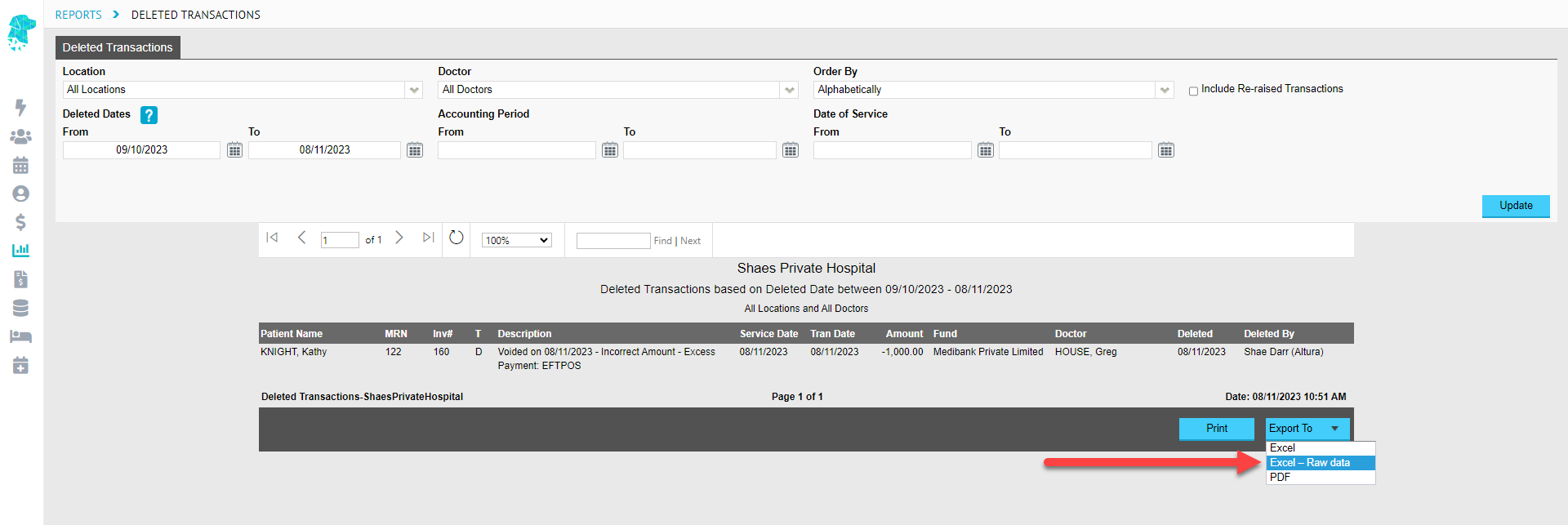
Users now have the option to obtain cancelled episode information for specific doctors or theatres with two new filters added to the Cancelled Episodes Report.

There have also been extra columns added to the Export > Excel – Raw data to give information on the Location Name, the Theatre ID, the Theatre List, the Doctor Name & the Doctor ID.


Introduction of Gender

As of July separations, it is Optional for Victorian Hospitals to report the patient’s gender to the VIC Dept of Health, which will become mandatory from July 2024.

Whilst the ‘Gender’ field is currently only a requirement of VIC Hospitals, we have made the field available for all hospitals to use if they wish, which is an additional field to Sex.

Below is the official Reporting Guide from VIC Health regarding the use of Gender:

Assigning a Gender in FYDO

Automatic mapping has been put in place, so when Male is selected as Sex, Gender will automatically change to “Man, or boy, or male” and Female Sex has been mapped to “Woman, or girl, or female.” However, the Gender field can be overwritten to any other value provided.


PreAdmit Changes Regarding New Gender Field

We are working on the changes required for PreAdmit, so please contact us if you would like us to introduce the Gender field, providing us with a copy of your admission form with the new Gender field.

Bug Fixes

  • The issue that some users experienced when billing Casebase Multi items has been resolved
  • The issue that some users experienced when running the Payments Report has been resolved
  • The issue that some users experienced when running the Other Services Revenue Report has been resolved


FYDO Clinic Update 08/06/2023

DVA Card Colour Addition

FYDO will now automatically populate the Veteran Card Colour when a successful OPV is done & DVA return the information.


New Option to Search for Referring Doctors

Users are now able to search for Referring Doctors by typing the suburb.


For previous updates, please visit https://wiki.fydo.cloud/updates-clinic/


FYDO Hospital Update – 8/6/2023

DVA Card Colour Addition

FYDO will now automatically populate the Veteran Card Colour when a successful OPV is done & DVA return the information.


DVA Card Colour – Additional checker for SA Health Data Extracts

FYDO will now alert users if the DVA Card Colour field is missing when they prepare the data extract. This added checker will help reduce the number of errors that South Australian hospitals have been receiving for this missing information.


New Option Added to Print List by Doctor/Surgeon

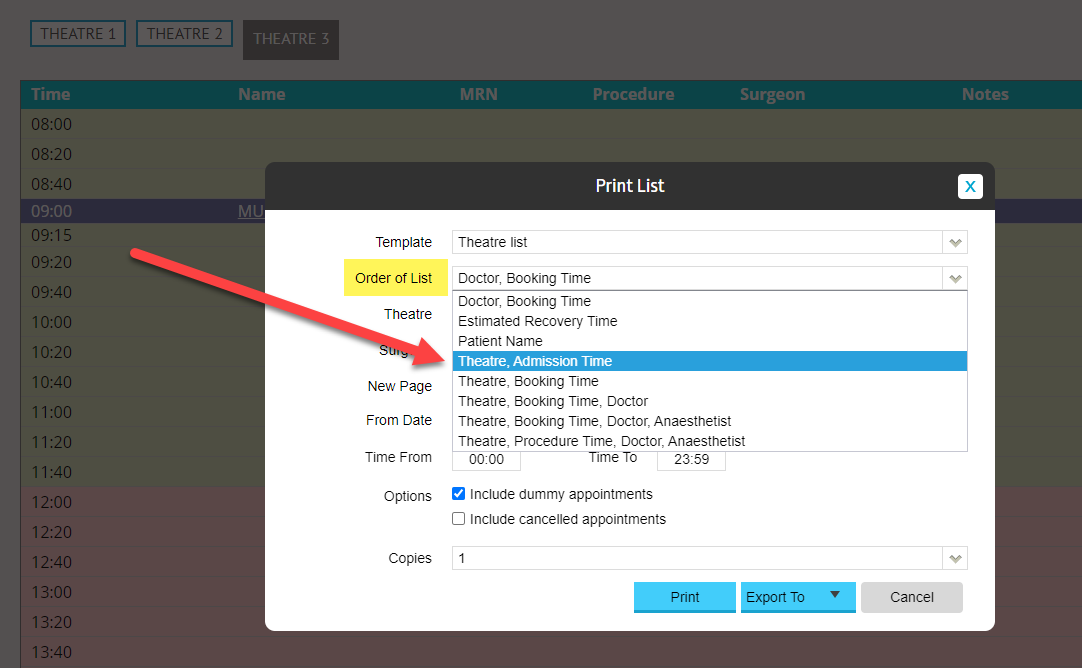
Users are now able to print lists for specific doctors using a new filter that has been added.


New Option to Search for Referring Doctors

Users are now able to search for Referring Doctors by typing the suburb.


New Format for HCP Data Files

The HCP Data File names have been amended to comply with the current criteria requirements. An example of how the new file names will be displayed is 0056090H_BUP_HCP_042023.txt


FYDO Clinic Update 01/06/2023

New Look Patients Screen

The Patients Screen has received a makeover. It has all the same functionalities, just with a fresh new look.

Bug Fix

The ordering of the List View by time, when using a Custom-Made View, has been fixed.


For previous updates, please visit https://wiki.fydo.cloud/updates-clinic/


FYDO Hospital Update – 1/6/2023

New Billing Rule

There is a new feature that allows a facility to restrict the invoicing of an episode if it is yet to be grouped.
This can be turned on in Settings > System Configuration by selecting the tick box that states Invoicing only allowed if ‘Episode Grouped’


New Look Patients Screen

The Patients Screen has received a makeover. It has all the same functionalities, just with a fresh new look.


New Fee Setup Function

A new option has been added in the Settings > Fee Setup that will assist in efficient entering of Basic Fees, if the contract stipulates that they are the same price as the Full Fees.
FYDO now gives users the ability to Click to Move Full Fee into Basic Fee to reduce the need for extra data entry.


Amendment to the Date of Service date on Payments & Adjustments

Historically the Date of Service (DOS) was shown on Payments & Adjustments as the transaction date. This has now been amended to show the actual Date of Service Date. The Accounting Period date will still reflect the option that has been selected in Settings > System Configuration.


Amendment to the List Re-ordering Feature

The List Re-ordering feature will now exclude cancelled appointments, making it more efficient for users to rearrange patients in the case of a cancellation or change of order.

Bug Fixes

  • The problem that some users experience in the Casebase Multi Fee Tab, when trying to enter the same item number twice, has been rectified.
  • The issue that some users were experiencing regarding the “Not Billed” filter reverting to “All Appointments” has been resolved.
  • The ordering of the List View by time, when using a Custom-Made View, has been fixed.
  • The problem that some users experience with printing their lists in order of Doctor & Booking Time & exporting to excel has been rectified.


FYDO Clinic Update 25/05/2023

New Appointment Screen Right Click Feature

Users are now able to use a single left/normal click, on the Appointment Time, to display the menu.
The menu is still available by Right Clicking anywhere on the appointment line; however, this new feature has been introduced to make FYDO more compatible with tablets & iPads.


New Custom View Options for Lists

Users are now able to create their own Custom Views for the Appointments Screen, when displayed in List mode.
These views can be created to include all the same fields that are used in the other view options.
For instructions on creating your own Custom Views, follow the instructions on our Wiki page at Creating Custom Views in the Appointments Screen


Bug Fix

The issue that some users were experiencing when trying to “Reset Mobile (2FA)” has now been rectified.


For previous updates, please visit https://wiki.fydo.cloud/updates-clinic/


FYDO Hospital Update – 25/05/2023

New Appointment Screen Right Click Feature

Users are now able to use a single left/normal click, on the Appointment Time, to display the menu.
The menu is still available by Right Clicking anywhere on the appointment line; however this new feature has been introduced to make FYDO more compatible with tablets & iPads.

New Custom View options for Lists

Users are now able to create their own Custom Views, for the Appointments Screen, when displayed in List mode.
These views can be created to include all the same fields that are used in the other view options.
For instructions on creating your own Custom Views follow the instructions on our Wiki page at Creating Custom Views in the Appointments Screen


Bug Fix

The issue that some users were experiencing when trying to “Reset Mobile (2FA)” has now been rectified.


FYDO Clinic Update 19/05/2023

New Batch Status Added to Claiming Medical

There has been a new batch status added to Claiming Medical called Closed with Rejection. Prior, when moving a rejected invoice/item out of a batch, it would move out to a Closed batch status if a Health Fund claim or into a open batch if Medicare/DVA, you would also lose the exception code/reason. Now, when moving out a rejected invoice/item, it will go into its own batch with the status Closed with Rejection, you will also no longer lose the exception code/reason when moving the rejection out. This new batch status will benefit all clinics, in particular those with multiple users, as this will help users identify invoices/items that have been moved out of its original batch due to a rejection.

Please note: When moving out Medicare/DVA rejections, this will automatically close the current open batch (If any) for that provider, this is so the rejected invoice/item is able to move into its own batch and not into the current open batch.


For previous updates, please visit https://wiki.fydo.cloud/updates-clinic/