FYDO Clinic Update 04/01/2023

1st of January MBS & DVA Community Nursing Schedule

Has been added to FYDO.

For more information about the Medicare Benefits Schedule (MBS) Updates, please visit: http://www.mbsonline.gov.au/internet/mbsonline/publishing.nsf/Content/news-230101

For more information about the DVA Community Nursing Fee Schedule Updates, please visit: https://www.dva.gov.au/providers/health-programs-and-services-our-clients/community-nursing-services-and-providers-0


Payments (Clinic) Report

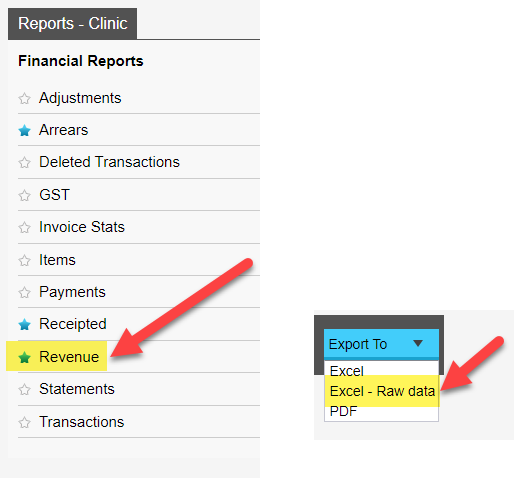
A New Export To option has been added to the Payments (Clinic) Report. Users are now able to export this report to Excel – Raw Data format.


New Letter Defaults 

When creating a new letter the Select a Template, Document Name and Document Type fields will default to the default letter templates details (Note: users can override the default Document Name and Document Type by typing in or clicking on the fields drop down arrow). To set a letter template as the Default go to Settings > Templates > Tick the Default tick box of the letter template you want to make the Default.

Users will also notice that the Referring Details section will automatically prefill to the patients current active referral details.


For previous updates, please visit https://wiki.fydo.cloud/updates-clinic


FYDO Hospital Update – 19/12/2022

Revenue Report – New Options

There has been a new Group By option added to the Revenue Report that allows the user to sort the information grouped by Doctor/Surgeon (Provider Number). This will be of assistance for any facility that has doctors/surgeons entered in their system more than once.


Doctor & Anaesthetist added to all screens

FYDO will now display the doctor/surgeon & anaesthetist names in the heading of all screens. E.g., admission screen, theatre screen, coding screen, clinical indicator screen etc.


Allergies Amendment

FYDO now recognises Nil as not being an allergy. This enables users to acknowledge that they have identified the patient has no allergies, without the alert icon showing on the appointment screen or other screens.


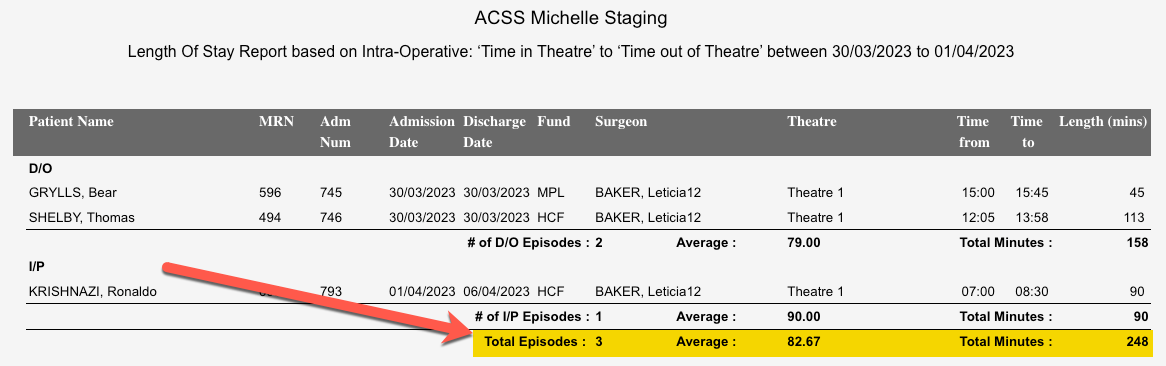
Length of Stay Report – New Option

There has been a new option added to the Length of Stay report that allows users to collect data from the Admission Time to the Pre-Operative Time, and if the pre-operative time is blank, it will then revert to using the Anaesthetic Start Time.
This gives users the ability to run 1 report to obtain certain reporting data that they require.


Billing Status Report Addition

There is now an additional feature that is available when running the Billing Status Report. If the Report Type is set as Show not billed only there is another option that allows the user to omit episodes that have an invoice raised for $0.


Theatre Utilisation Information

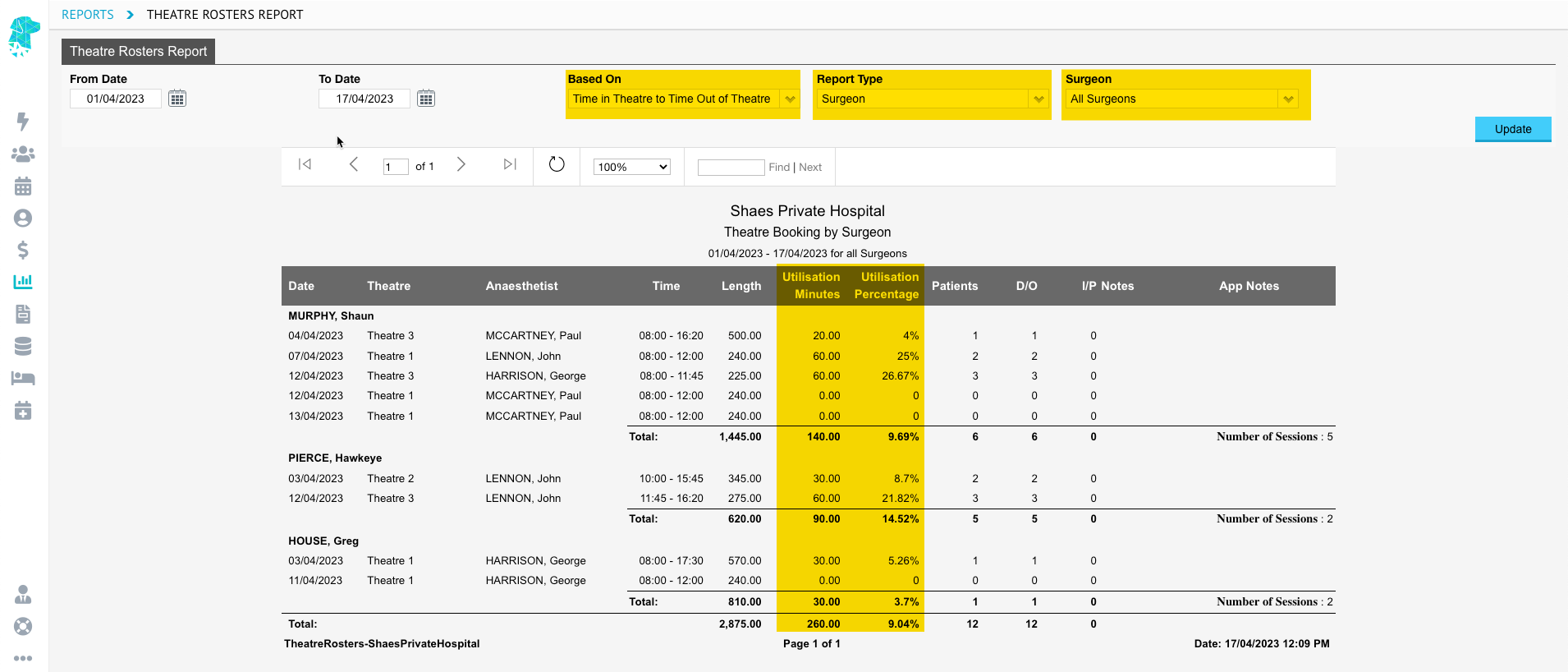
FYDO now shows the user the utilisation minutes & percentage for any given theatre booking. This information can be obtained by finding the desired theatre booking, right clicking & selecting Edit Roster.
Once the theatre times have been added for the episodes, the user is given the option to view the information Based On > Time in Theatre to Time Out of Theatre. This feature will tell the user:

  1. The Total Number of Minutes that the session is booked for
  2. The Total Number of Appointments booked in for that session
  3. The Total Number of Minutes Utilised for the session
  4. The Percentage of Session that is Utilised
  5. Allows the user to easily navigate to the Appointment Screen or the Theatre Screen


Additional User Permission Abilities

FYDO now allows access to be given to user groups for different types of reports. This allows facilities to give users access to reports that they require, while restricting access to reports that are not necessary for their role.


Clinical Notes now available for hospital users

FYDO hospital users are now able to utilise the Clinical Notes function. This feature allows for notes to be added to the patients’ file.
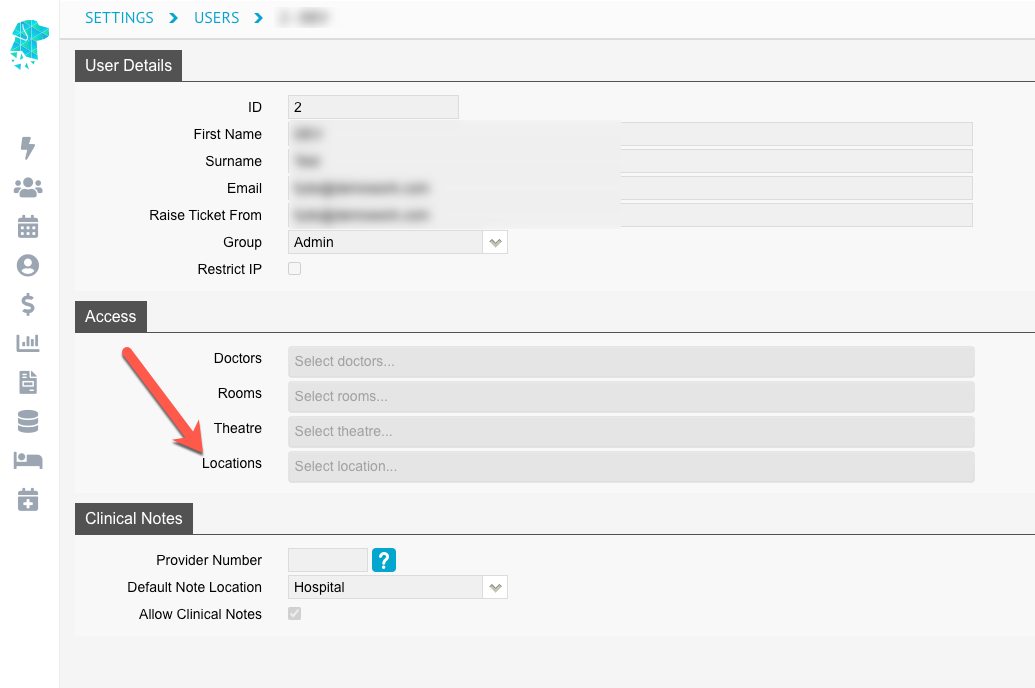
Each user can be given access to this feature from Settings > Users > Select User > Edit > Tick ‘Allow Clinical Notes’. Once given access they can add notes by using the Clinical tab in the patients’ file using the Notes tab.
Notes can be viewed by selecting the History Notes tab.


Accommodation Type field for VIC Hospitals

For same day patients’, the accommodation type field on the discharge screen will override the admission screen field so that they are matching.


DVA Program Numbers

For Mental Health Facilities, the Program Number field in the appointment no longer needs to be assigned for DVA patients.


Bug Fixes

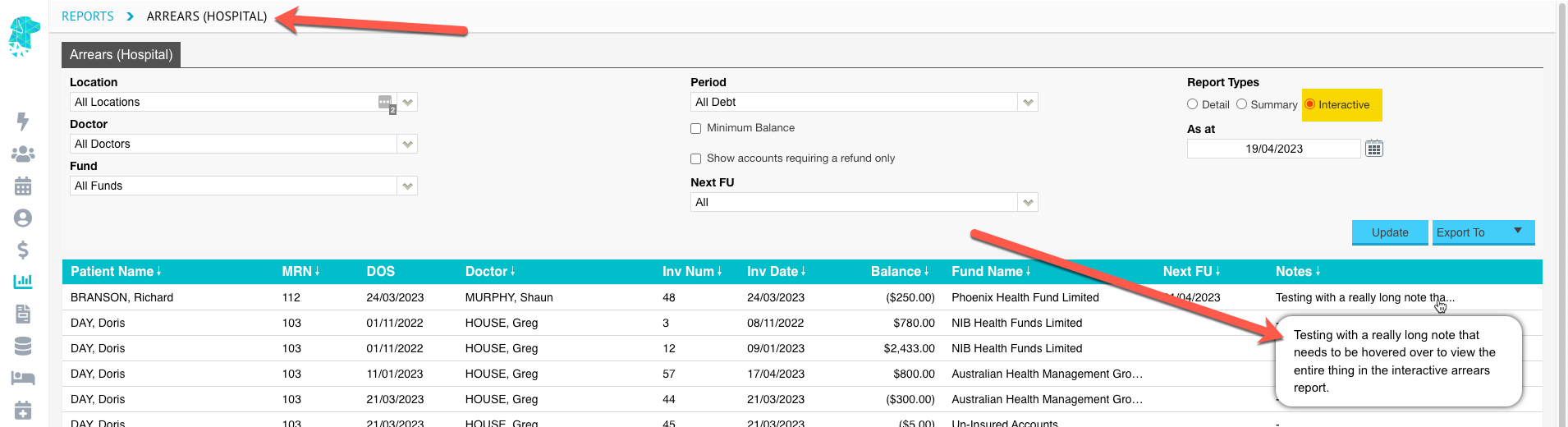
The issue with funds, that have no outstanding arrears, showing on the arrears report unnecessarily has now been rectified.


FYDO Clinic Update 19/12/2022

Writing Clinical Notes

All users now have the ability to write “Clinical notes”. To enable this function go to “Settings” > “Users” > Click the blue dropdown arrow at the end of the users line > “Edit” > “Edit” again > Tick “Allow Clinical Notes” > “Save”.


Report Permissions

We have introduced new permission options to “User Groups” for “Reports”. Users can now be restricted/or allowed access to Statistical and Financial “Reports”. To modify user permissions go to “Settings” > “User Groups” >  Double click on the group you wish to change permissions for > “Edit” > Toggle “ON/OFF” > “Save”.


For previous updates, please visit https://wiki.fydo.cloud/updates-clinic


FYDO Clinic Update 08/12/2022

Opening the Patient Screen

This new feature will open the “Patient Details” screen in a new tab which allows the user to return to view the “Appointments” screen, in the original tab, without having to close the “Patient Details” screen.


Bug Fixes

  • The “Revenue Clinic” report is now calculating correctly when using date of service as the type.
  • Referral expired message no longer showing in error on the patients “Other”, “Appointments”, “Recalls”, “Accounts”, “Communication”,     “Documents” and “Clinical” screens.
  • When a new referral is added to an appointment on the “Appointments” screen, it will now be reflected in the “Patient Details” screen.

For previous updates, please visit https://wiki.fydo.cloud/updates-clinic


FYDO Hospital Update – 7/12/2022

Opening the Patient Screen

This new feature will open the patient screen in a new tab which allows the user to return to view the appointments screen, in the original tab, without having to close the patient screen.


Accommodation Step Down Editing Feature for Overnight Facilities

Users are now able to select the relevant accommodation type for the admission when billing the episode.
This feature also enables 2 different accommodation types to be billed for the same admission when required.


Discounts by a percentage

Users are now able to apply a percentage discount to any item when creating an invoice.
Right clicking in any of the fee fields will display the Discount by Percentage option.
Once selected, the user can enter the discount percent that they want to apply (e.g., 5%) and click OK. The original fee will then be reduced by the percentage discount that was applied.


Bug Fixes

  • The Minimum Balance Function is now working for the Interactive Arrears Report
  • The On Hold Function is now working & claims in the ‘Claiming Hospital – Not Yet Sent’ tab will reflect when claims are On Hold
  • When a new referral is added to the appointment screen, it will now be reflected in the patient screen


FYDO Clinic Update 06/12/2022

Email Documents

Users now how the ability from the patient “Documents” screen to email documents directly from FYDO. Documents can be sent to the Patient Email, Referring Doctor Email or Doctor Email. Once an option is selected the user will then be able to edit the subject line, add text and override the email address to where the email is to be sent if required. This feature can be turned on by going to  “Settings”> “System Config”> “Email Notification”.

Batch Listing Report

New filter option called  “Archived”  has been added to the “Batch Listing” report.


Auto Confirm Appointments

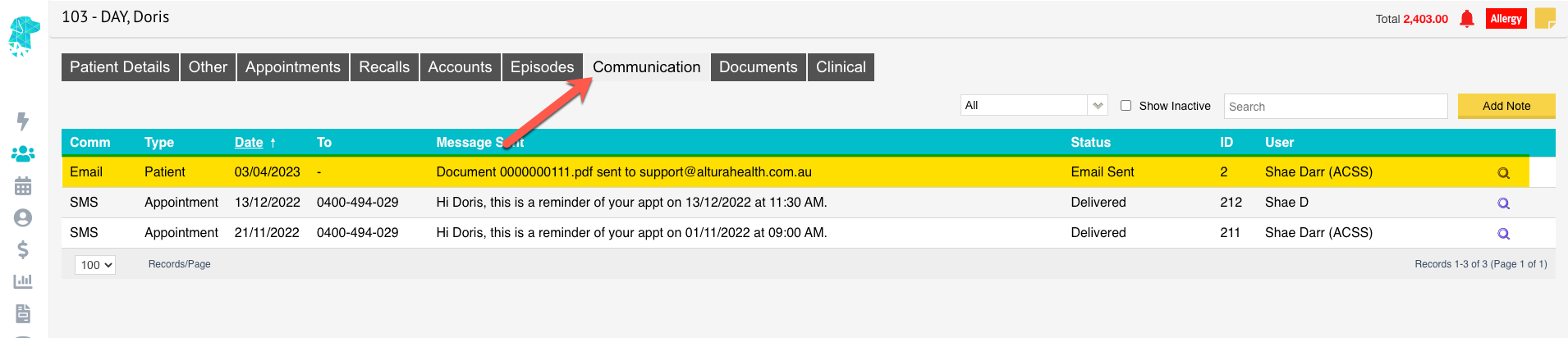
We have introduced an auto confirm feature for patient appointments. The “Confirmed” field (if added to your custom view) will automatically change to confirmed with a tick on the appointment book if the patient has replied to the SMS reminder with a Y or Yes. This will also update in the “Appointment Details” screen to show the appointment as “Confirmed”.


For previous updates, please visit https://wiki.fydo.cloud/updates-clinic


FYDO Hospital Update – 5/12/22

New Search field in History/Episodes Screen

A field has been added to the History/Episodes screen that allows the user to search for an invoice number within the patient’s episodes.
This has been designed to assist with efficiently locating the desired admission when the patient has a high number of episodes.


Theatre Screen Automatic Tab

When entering times into the theatre screen the curser will now automatically move to the next field, to enable the user to keep typing the times without having to utilise the tab key (as it functioned in SimDay).


Ability to Email Documents from FYDO

Users are now able to email documents from FYDO. This can be done from the Documents Screen by using the little down arrow on the right of the required document.

To enable this feature, the facility will first need to set up the sender email details in Settings > System Configuration.
Once the require information is entered as above the Email Document box will open, giving the option to email:

  • The Patient Email
  • The Referring Doctor Email
  • The Doctor Email

If these email addresses have previously been entered into the system, the email field will pre-populate once a tick box is selected. If the details haven’t previously been entered, the user is able to type the require email address in the field.


Bug Fixes

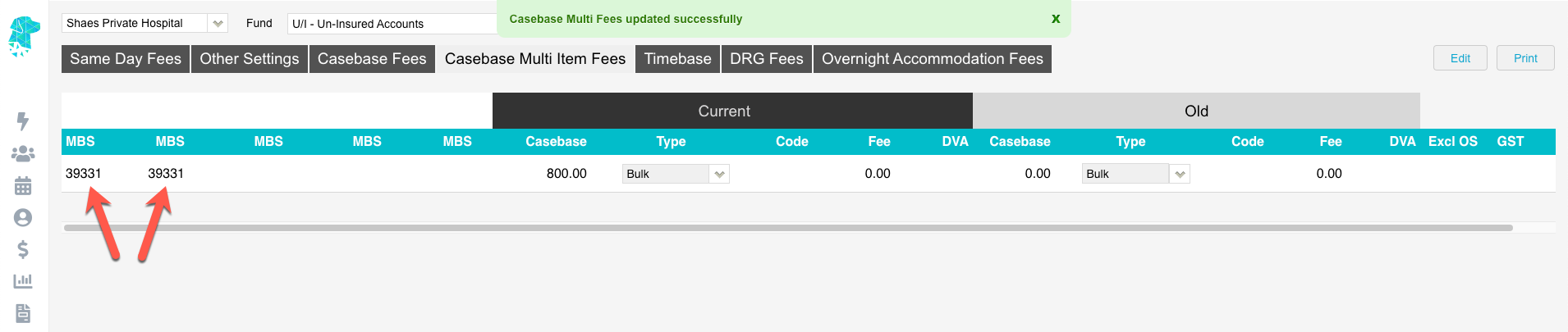
Issue with the ordering of Casebase Multi items has been resolved.


FYDO Clinic Update 28/11/2022

Default Bill Type

Users now have the option to set a “Default Bill Type” for a doctor under the “Doctors” setup. If a “Default Bill Type” is set this will then automatically populate into the “Bill Type” fields when making an appointment. Please note if the patient has a Veterans card this will override the “Default Bill Type”.


For previous updates, please visit https://wiki.fydo.cloud/updates-clinic


FYDO Hospital Update 28/11/2022

ASA Score field added to Theatre Screen

FYDO now has the option to record the ASA Score to the Theatre Screen.

The statistics on the ASA Score can be obtained using the Episode Stats report & exporting it to Excel – Raw Data. This allows users to filter or order patients’ according to their ASA Score. (Currently in column BR)


Casebase Billing Rule Addition

To accommodate different types of health fund contracts the new billing rule allows items to be ordered by Casebase fee, Band then MBS Price.


Webhooks update

When assigning multiple items to an episode, a webhook will now be sent for each item assigned.

Bug Fixes

The issue that users encounter with the documents screen cutting off has now been rectified.


FYDO Hospital Update 21/11/2022

1st November Prostheses List Update Available

The latest edition of the Prosthesis List has been added to FYDO.


Band Mapping Feature Added

FYDO now allows facilities to allocate different bands to item numbers, other than that in the National Procedure Bandings List.
This will be beneficial when health fund contracts stipulate different bandings for certain item numbers.
This new feature has been added to Settings > Band Mappings.


Theatre Roster Report Additions

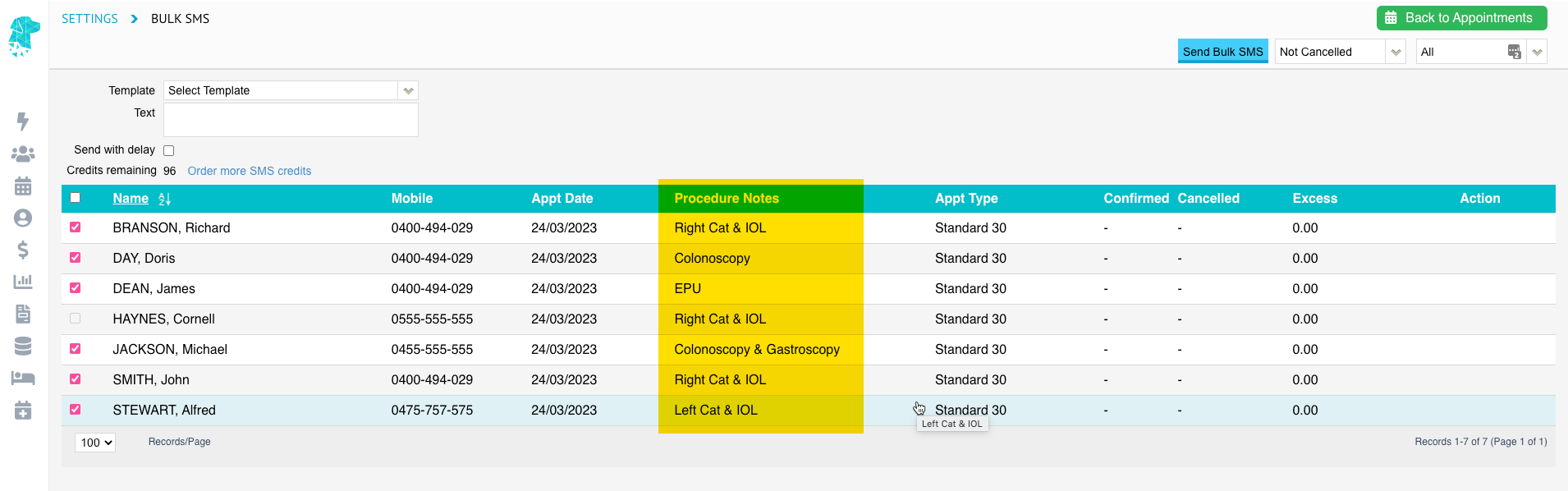
The Appointment Notes will now show on the Theatre Roster Report.


History Screen Right Click Menu

The option to select Quick Forms has been added to the right-click menu in the History/Episodes screen.
To use this function, right click anywhere on the episode line to display the available options.


Auto Confirm of Appointments with SMS replies

A new feature has been added to Auto Confirm appointments when a patient replies “Y” or “Yes” to an SMS that they have received.
These confirmations can be viewed in the Edit Appointment Screen. Or in the Appointments Screen by adding the confirmed column to a custom view.


Bug Fixes

The IHCP checker for QLD hospitals has been removed. This will assist in data extraction errors relating to Inter Hospital Contracted Patients’.