FYDO Clinic Update 08/12/2022

Opening the Patient Screen

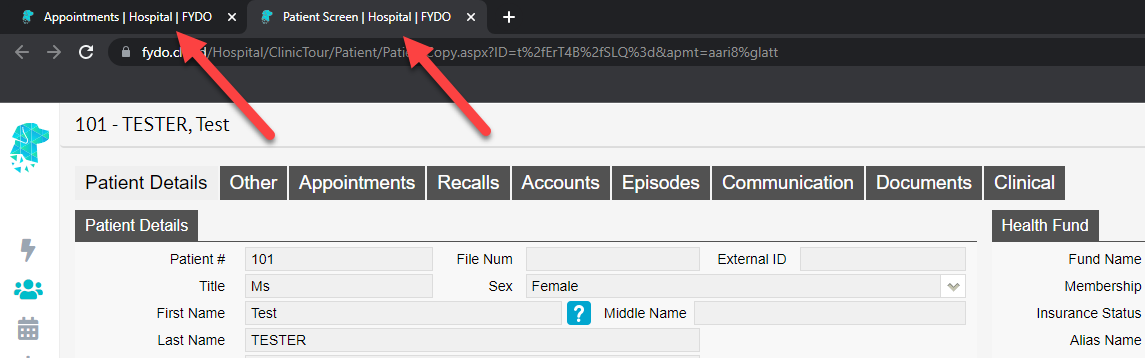
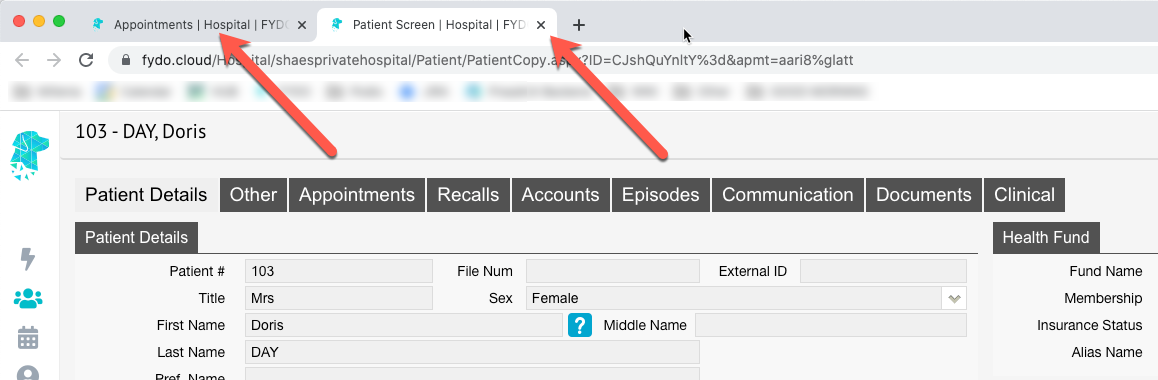
This new feature will open the “Patient Details” screen in a new tab which allows the user to return to view the “Appointments” screen, in the original tab, without having to close the “Patient Details” screen.


Bug Fixes

  • The “Revenue Clinic” report is now calculating correctly when using date of service as the type.
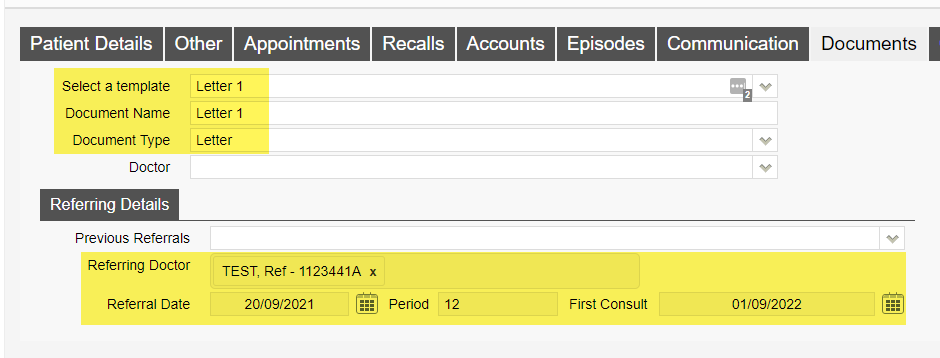
  • Referral expired message no longer showing in error on the patients “Other”, “Appointments”, “Recalls”, “Accounts”, “Communication”,     “Documents” and “Clinical” screens.
  • When a new referral is added to an appointment on the “Appointments” screen, it will now be reflected in the “Patient Details” screen.

For previous updates, please visit https://wiki.fydo.cloud/updates-clinic


FYDO Hospital Update – 7/12/2022

Opening the Patient Screen

This new feature will open the patient screen in a new tab which allows the user to return to view the appointments screen, in the original tab, without having to close the patient screen.


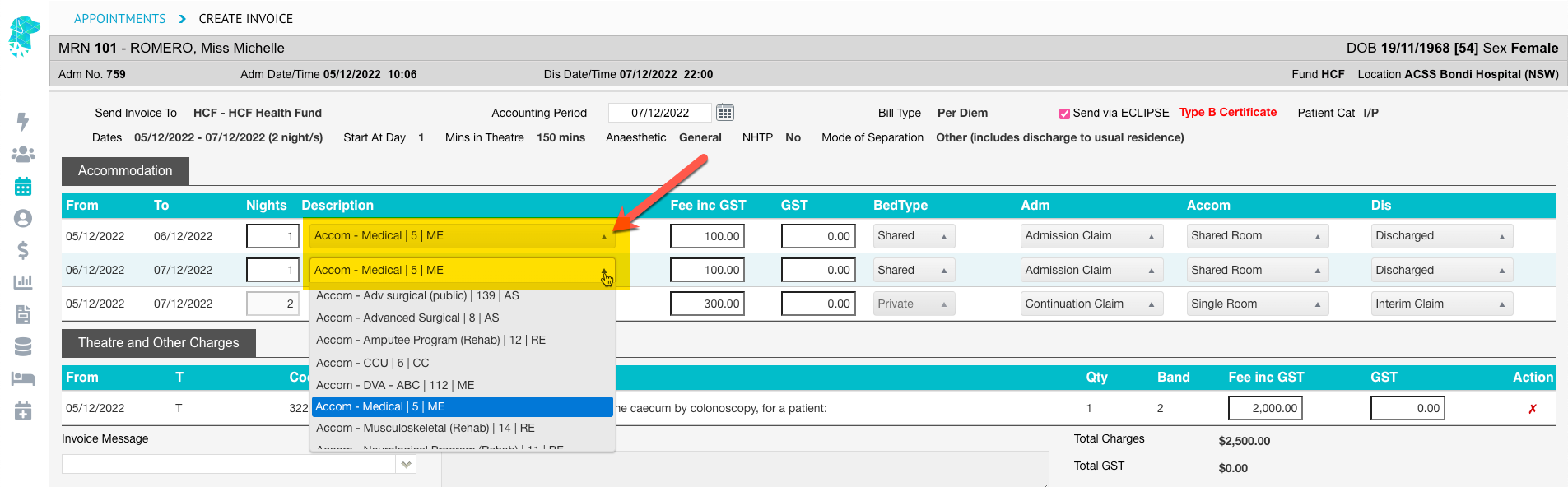
Accommodation Step Down Editing Feature for Overnight Facilities

Users are now able to select the relevant accommodation type for the admission when billing the episode.
This feature also enables 2 different accommodation types to be billed for the same admission when required.


Discounts by a percentage

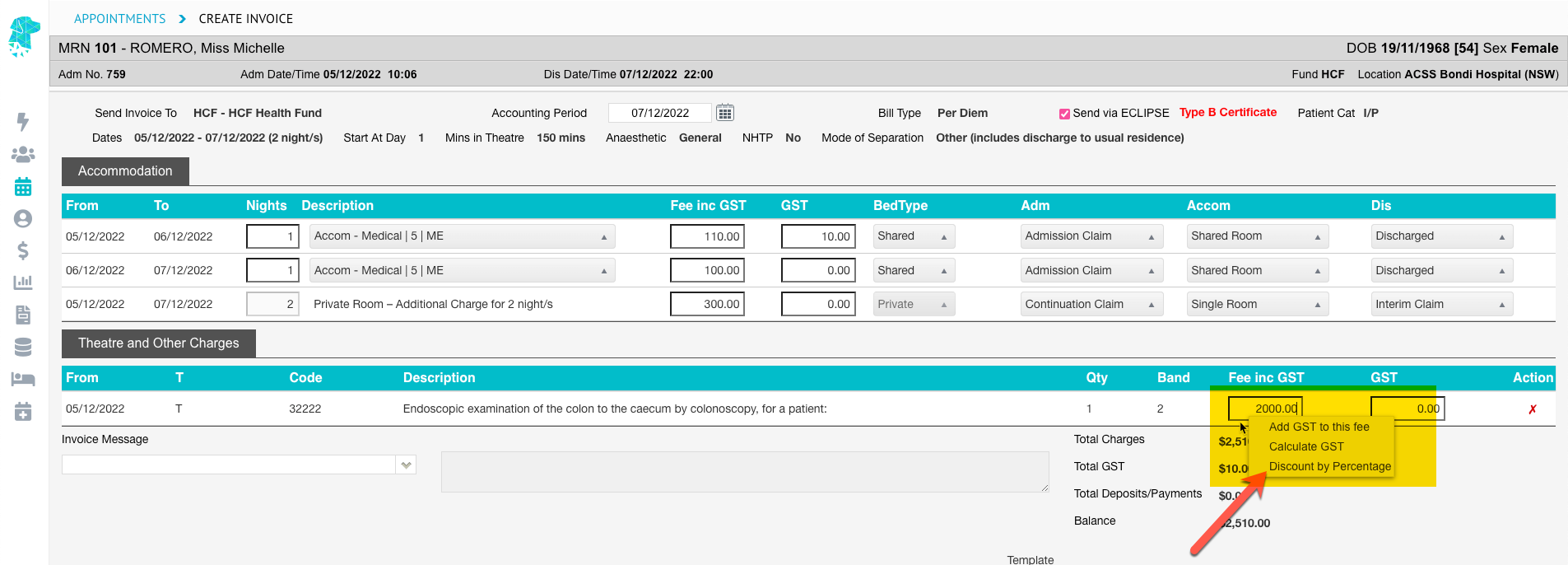
Users are now able to apply a percentage discount to any item when creating an invoice.
Right clicking in any of the fee fields will display the Discount by Percentage option.
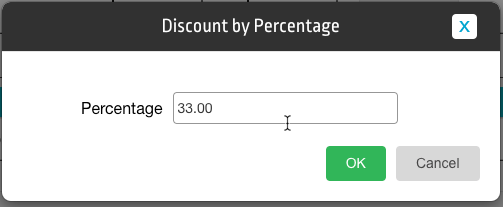
Once selected, the user can enter the discount percent that they want to apply (e.g., 5%) and click OK. The original fee will then be reduced by the percentage discount that was applied.


Bug Fixes

  • The Minimum Balance Function is now working for the Interactive Arrears Report
  • The On Hold Function is now working & claims in the ‘Claiming Hospital – Not Yet Sent’ tab will reflect when claims are On Hold
  • When a new referral is added to the appointment screen, it will now be reflected in the patient screen


FYDO Clinic Update 06/12/2022

Email Documents

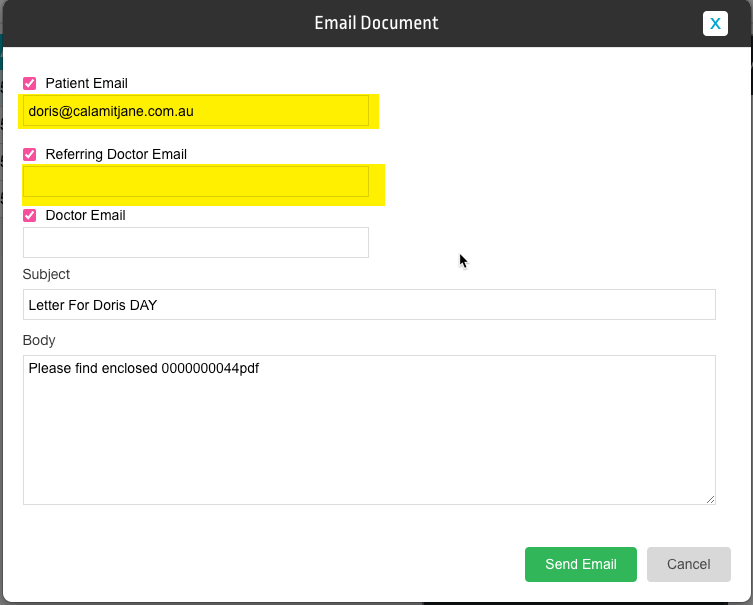
Users now how the ability from the patient “Documents” screen to email documents directly from FYDO. Documents can be sent to the Patient Email, Referring Doctor Email or Doctor Email. Once an option is selected the user will then be able to edit the subject line, add text and override the email address to where the email is to be sent if required. This feature can be turned on by going to  “Settings”> “System Config”> “Email Notification”.

Batch Listing Report

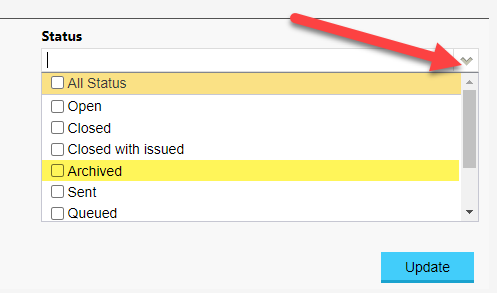
New filter option called  “Archived”  has been added to the “Batch Listing” report.


Auto Confirm Appointments

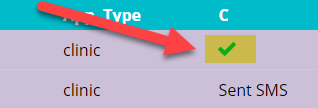
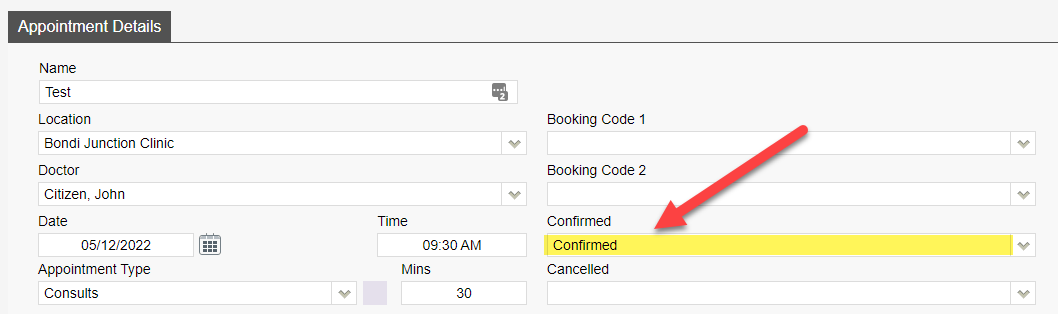
We have introduced an auto confirm feature for patient appointments. The “Confirmed” field (if added to your custom view) will automatically change to confirmed with a tick on the appointment book if the patient has replied to the SMS reminder with a Y or Yes. This will also update in the “Appointment Details” screen to show the appointment as “Confirmed”.


For previous updates, please visit https://wiki.fydo.cloud/updates-clinic


FYDO Hospital Update – 5/12/22

New Search field in History/Episodes Screen

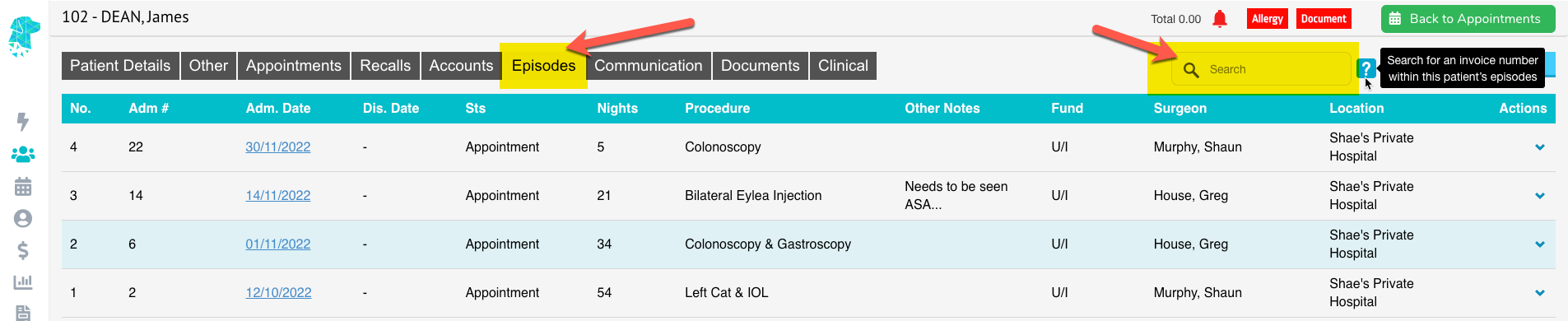
A field has been added to the History/Episodes screen that allows the user to search for an invoice number within the patient’s episodes.
This has been designed to assist with efficiently locating the desired admission when the patient has a high number of episodes.


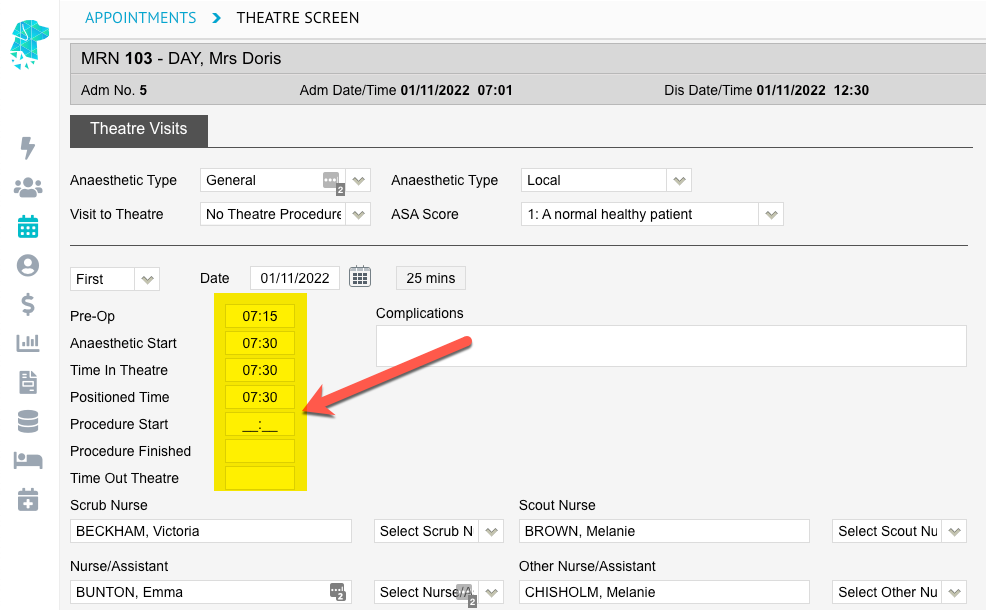
Theatre Screen Automatic Tab

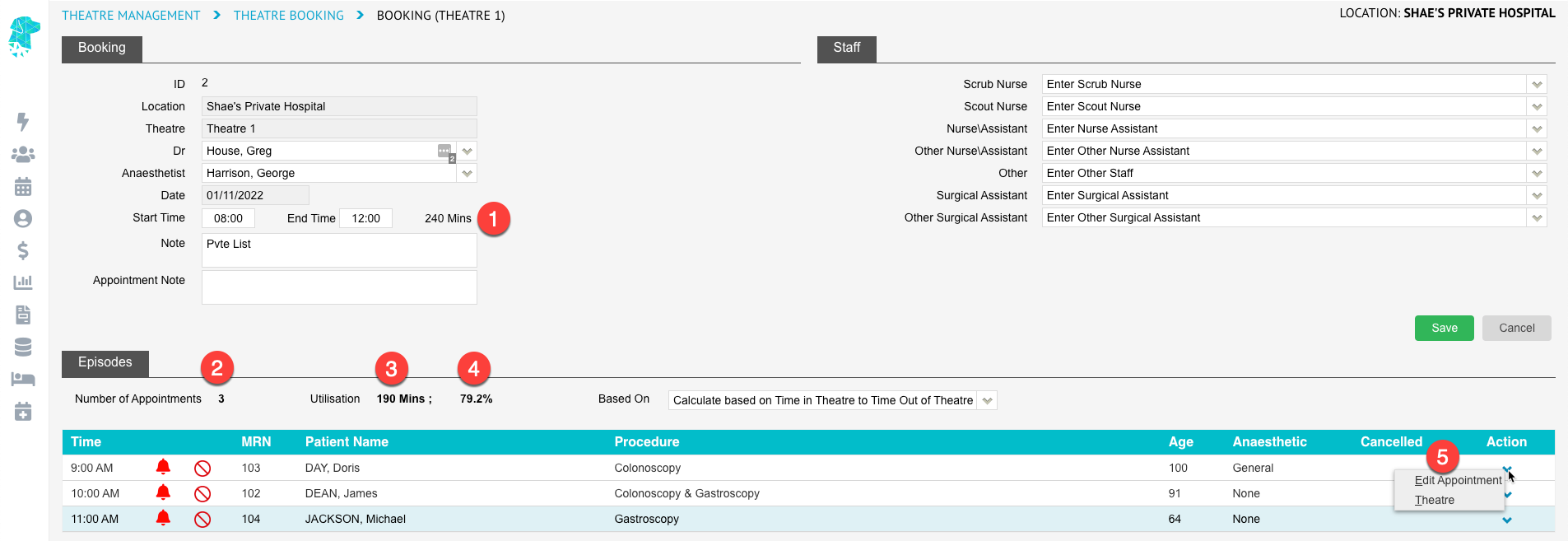
When entering times into the theatre screen the curser will now automatically move to the next field, to enable the user to keep typing the times without having to utilise the tab key (as it functioned in SimDay).


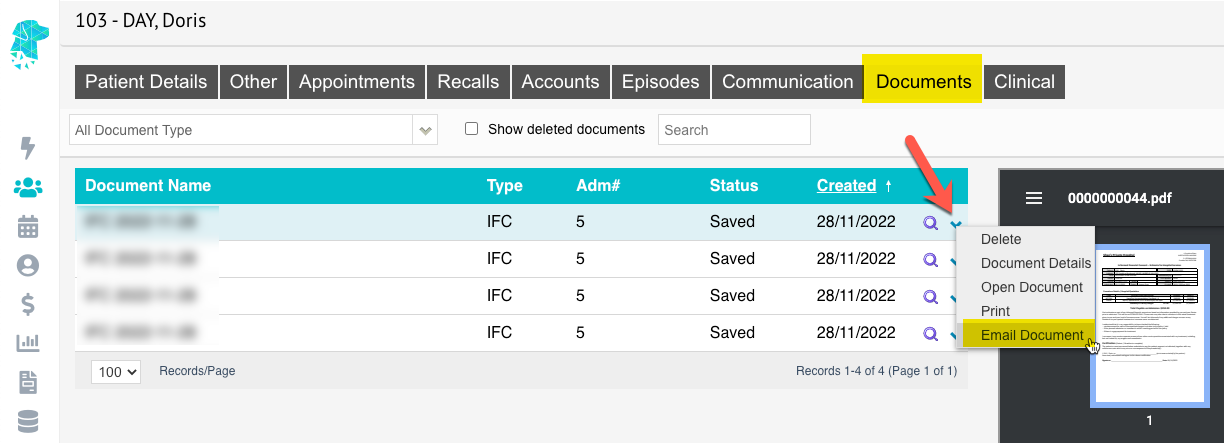
Ability to Email Documents from FYDO

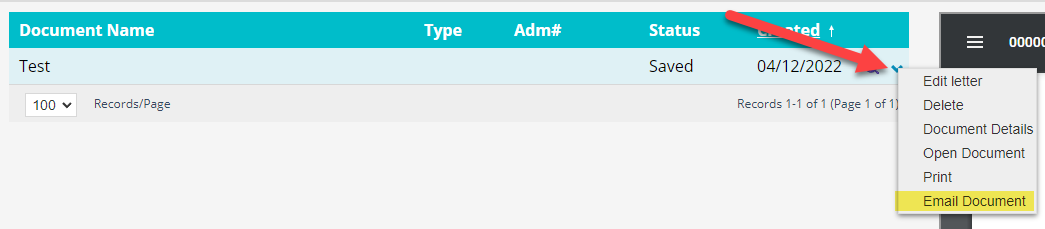
Users are now able to email documents from FYDO. This can be done from the Documents Screen by using the little down arrow on the right of the required document.

To enable this feature, the facility will first need to set up the sender email details in Settings > System Configuration.
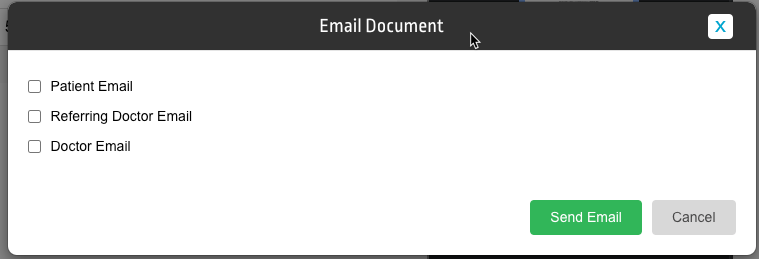
Once the require information is entered as above the Email Document box will open, giving the option to email:

  • The Patient Email
  • The Referring Doctor Email
  • The Doctor Email

If these email addresses have previously been entered into the system, the email field will pre-populate once a tick box is selected. If the details haven’t previously been entered, the user is able to type the require email address in the field.


Bug Fixes

Issue with the ordering of Casebase Multi items has been resolved.


FYDO Clinic Update 28/11/2022

Default Bill Type

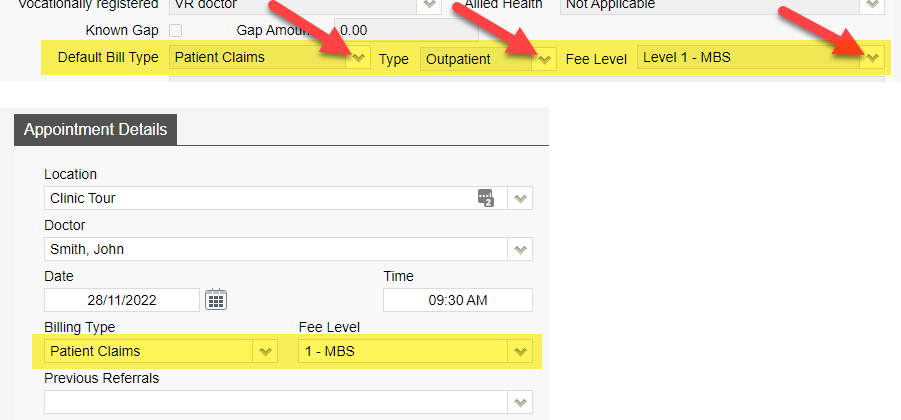
Users now have the option to set a “Default Bill Type” for a doctor under the “Doctors” setup. If a “Default Bill Type” is set this will then automatically populate into the “Bill Type” fields when making an appointment. Please note if the patient has a Veterans card this will override the “Default Bill Type”.


For previous updates, please visit https://wiki.fydo.cloud/updates-clinic


FYDO Hospital Update 28/11/2022

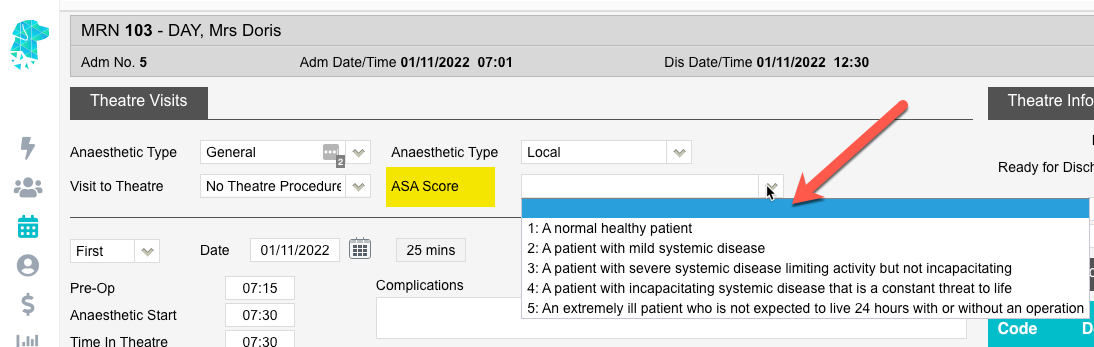
ASA Score field added to Theatre Screen

FYDO now has the option to record the ASA Score to the Theatre Screen.

The statistics on the ASA Score can be obtained using the Episode Stats report & exporting it to Excel – Raw Data. This allows users to filter or order patients’ according to their ASA Score. (Currently in column BR)


Casebase Billing Rule Addition

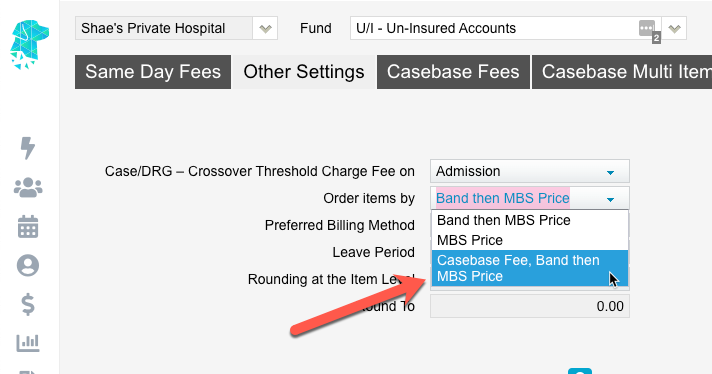
To accommodate different types of health fund contracts the new billing rule allows items to be ordered by Casebase fee, Band then MBS Price.


Webhooks update

When assigning multiple items to an episode, a webhook will now be sent for each item assigned.

Bug Fixes

The issue that users encounter with the documents screen cutting off has now been rectified.


FYDO Hospital Update 21/11/2022

1st November Prostheses List Update Available

The latest edition of the Prosthesis List has been added to FYDO.


Band Mapping Feature Added

FYDO now allows facilities to allocate different bands to item numbers, other than that in the National Procedure Bandings List.
This will be beneficial when health fund contracts stipulate different bandings for certain item numbers.
This new feature has been added to Settings > Band Mappings.


Theatre Roster Report Additions

The Appointment Notes will now show on the Theatre Roster Report.


History Screen Right Click Menu

The option to select Quick Forms has been added to the right-click menu in the History/Episodes screen.
To use this function, right click anywhere on the episode line to display the available options.


Auto Confirm of Appointments with SMS replies

A new feature has been added to Auto Confirm appointments when a patient replies “Y” or “Yes” to an SMS that they have received.
These confirmations can be viewed in the Edit Appointment Screen. Or in the Appointments Screen by adding the confirmed column to a custom view.


Bug Fixes

The IHCP checker for QLD hospitals has been removed. This will assist in data extraction errors relating to Inter Hospital Contracted Patients’.


FYDO Hospital Update 14/11/2022

New Theatre Roster Report Improvements

Our new Theatre Roster Report is now able to be run for dates in the future.


Payment Summary Report Improvements

The Payment report, when run by Report Type Summary, will now group the transactions by their payment types.


Bug Fixes

The DRG error, that was occurring when running the grouper, has now been amended.


For previous updates, please visit https://wiki.fydo.cloud/updates-hospital/


FYDO Hospital Update 7/11/2022

Informed Financial Consent (IFC) printing multiple copies

When generating an IFC there is now the option to print multiple copies.


1st of November MBS & Procedure Bandings

Has been added to FYDO.


Cancer Registry addition for Victoria

The Cancer Registry has been added to the coding screen for facilities in Victoria.
You can now extract the Cancer Registry data as a file, ready for monthly submission.


FYDO Hospital Update – October 2022

Discharge Screen Enhancement

The cursor will now appear in the Discharge Time field when opening the Discharge Screen. This will enable users to simply type the discharge time without having to click in the field first.
Another addition to this field is a Double Click. When the user double clicks in the Discharge Time field the current time will be pre-populated. This will assist users that are discharging in real time.

Preview & Print Eligibility Checks in Bulk

This new feature allows users to easily preview all eligibility checks that have been performed. There is also the option to select multiple OEC’s & print them at once.
This feature can be found in Claiming > Processing & Payment Reports > Eligibility Checks Tab. A list of the OEC’s performed will be shown on the left & a preview will be shown on the right. Individual OEC’s can be downloaded or printed from this preview screen. Alternatively, use the tick boxes on the left to select any number of OEC’s to print at once. Then use the Select dropdown box & click Print PDF or Print Excel to generate a document that includes all selected OEC’s.


Arrears Interactive Report Additions

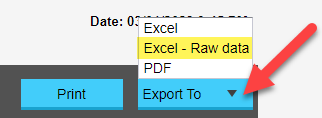
The option to Right-Click on a line in the Arrears Report, when in Interactive View, has been added. This allows the user to easily navigate to the History Screen for the episode selected. The Interactive view can also be exported to Excel – Raw Data.

New Permission Level – Editing Charges When Invoicing

You can now restrict a user groups’ ability to edit charges while billing, by switching the Create Invoice – Edit charges function to OFF, under the User Groups Permissions screen.

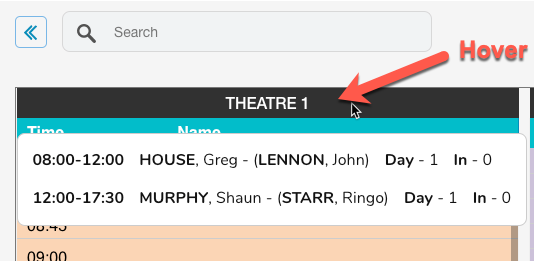
Session Information Displaying in Appointments Screen

Hovering over the theatre name will now enable users to view:

  • Session Times
  • Doctors Name
  • Anaesthetists Name
  • Number of Day Patients
  • Number of Inpatients

Adjust Invoice now opens in a separate tab

When selecting Invoice Options > Adjust Invoice, in the History/Episodes screen, the screen will now open in a new tab. This will enable users to simply close the tab, after performing the adjustment, to return to the screen they were working on.

New Uncoded Filter

There is now the option to view Uncoded episodes in the Appointments Screen by using the Filter dropdown & selecting Uncoded.

Payments Report Addition

The Admission Date has been added to the Payments Report.

Data Extract Improvements

The Period column will now correctly sort files in date order.
The button, that was previously displayed as Submit, has been re-named to Prepare Extract & re-located to assist users in the process of getting the data ready to extract.

Addition of a New Billing Rule

This new billing rule allows the combination of casebase and theatre banding fees, where secondary items do not have a casebase fee. Untick this feature if the health fund contract does not allow theatre bandings to be charged for subsequent item numbers.

Raising a ticket for support

When raising a ticket for FYDO support the user will now receive the information in an email notification as well. This will assist users in being able to see the tickets that they have raised.


Bug Fixes

  • The issue with the MRN search, from the Appointments Screen, has now been rectified.
  • The problem with the Bulk Print feature in Processing and Payments Reports > Payments has been fixed & multiple payments can be printed together again.