Changing an Eclipse Claim to Paperbase
In some instances, a facility will need to change a claim from ECLIPSE to Paper Base. This may occur if they are required to send it manually, rather than electronically, to the fund.
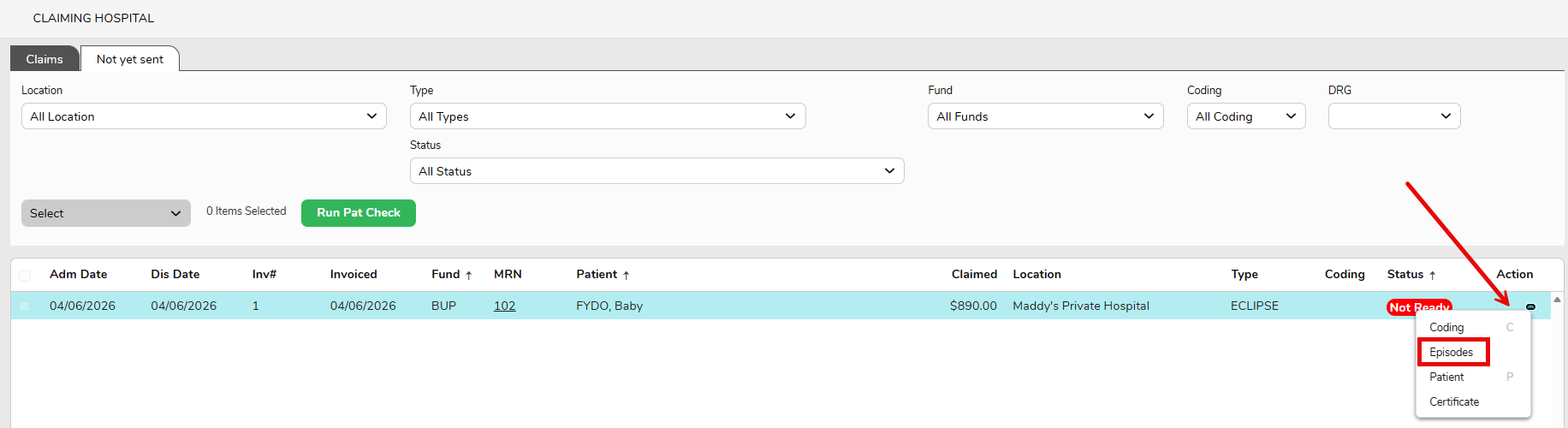
1.In Claiming Hospital > Not Yet Sent, ensure the required claim is highlighted blue & then right-click on the line
2. Select Episodes
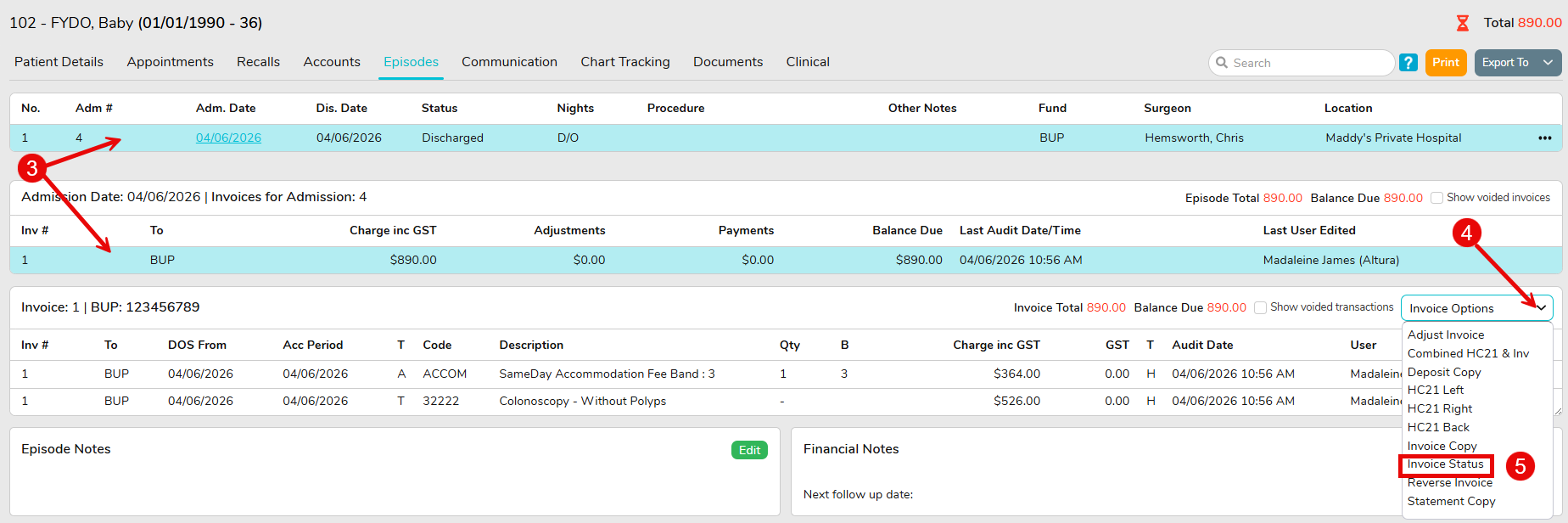
3. Ensure a line from the required invoice is selected & shaded light blue
4. Click on the Invoice Options dropdown
5. Select Invoice Status
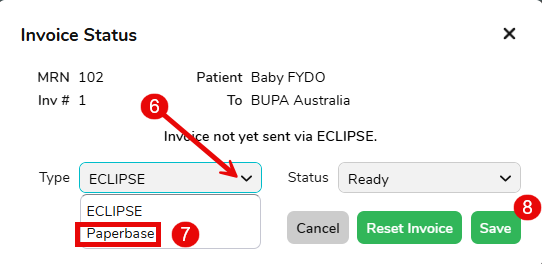
6. Use the Type dropdown
7. Select Paperbase
8. Click Save
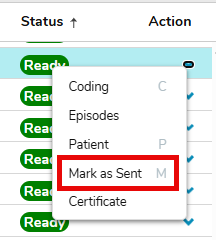
9. When returning to Not Yet Sent the claim should now show as Paperbase and the user will be able to Mark as Sent.