Creating MPL Knee/Hip Hospital Pilot DRG Rates
Some hospitals will have a No Gap Agreement with Medibank Private that require a different Fees Setup to be able to invoice the fund.
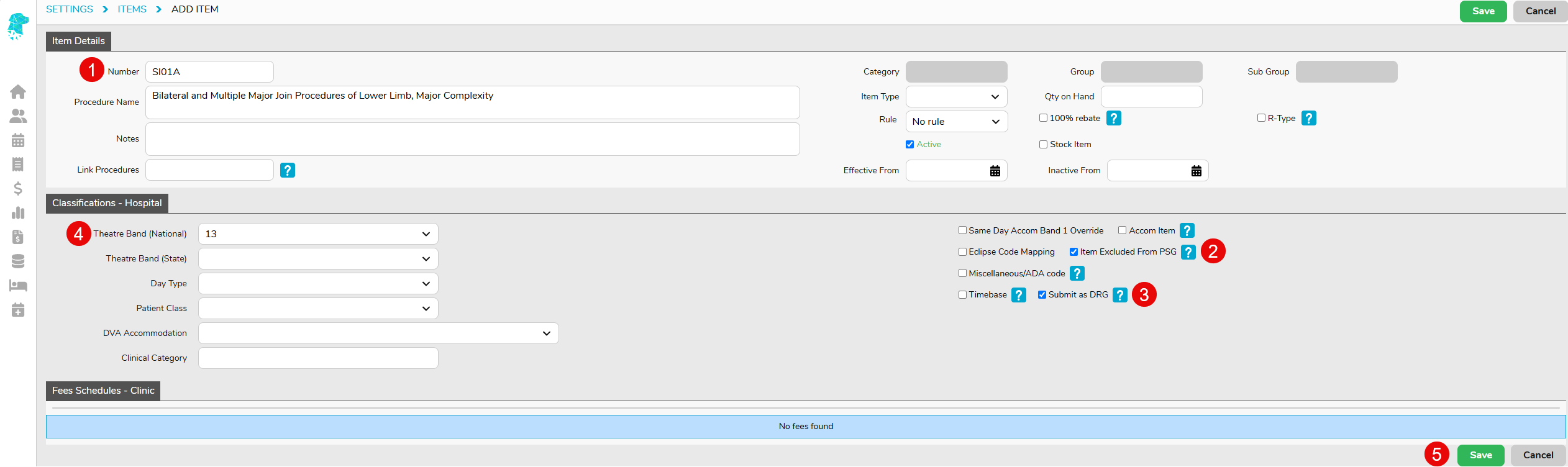
These DRG’s will need to be set up as Items first by going to Settings > Items > Add Item.
- Enter the DRG item, include the S, into the Items Field
- Tick Exclude from PSG
- Tick Submit as DRG
- Select a high banding in the Theatre Band (National) field to ensure this is always picked up as the primary item number
- Click Save
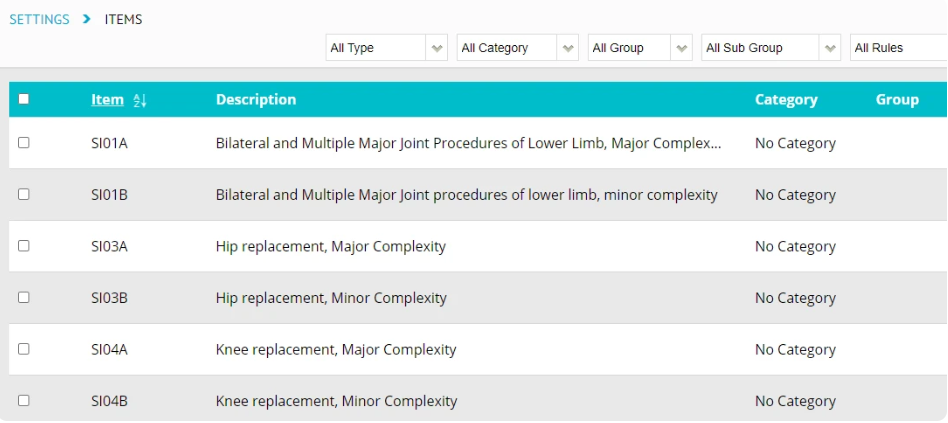
Once all the relevant DRG’s included in your contract have been added, you will then need to do the Fees Setup.
For this step, you will need to enter the S-DRG, the MBS item numbers associated with the DRG’s, and the fee.
- Go to Settings > Fees Setup > Medibank Private
- Click on the Casebase Multi Item Fees tab
- Enter the S-DRG and the item number
- Click Save
For example, 49318 and 47929 could both be used for I01A so these will need to be setup twice, once for each item number.

Once this has been done, and on billing, if the hospital has DRG billing as the default, this will need to be manually change to the Billing Type – Casebase.