Digital Informed Financial Consents (IFCs) in FYDO
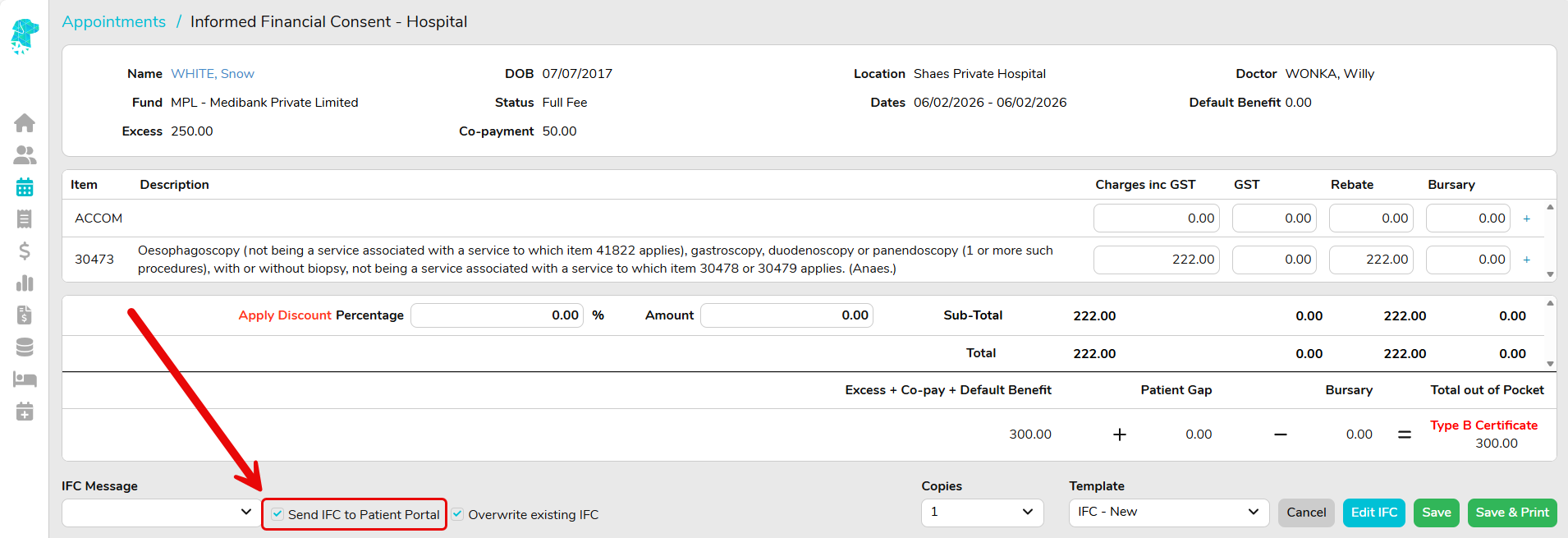
FYDO now supports a digital workflow for sending Informed Financial Consents (IFCs) and National Private Patient Hospital Claim Forms (HC21 forms for insured patients) directly to patients via the Preadmit Portal.
This feature allows patients to receive, review, and sign their IFC before arriving at the facility, with the signed document automatically returned to FYDO for staff to view — reducing paperwork, manual handling, and administration time.
What This Feature Does
Once enabled, this feature allows facilities to:
- Send IFCs and HC21 forms digitally via the patient’s Preadmit Portal
- Allow patients to read and sign forms in their own time
- Automatically return the signed IFC to FYDO
- Automatically update Checklist items as the IFC progresses
- Give patients ongoing access to their signed IFC via the Preadmit Portal
- Reduce reliance on paper forms while still meeting informed financial consent obligations
Key Benefits at a Glance
- ✅ Faster, more efficient IFC processing
- ✅ Reduced manual administration
- ✅ Clear visibility of signed vs unsigned IFCs
- ✅ Improved patient experience
- ✅ Reduced paper usage
- ✅ Continued compliance with informed financial consent requirements
How the Digital IFC Process Works
At a high level, the workflow is as follows:
- The facility creates the IFC in FYDO (using the existing IFC screen).
- The IFC is sent digitally to the patient via their Preadmit Portal.
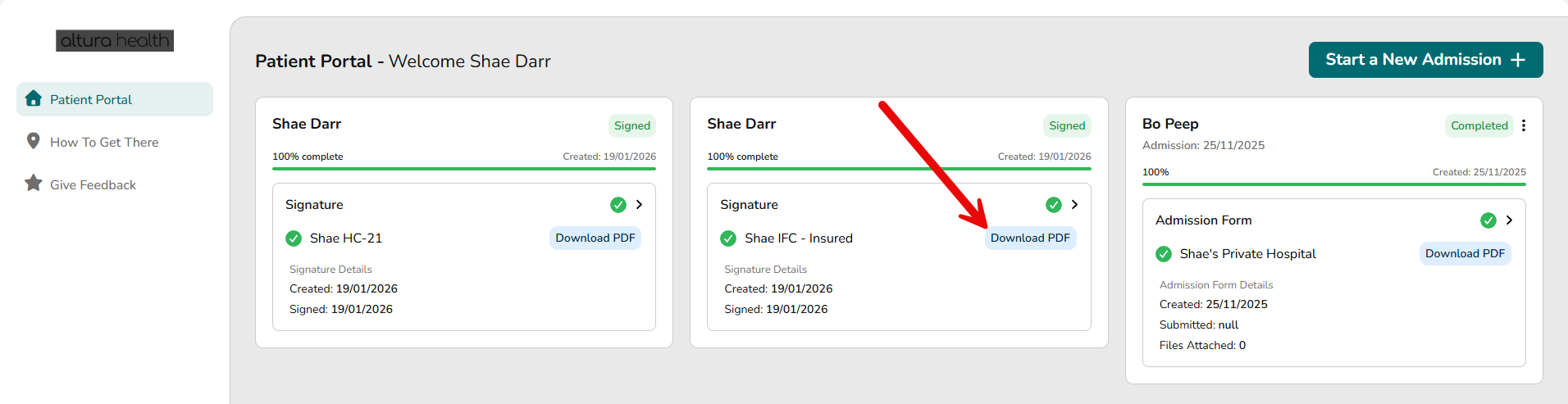
- The patient reviews and signs the IFC online.
- The signed IFC is automatically returned to FYDO.
- Facility staff can view the signed form directly in FYDO Documents.
No scanning, uploading, or manual checklist updates are required.
Automated Checklist Updates
As part of this workflow, FYDO’s Checklist feature is fully automated:
- “IFC Created” is automatically ticked when the IFC is generated
- “IFC Signed” is automatically ticked once the patient signs the form
This provides staff with real-time visibility, right on the Appointments Screen, of which patients have completed their IFCs and which are still outstanding — without any manual intervention.

Patient Access to Signed IFCs
Once signed, the IFC remains available to the patient via their Preadmit Portal at any time.
This means:
- Patients can easily access their copy when needed
- Facilities can reduce or eliminate the need for printed copies
- Hospitals continue to meet their obligation to provide informed financial consent documentation
Important Requirements
Preadmit Account Required
This digital IFC feature only works for patients who have a Preadmit Account.
If a patient does not have a Preadmit Account, the IFC will need to be handled using existing non-digital processes.
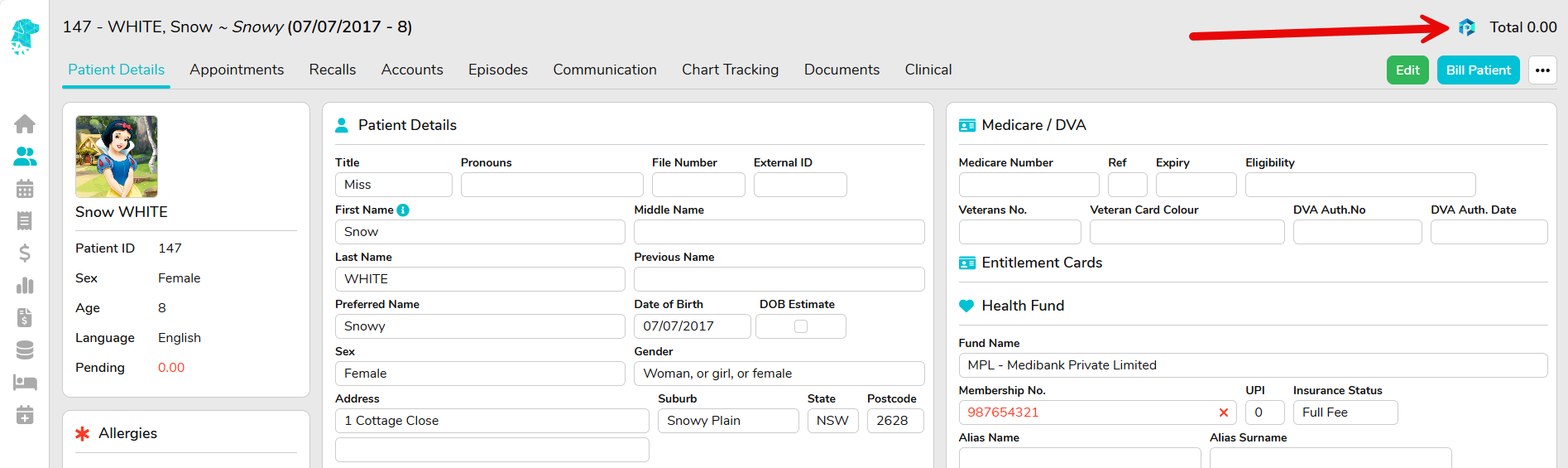
Patients with a Preadmit Account can be identified by the Preadmit Logo displaying on their Patient Screen.
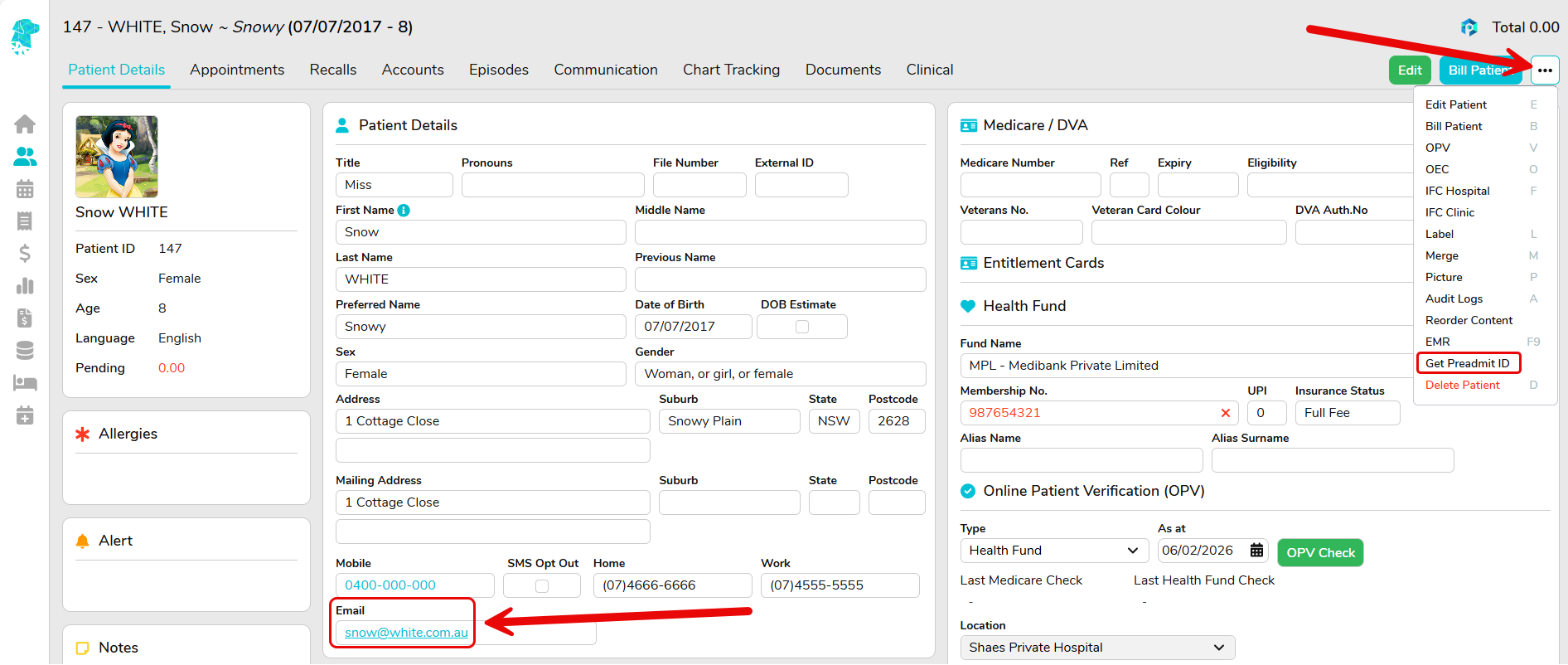
Patients are linked to their Preadmit Portal via the Email Address that they use to log in. FYDO can check existing patients utilising the Get Preadmit ID feature on the Patient Screen for patients with a valid email address entered.
Enabling This Feature
This feature must be enabled by the FYDO Support team before it can be used.
If you’d like to implement digital IFCs for your facility, please reach out to our wonderful Support team, who will assist with setup and configuration at support@alturahealth.com.au
Once enabled, the feature will be available directly from the standard IFC screen — no new workflows or screens to learn.