Editing an Existing Template
This guide explains how to edit a template that has already been generated and uploaded to your FYDO database.
Important: Before making any changes, make sure you save a copy of the original template. This will allow you to restore the original version if the changes do not work as expected.
Steps
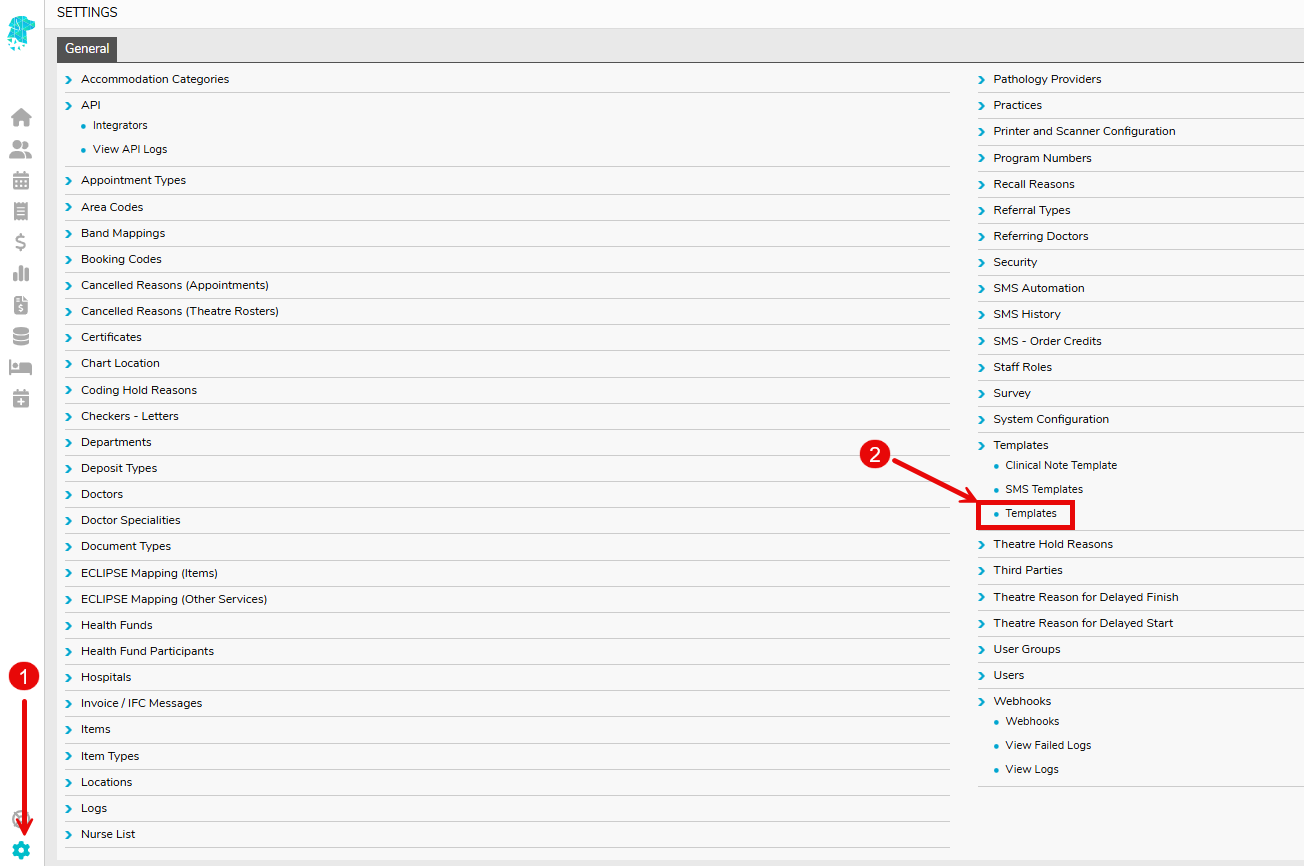
- Go to Settings
- Select Templates
- Locate the template you wish to edit and click Download.

- Save a copy of this template in the instance that it needs to be restored.
- Open the downloaded template and make the required changes.
- Once you have finished making your changes, click Save.
- Return to Settings > Templates. Find the correct template and select the Upload button.
- Complete the upload in the pop up box.
- Once uploaded, the updated template will be available in FYDO immediately.
