FYDO Clinic Update – 26/03/2026
SMS Automation Enhancement
When setting up an SMS Automation, “To Confirm Appointment“, users are now able to decide if the automated SMS is sent to all patients (new option) or only sent to patients that have not yet confirmed (historic function of the To Confirm Appointment Automated SMS)..
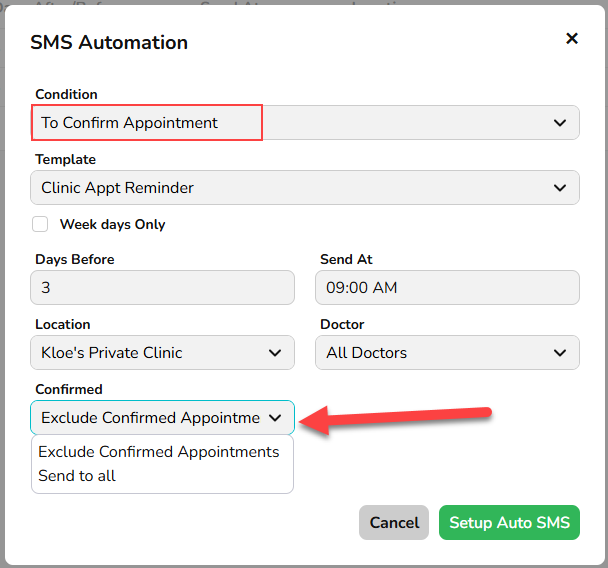
Utilising the new Confirmed field, the user will be able to set the automation to:
- Send to all and the SMS Automation will be sent to all bookings regardless of their confirmation status.
- Exclude Confirmed Appointments and the SMS Automation will only be sent to patients that are yet to confirm their appointment.
This ensures that patients can receive an SMS and reply to it, then also receive an additional SMS for a separate reason.
Receipted Report Enhancement
We have enhanced the underlying reporting framework for the Receipted Report.
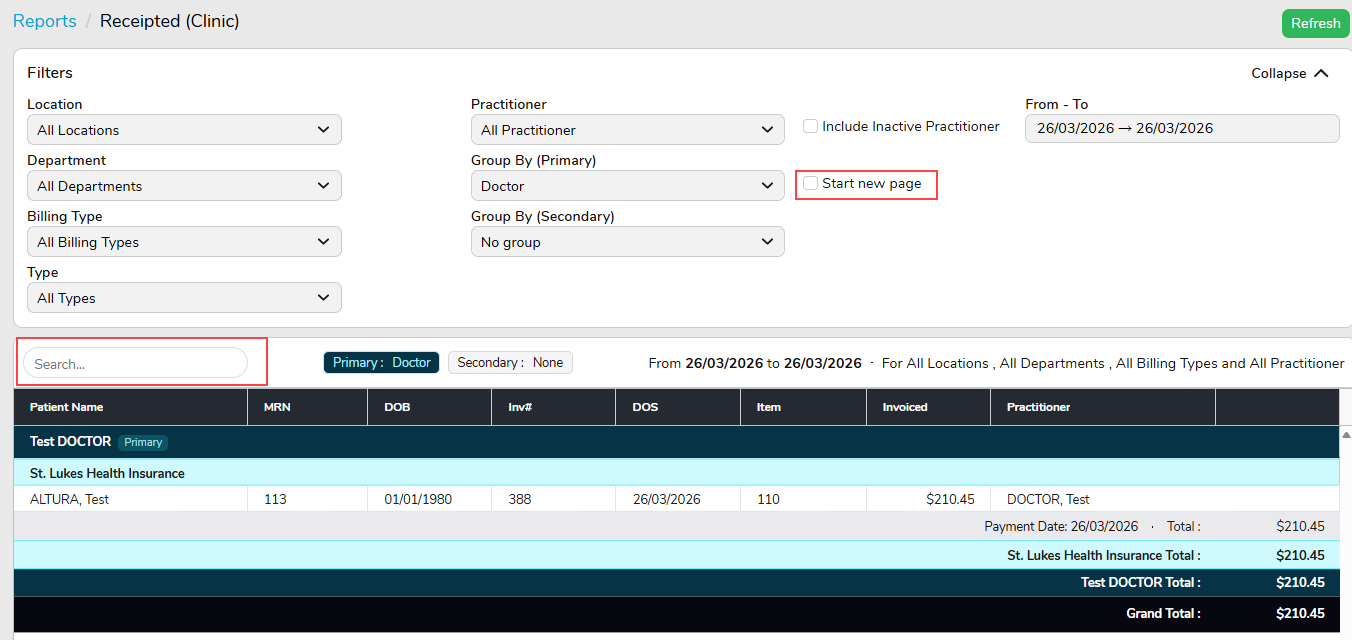
As the first Clinic report to receive this upgrade, this update introduces a refreshed design and faster performance, with no changes to existing data or reporting capabilities.
A new search bar has also been introduced, allowing users to interactively search for data directly within the report on-screen.
Report layout options have been simplified by replacing the previous “Run report for each Doctor” and “Run report for each Department” tick boxes with a single “Start New Page” option. This will begin a new page for each Doctor or Department, depending on the selection in the Group By (Primary) filter.
More report enhancements are on the way as we continue modernising reporting across FYDO.
For previous updates, please visit https://wiki.fydo.cloud/updates-clinic/