FYDO Hospital Update – 02/04/2026
Payment Enhancement
FYDO now allows you to edit the transaction type if it was entered incorrectly. For example, if a patient paid via EFTPOS but it was recorded as Credit Card, you can now correct this by going to Episodes > right-click on Payment> Edit Type.
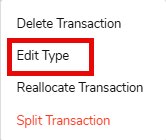
There are also guardrails in place. If end-of-day banking has already been completed, or if the account period is locked, you won’t be able to change the transaction type. A pop-up alert will appear to advise you in these cases.
Additionally, under User Groups > Hospital Episode, there is a “Change Transaction Type” permission. This is set to OFF by default, so it will need to be enabled for any users who require access to this feature.

Reports Improvement
FYDO has standardised the calendar to start the week on a Monday and aligned the layout across all of the following reports:
- Adjustments
- Billing Status
- GST
- Appointments
- Cancelled Appointments
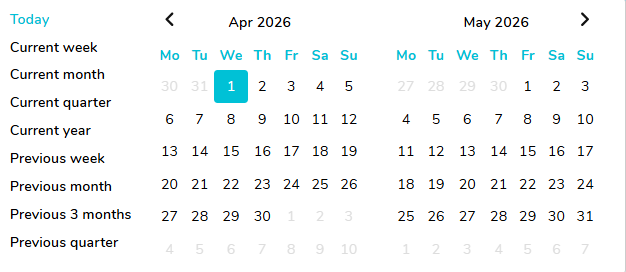
Appointments Report Addition
FYDO has now added item numbers to the Appointments Reporting export (Raw Data). Up to 10 items will now be displayed across columns BN–BW.

Patient List Optimisation
We’ve implemented further performance improvements to the Patient List screen. In addition to the performance improvements, we have also included sorting capabilities across all columns.
These updates form part of our broader initiative to optimise system performance, reduce response times, and enhance overall usability across the platform.
Patient MRN Optimisation
We have also implemented further performance improvements around searching for patients using the MRN.
These updates form part of our broader initiative to optimise system performance, reduce response times, and enhance overall usability across the platform.