Invoice Override (Hosptial)
The invoice override option is available when an invoice cannot be raised for a hospital episode and is generally intended for uninsured patients. Health fund episodes require billing information to be included in the HCP data extracts, so this option would not typically be used for these episodes. And PHDB Data Extracts also include financial information, so an error may be triggered if no invoice is raised for an episode. However, where a facility is not required to raise an invoice, these episodes can be removed from the Billing Status > Show Not Billed Only Report as well as the Unbilled Revenue Report by using the Invoice Override feature.
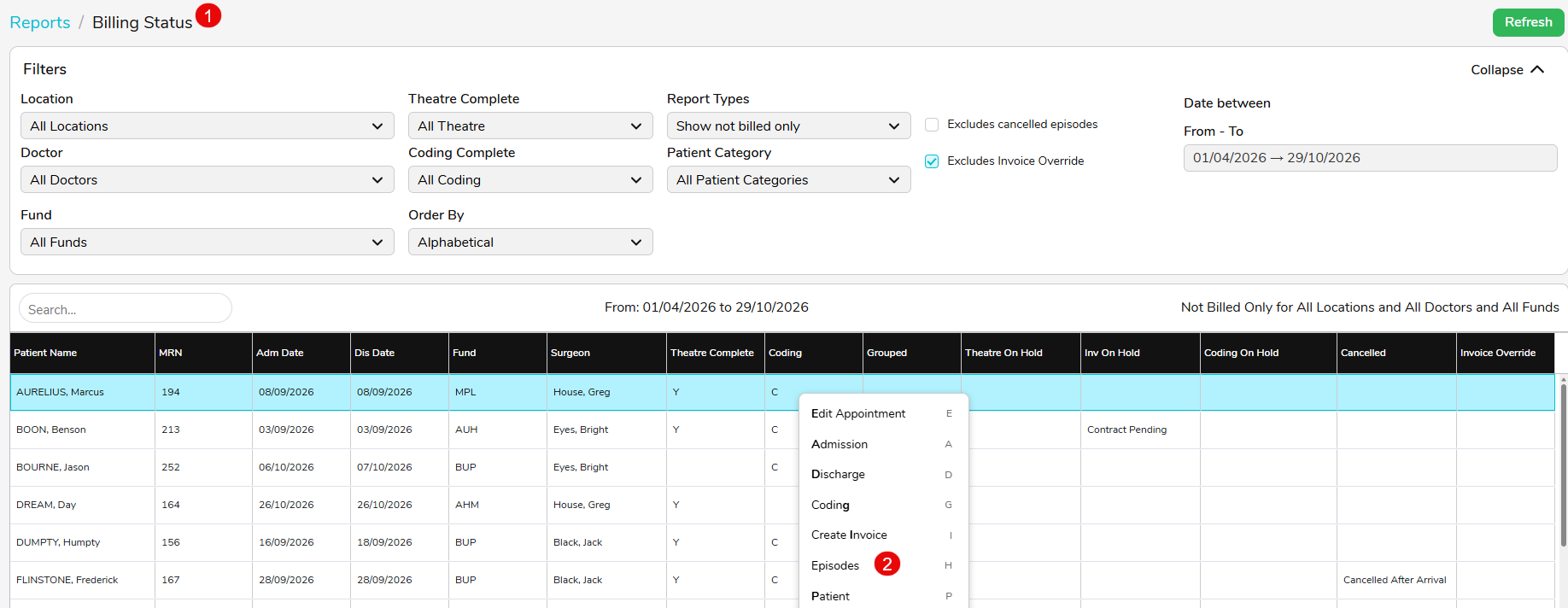
- Navigate to Reports > Billing Status > Show Not Billed Only > Run Report.
- Select the relevant episode, right click and select Episodes.
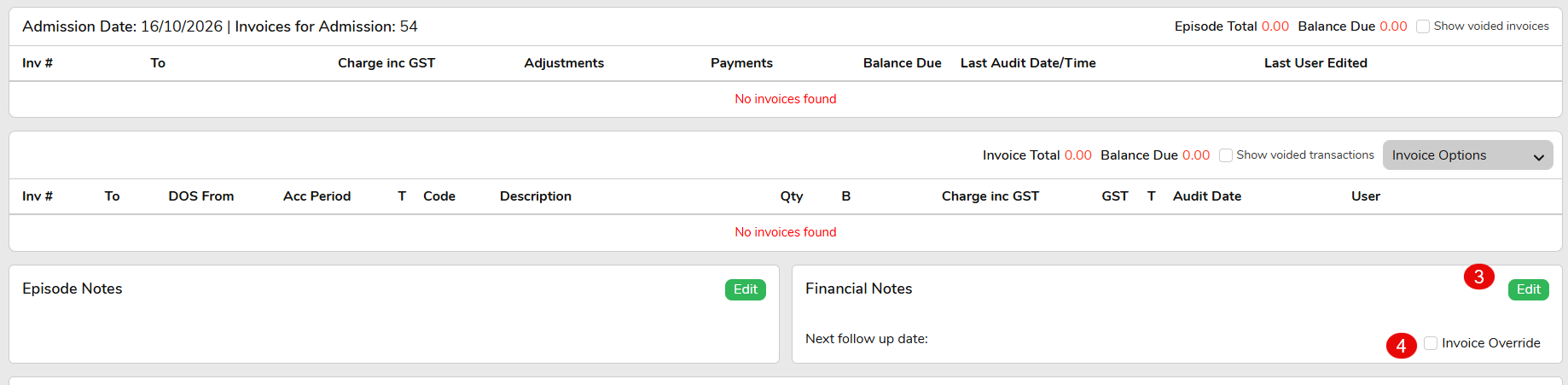
- Once you’re on the patients Episode screen, find Financial Notes and select Edit.
- If an invoice is not required for the episode, select the Invoice Override tick box and press Save.
- Once selected, the episode will no longer appear in the Billing Status Report.
NOTE: There is an audit log associated with this box along with a new permission level. By default, this permission will inherit the settings from the existing option to Delete Transactions.
Episodes marked with Invoice Override will be excluded from the Billing Status > Show Not Billed Only Report by default. However, these episodes can still be viewed by unticking the Excludes Invoice Override checkbox.
