Restriction of IP Address
You can configure IP address restrictions either globally for all users or individually for specific users. Please follow the steps below to restrict access by IP address.
Only users with the required access levels will be able to action the below:
Option 1: Apply IP Restrictions Globally
- Navigate to Settings > Security and select Edit.
- Tick the Restrict IP checkbox.
- Add the permitted IP addresses.
- If you want to exclude specific users from this restriction, select Exclude Users and choose the relevant users.
- Click Save to apply the changes.

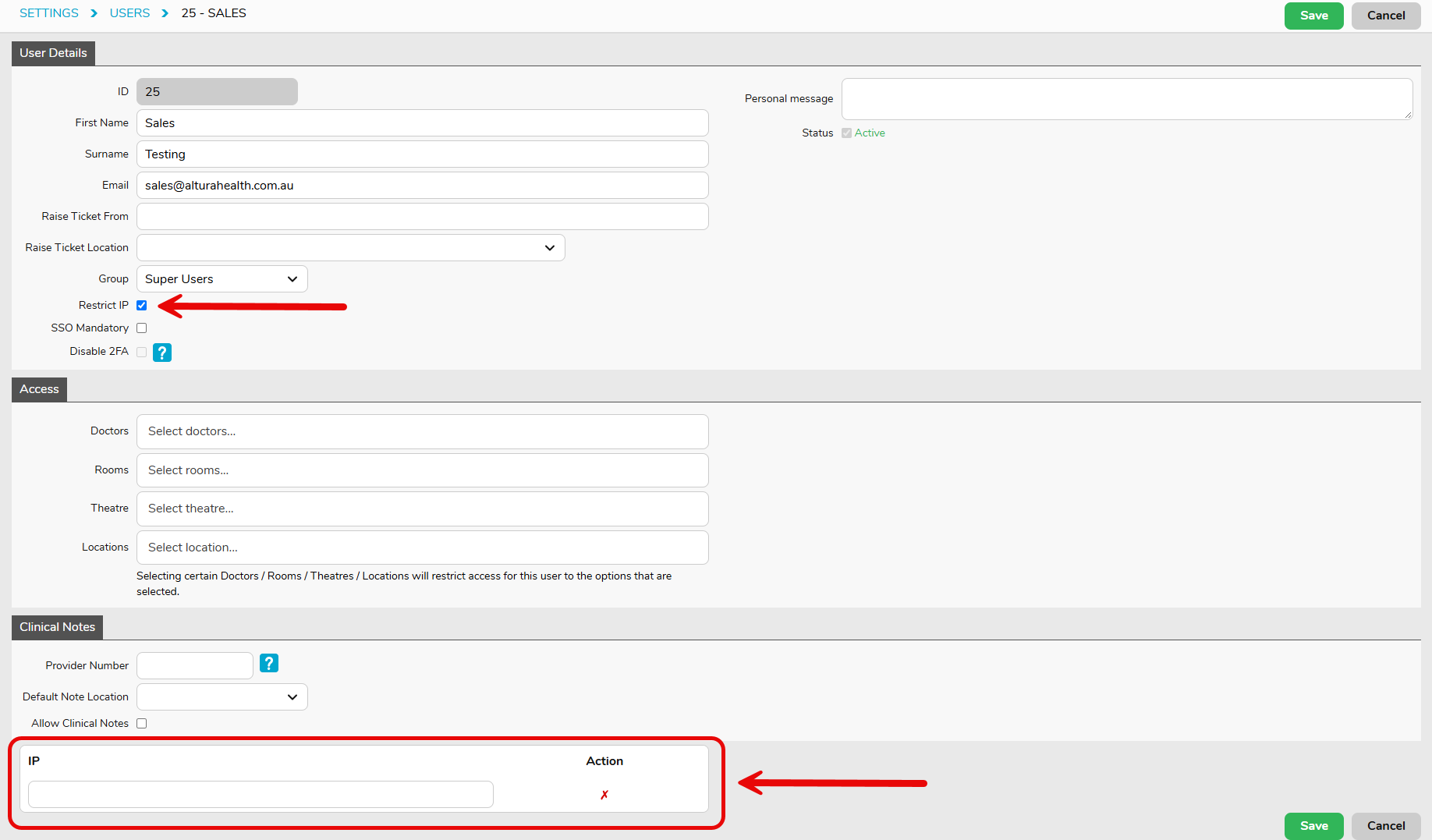
Option 2: Apply IP Restrictions to Individual Users
- Navigate to Settings > Users.
- Double-click the user profile you want to update & select Edit.
- Select the Restrict IP option.
- At the bottom of the screen, add the permitted IP address(es).
- Click Save to apply the changes.