

How to Sign In on the Mobile App
When you first open the FYDO Mobile app, you will be brought to the screen below.
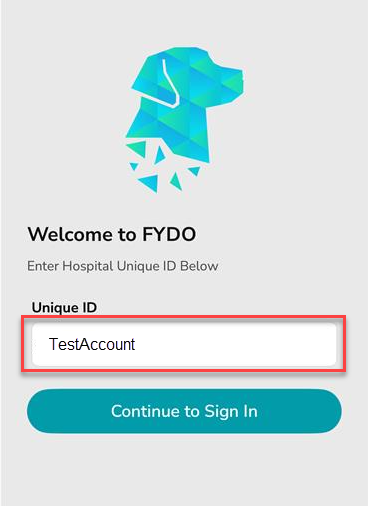
Enter your Unique ID and tap Continue to Sign In
You’ll now be taken to the Sign In screen.
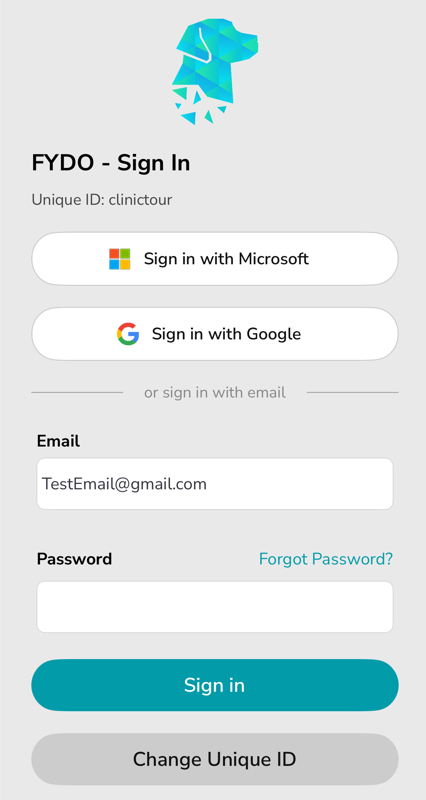
Enter your email and password, then tap Sign In.
If you created your account with a Microsoft or Google account, tap Sign in with Microsoft or Sign in with Google and follow the prompts.
The next screen you’ll see is the Two-Step Verification setup.
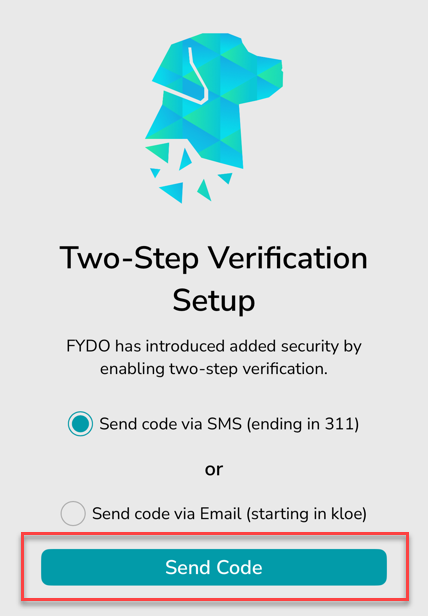
Tap Send Code to receive a verification code via SMS. If you prefer to receive the code by email, select Send code via Email, then tap Send Code.
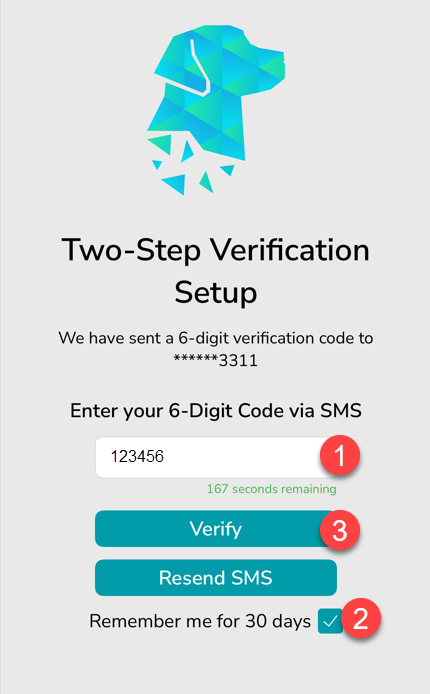
Enter the code you received via SMS or Email, tick “Remember me for 30 days” (optional) and tap Verify.
It’s time to choose your PIN for quick and secure access.
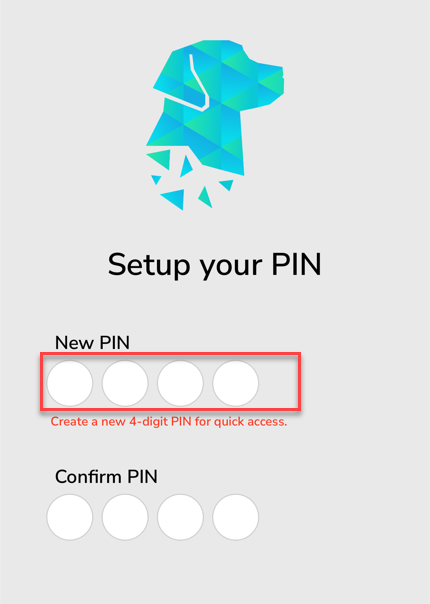
Tap the white circles under New PIN to enter your chosen PIN number.
All done! You’re now logged into the FYDO Mobile App

