

My Health Record – Adding your Organisations HPI-O to FYDO
In order to upload Discharge Summaries to My Health Record organisations will need to have completed the registration process & received a Healthcare Provider Identifier – Organisation (HPI-O).
This number needs to be entered into FYDO by following the instructions below.
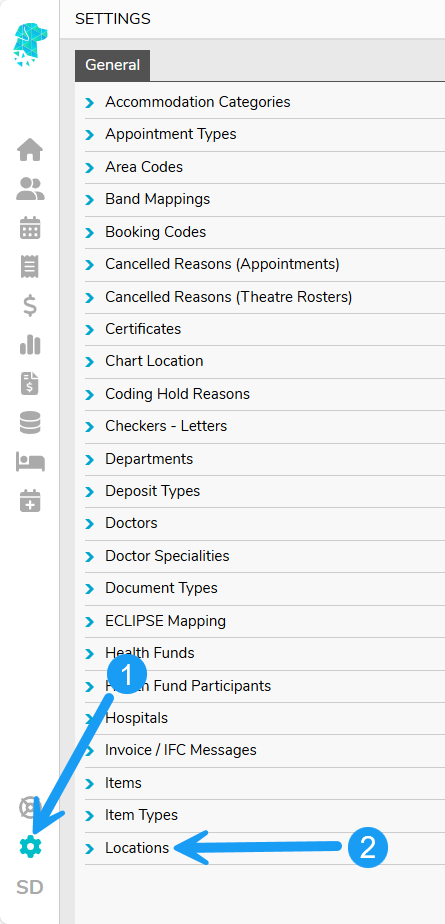
Navigate to Settings
Select Locations
Double click on the required Location & Click Edit

Enter in the organisations HPI-O and click Save

You will then be able to click HPI-O Check and see the Status and Last Verified date and time.

A successful verification will be indicated with a GREEN boarder around the number as per above.
For more helpful information related to My Health Record visit our associated wiki pages to:
Add your doctors HPI-I to FYDO here.
Check a patients IHI in FYDO here.
Upload a discharge summary in FYDO here.

