

My Health Record – Checking Patient’s Individual Healthcare Identifier and Consent
In order for patient’s Discharge Summaries to be uploaded into My Health Record (MHR) their Individual Healthcare Identifier (IHI) needs to be successfully verified.
These instructions will explain how this can be done in FYDO.
When creating a new patient, the MHR Consent tick box will be ticked by default. This ensures all episodes created for this patient will automatically have the MHR Consent box ticked at an episodic level.
It will need to be unticked if the patient withdraws consent for information to be uploaded to MHR, and in turn, any bookings created after the patients MHR Consent tick box is unticked will not have the tick selected in the episode.
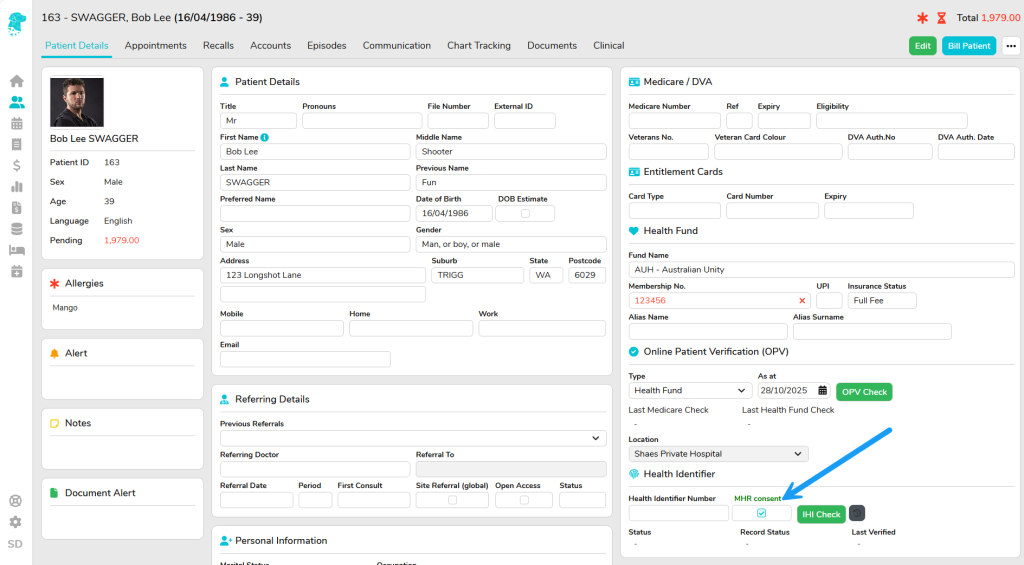
FYDO will automatically verify the IHI Number when the patient is added to the database for the first time.
If manual verification is necessary, click “IHI Check” after adding the patient.
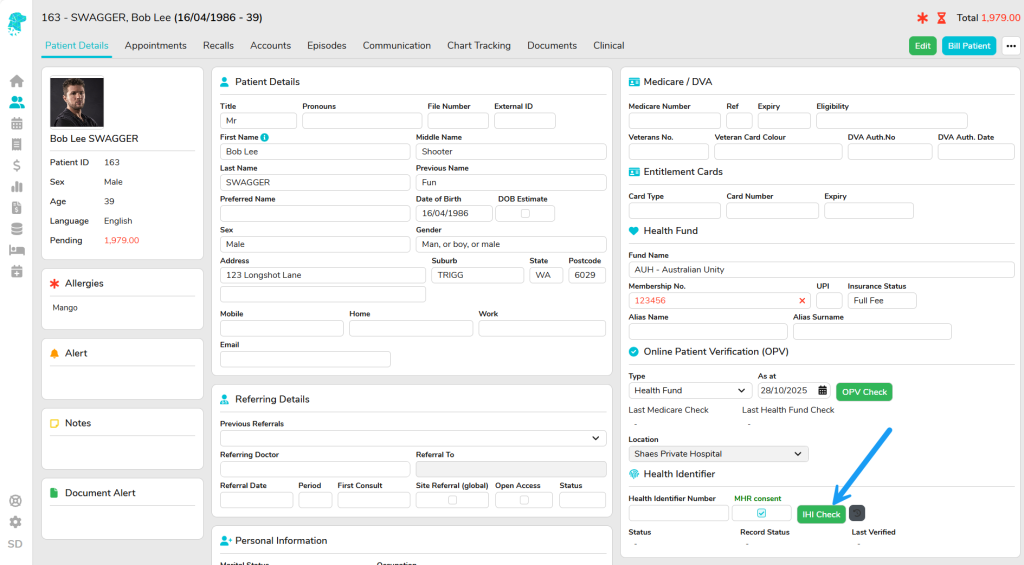
If you are aware of what the patient’s IHI Number is, and have typed it into FYDO, the check will verify that it is correct.
If you do not have the patient’s IHI Number, the check will retrieve their number and populate the field, provided that the patient can be identified.
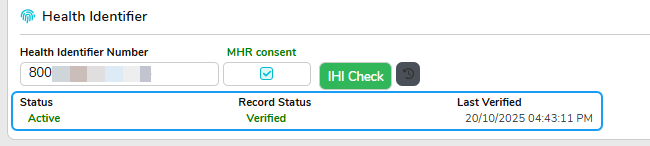
The Status, Record Status and Last Verified information will be displayed.
A message will display if the patient cannot be identified.
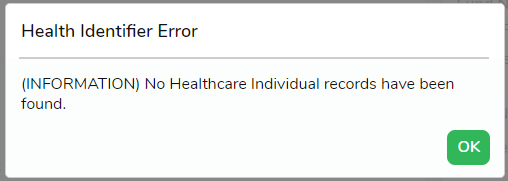
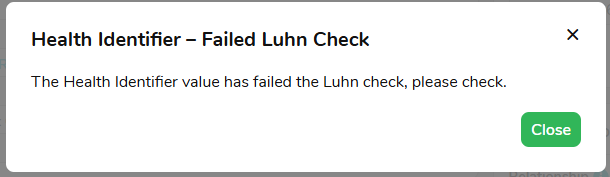
IHI verifications work according to the same data matching principals’ as the Medicare OPV. To address an unsuccessful verification, users can check certain patient identifiers i.e. the spelling of the first and last name, accuracy of their Date of Birth and Medicare card.
MHR Consent
MHR Consent is available in FYDO on both the Patient Level and the Episodic Level to allow patients the flexibility to withdraw MHR consent for specific episodes.
For facilities that utilise Preadmit, MHR Consent can be obtained when the patient submits their admission form, and the information can be transferred into FYDO. The answer that the patient gives will be reflected on the Patient Screen. If you are interested in setting this up, please reach out to our Preadmit team.
Consent on a Patient Level:
- For patients created in FYDO, MHR Consent is ticked on the Patient Screen by default when a patient is created.
- If a patient withdraw consent completely, this box needs to be manually unticked.
- MHR Consent updates made in Preadmit will update the patient’s MHR Consent status in the Patient Screen.
Consent on an Episodic Level:
- MHR Consent is defaulted at the point of booking based on the patient’s current consent status in the Patient Screen.
- If the patient has consented, new episodes will be automatically ticked as consented.
- If the patient has not consented, new episodes will remain unticked.
- After booking, the Edit Appointment Screen consent operates independently from the Patient Screen. This allows consent to be added or removed for an individual admission.
- If the MHR Consent is not ticked in the Edit Appointment Screen, FYDO recognises that the patient has not consented, and the facility will be unable to upload the discharge summary to MHR.
For more helpful information related to My Health Record visit our associated wiki pages to:
Add your organisations HPI-O to FYDO here.
Add your doctors HPI-I to FYDO here.
Upload a discharge summary in FYDO here.

