

Creating a Hospital Quote (IFC)
FYDO allows you to produce an Informed Financial Consent (IFC) for a patient that is not entered into your database.
This feature is particularly helpful in enabling the facility to provide patients with quotes prior to them scheduling their appointment.
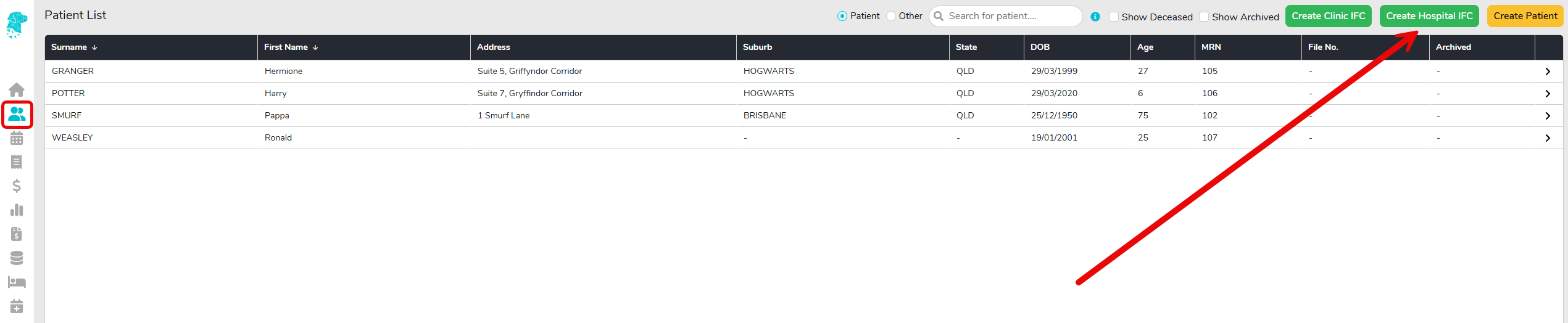
To create a hospital quote for a new patient that does not already have an appointment booked in FYDO, navigate to the Patient List screen, selecting Create Hospital IFC
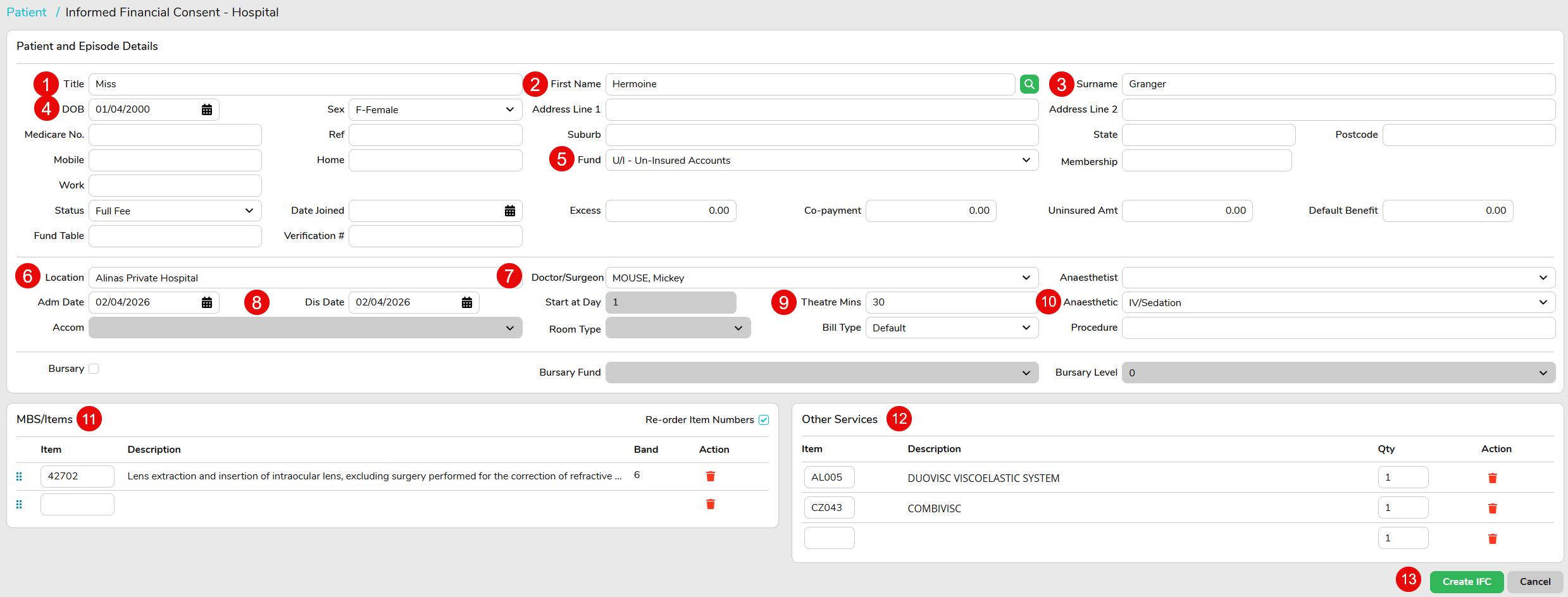
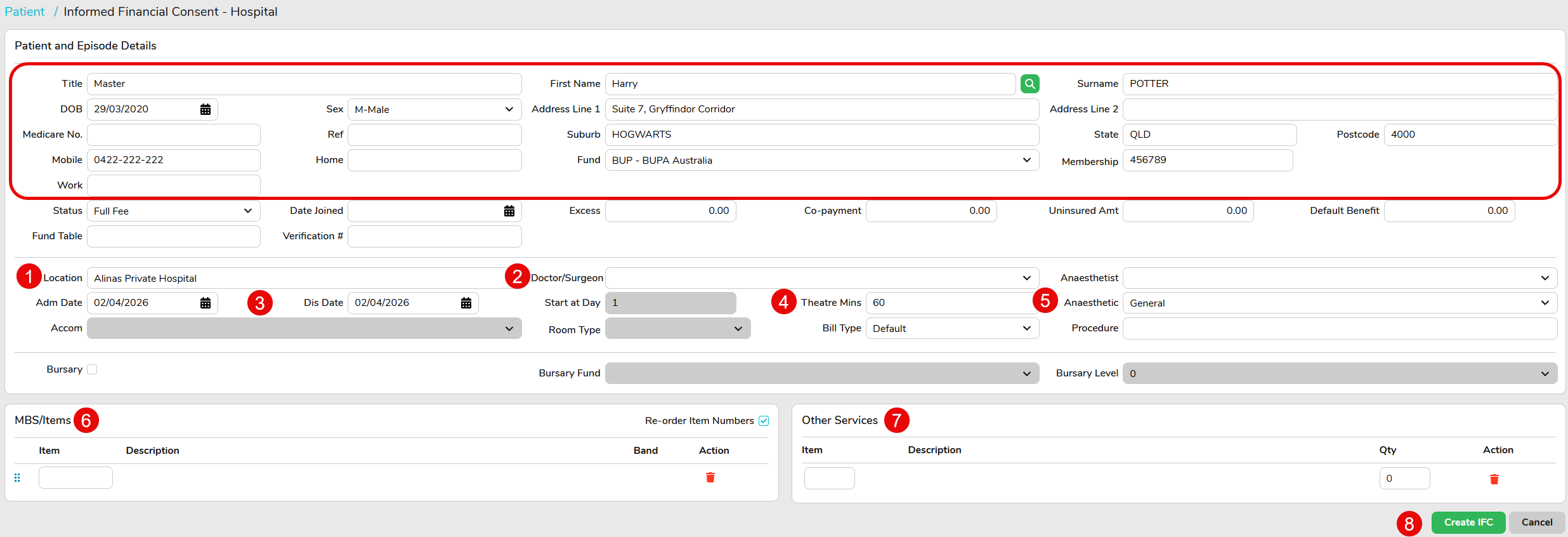
Here, you will need to input the patient and procedure details:
- Title
- First Name
- Surname
- Date of birth
- Select the patients funding source
- Confirm the correct hospital location
- Doctor/ surgeon
- Date of admission and discharge
- Length of time the procedure will be
- The type of anesthetic to be used
- Enter all required MBS item numbers/ items
- Enter all required prosthetics, consumables or other services
- Create IFC
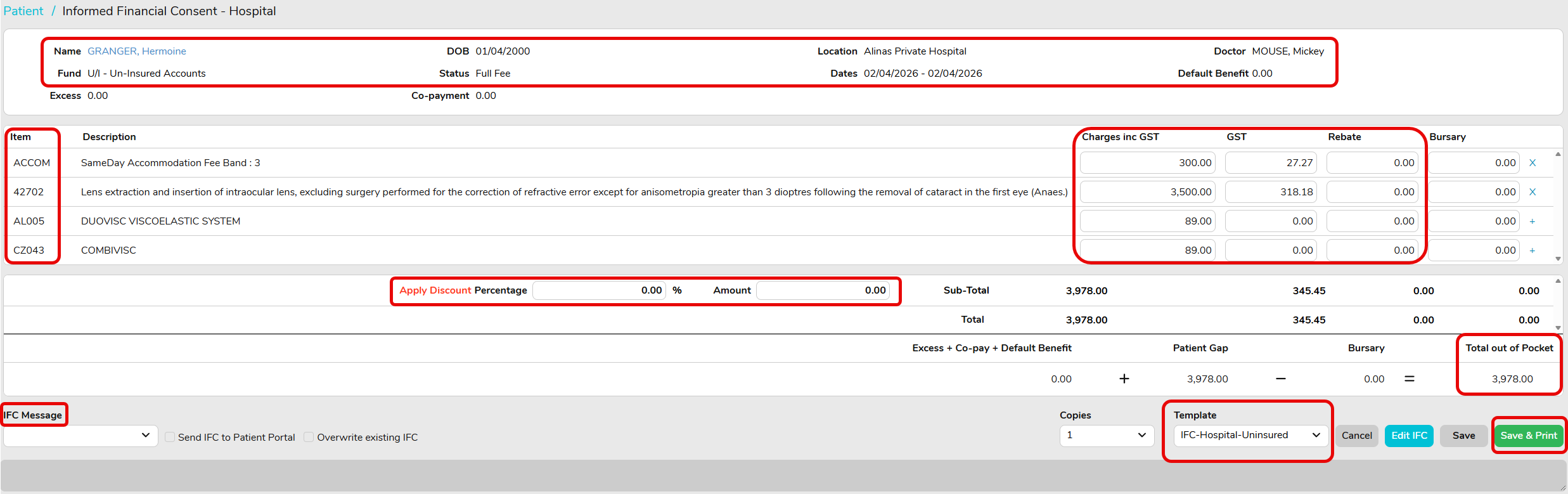
Now you have created the IFC, check the patient details and items are correct.
The charges will be populated from the contract fees entered to FYDO for the funding source chosen for this quote.
If you need to add a discount to the hospital fee, you can do this here by entering a % or amount you would like to discount the total fee by.
You can also add a message to the quote by selecting the IFC Message dropdown to select a preset message, or you can create your own by choosing Custom Message.
If there is any information you would like to amend, select Edit IFC.
Once all the information is confirmed as correct, ensure you have the correct Template selected and Save & Print
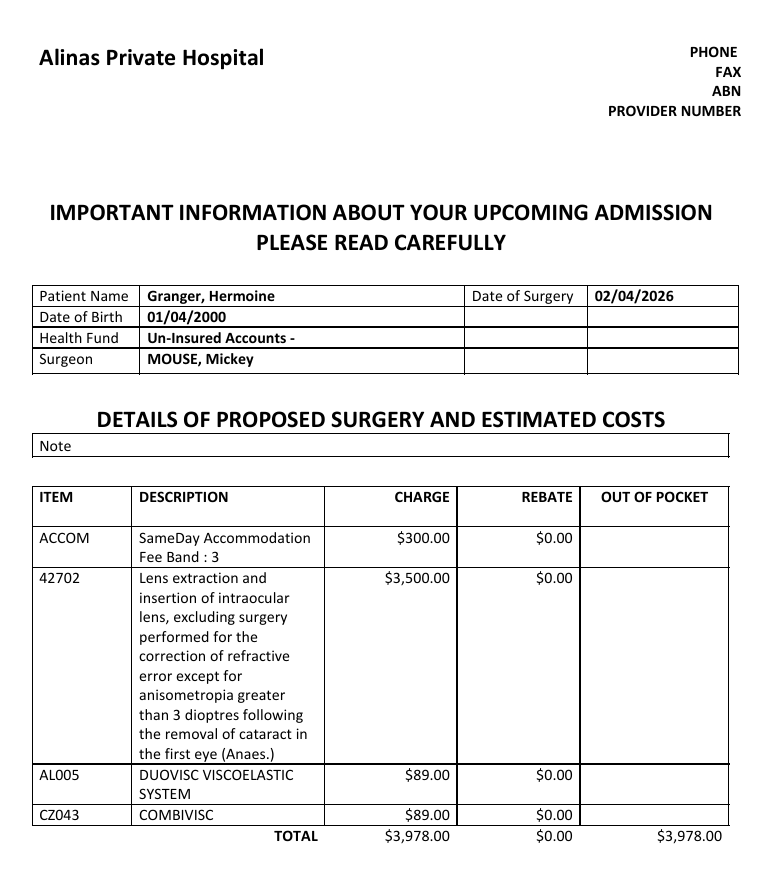
Your quote will then download ready for you to provide to the patient.
If you need to create a quote for a patient who has a medical record in FYDO but does not have an appointment booked yet, you can do this from the Patient Details screen by selecting the three dots on the top right-hand side of the screen, then selecting IFC Hospital.
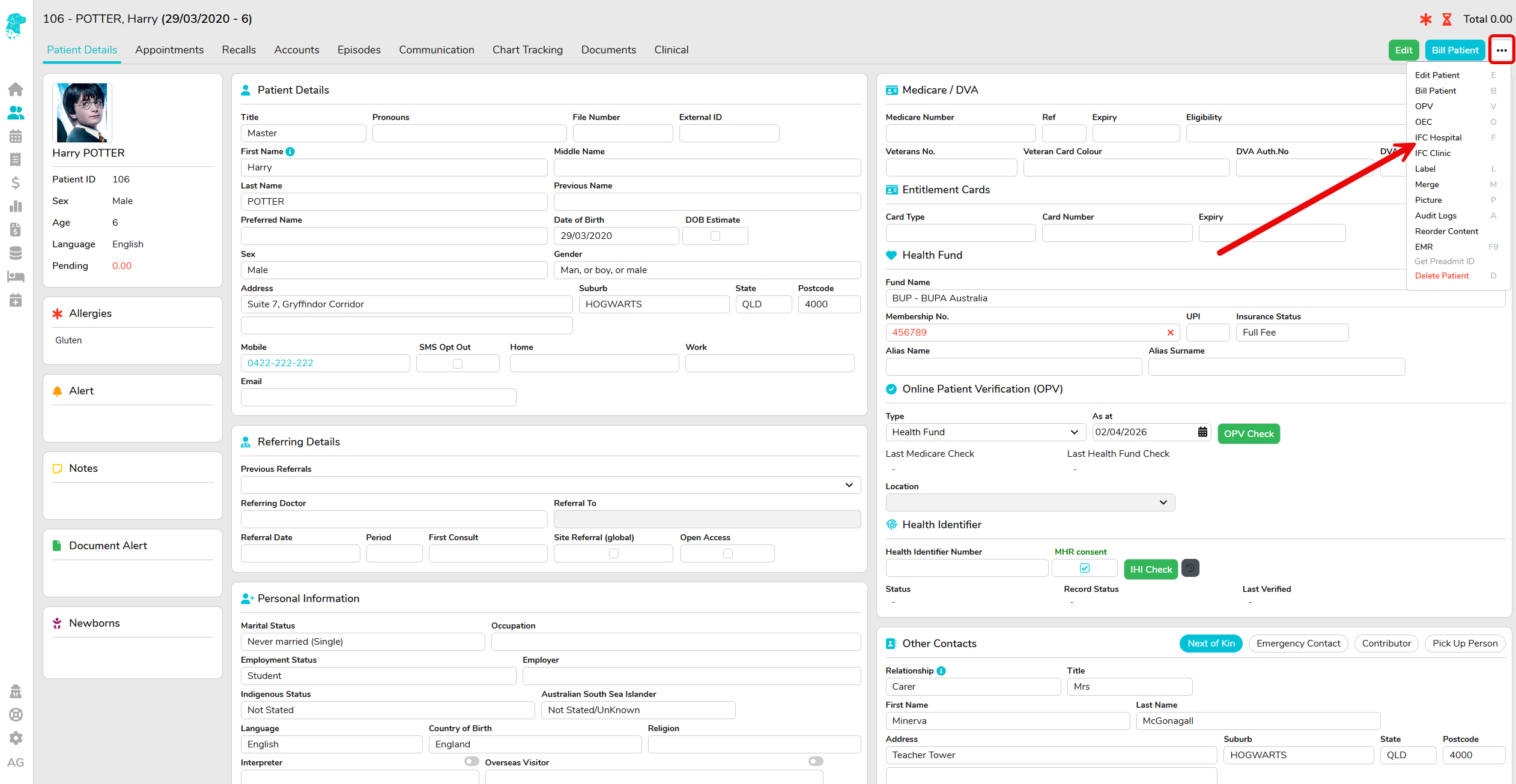
This will prepopulate the patients personal and fund details requiring you to only input the planned procedure details:
- Confirm the correct hospital location
- Doctor/ surgeon
- Date of admission and discharge
- Length of time the procedure will be
- The type of anesthetic to be used
- Enter all required MBS item numbers/ items
- Enter all required prosthetics, consumables or other services
- Create IFC
Once you have confirmed the details are correct, select Save to save this directly to the patients Documents tab, or Save & Print to save directly to the patients Document tab as well as make it available immediately to view and print.

