

Processing Admissions with Multiple Treating Doctors
As ECLIPSE does not support admissions under multiple doctors, FYDO must be configured and used in the same way.
Patients must therefore be admitted under the primary admitting doctor only, with all admission details recorded within the same episode.
Where multiple procedures are performed by different doctors in different theatre visits, these should be managed using multiple theatre admissions within the episodes Theatre Screen.
The doctor who performed each individual procedure can then be recorded within the Coding screen, which is the only area where procedure-level doctor allocation is supported.
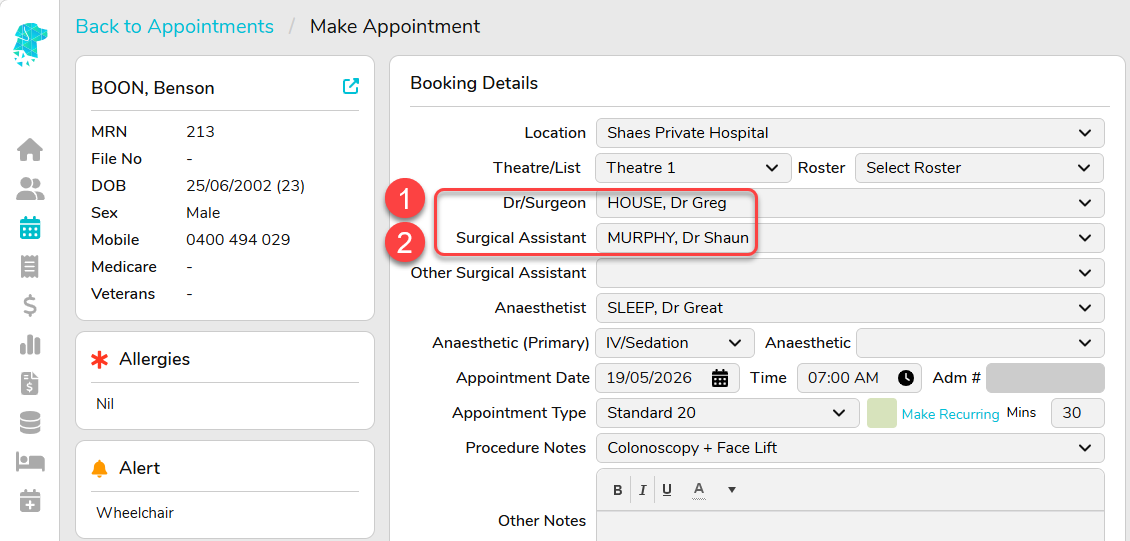
- Book the patient into FYDO with the Primary Admitting Doctor listed in the Dr/Surgeon field
- If you’d like to document the Secondary Surgeon for completeness of records, they can be entered into the Surgical Assistant field. N.B this field isn’t transmitted electronically via ECLIPSE, and the secondary surgeon cannot be identified in the electronic claim in any way as that isn’t supported.
- Patient is Admitted as usual under the Primary Admitting Doctor
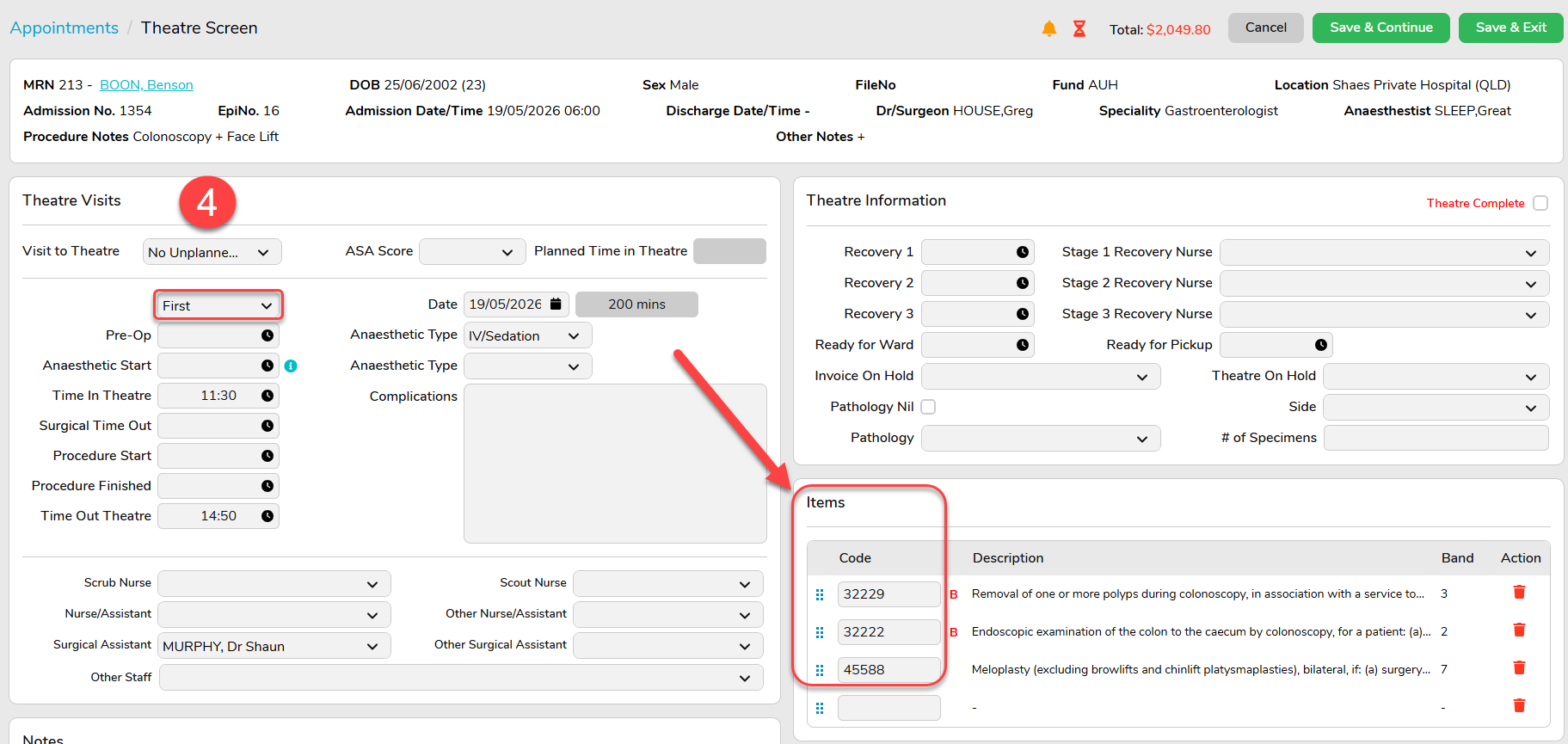
- If all procedures are performed in the one theatre visit, all Items can be entered together under the First visit to theatre
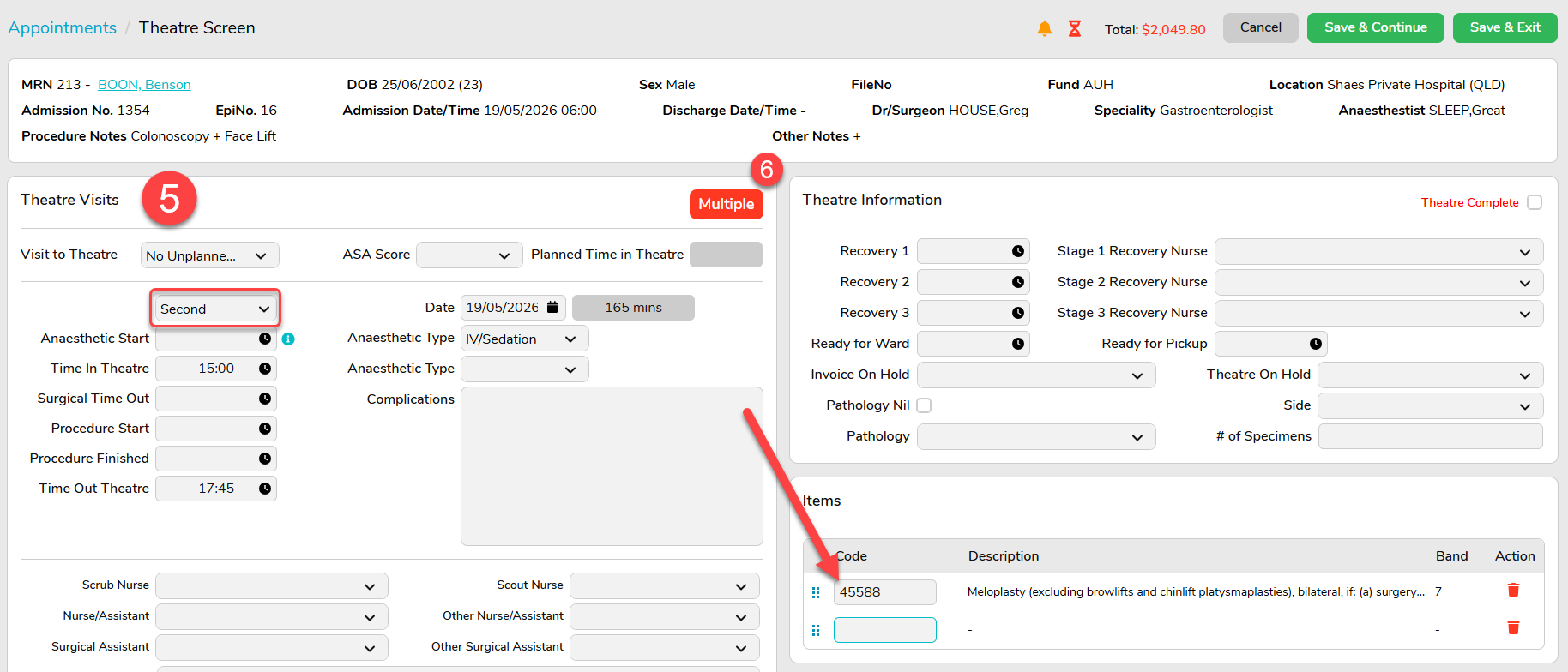
- If the patient requires two visits to theatre to have each procedure performed separately, the Multiple Visit to Theatre dropdown can be utilised to enter the additional visits
- Multiple Visits to Theatre will be identified with the Multiple icon
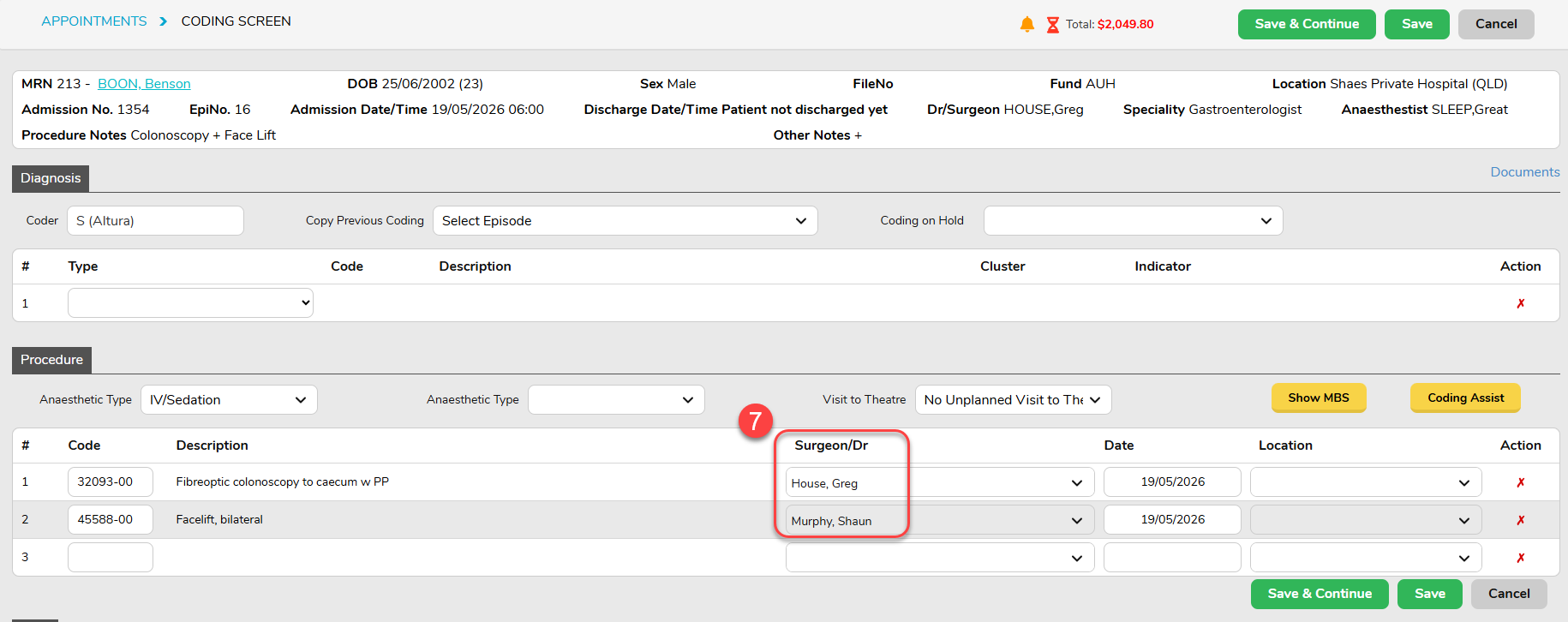
7. The Coding Screen allows for each Procedure Code to be assigned to a specific Surgeon/Dr. This is the only place in FYDO that allows for each doctor to be documented against the procedure code they performed.
All other discharge and billing processes for this episode will function as normal.

