

Medical Record Archiving
FYDO has the capability to assist you in culling and archiving your medical records, allowing you to follow your local legislation on Medical Record Retention.
Use the Medical Record Retention report, which has been designed to assist in identifying which patient records may be eligible for culling within a specified date range. This report identifies patients who have been last seen during the selected date range, with the Last Seen From field defaulting to 20 years prior.
This report is for identification purposes only and will display episodes eligible for culling however, no record will be archived automatically, and the chart status must be manually updated. Development is underway on the next phase of this feature, which will introduce an automatic archiving functionality.
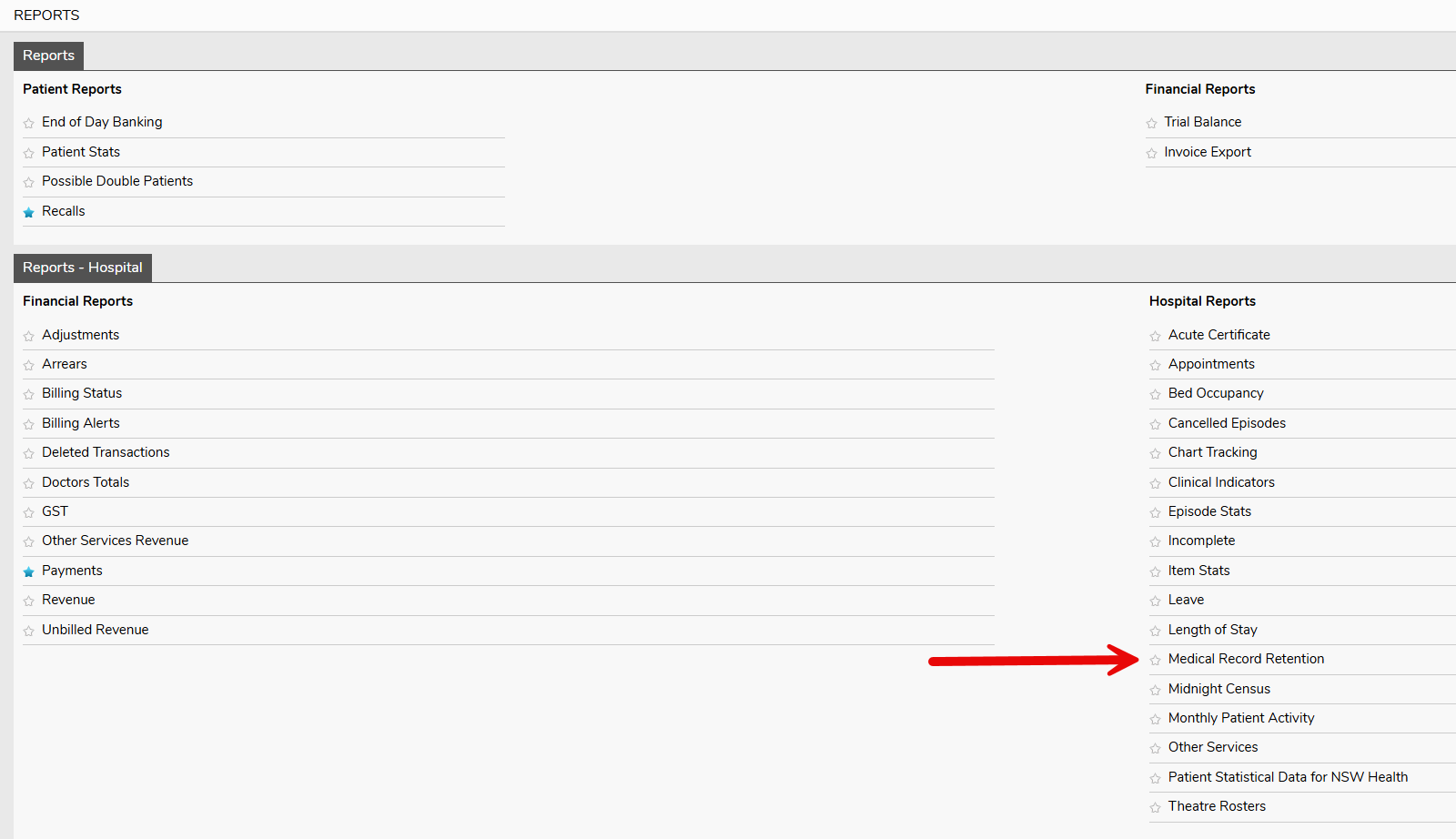
As retention requirements vary state by state, particularly in how a minor is defined, you can select the appropriate Definition of Minor Age to align with local regulations.

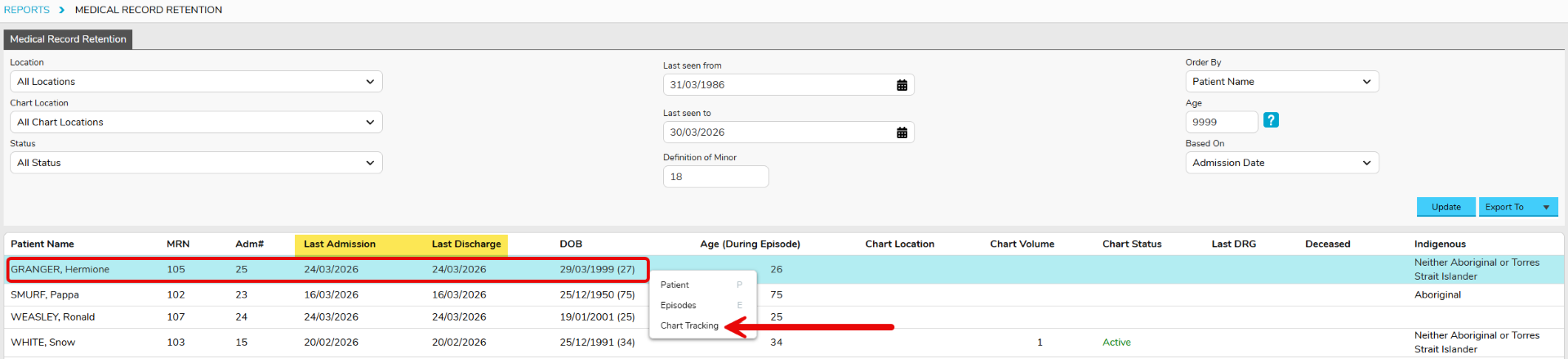
To archive a record from this report, select the line of the patient you wish to archive and right click selecting Chart Tracking then select Add Chart Movement.

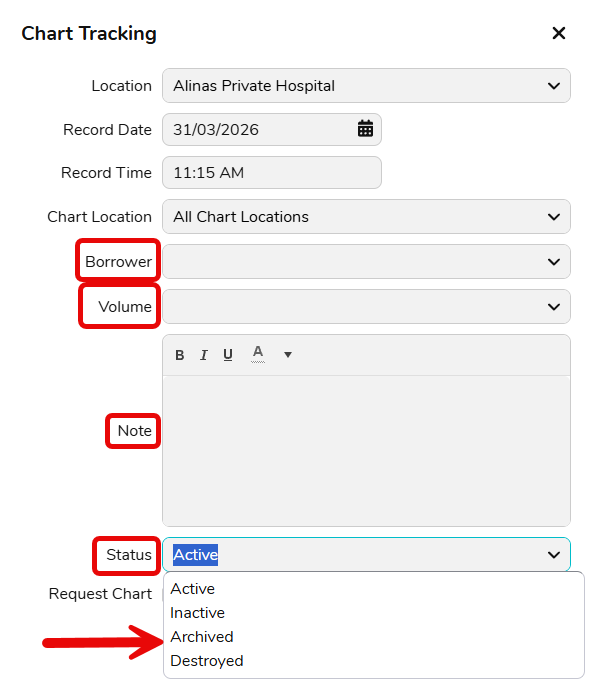
Here you can select the Borrower Name, Volume, add a Note and select the Status as Archived.
This movement will always be displayed under the Chart Tracking tab. You can see the time, user, status and date this was moved.

If you wish to Archive the patient in FYDO
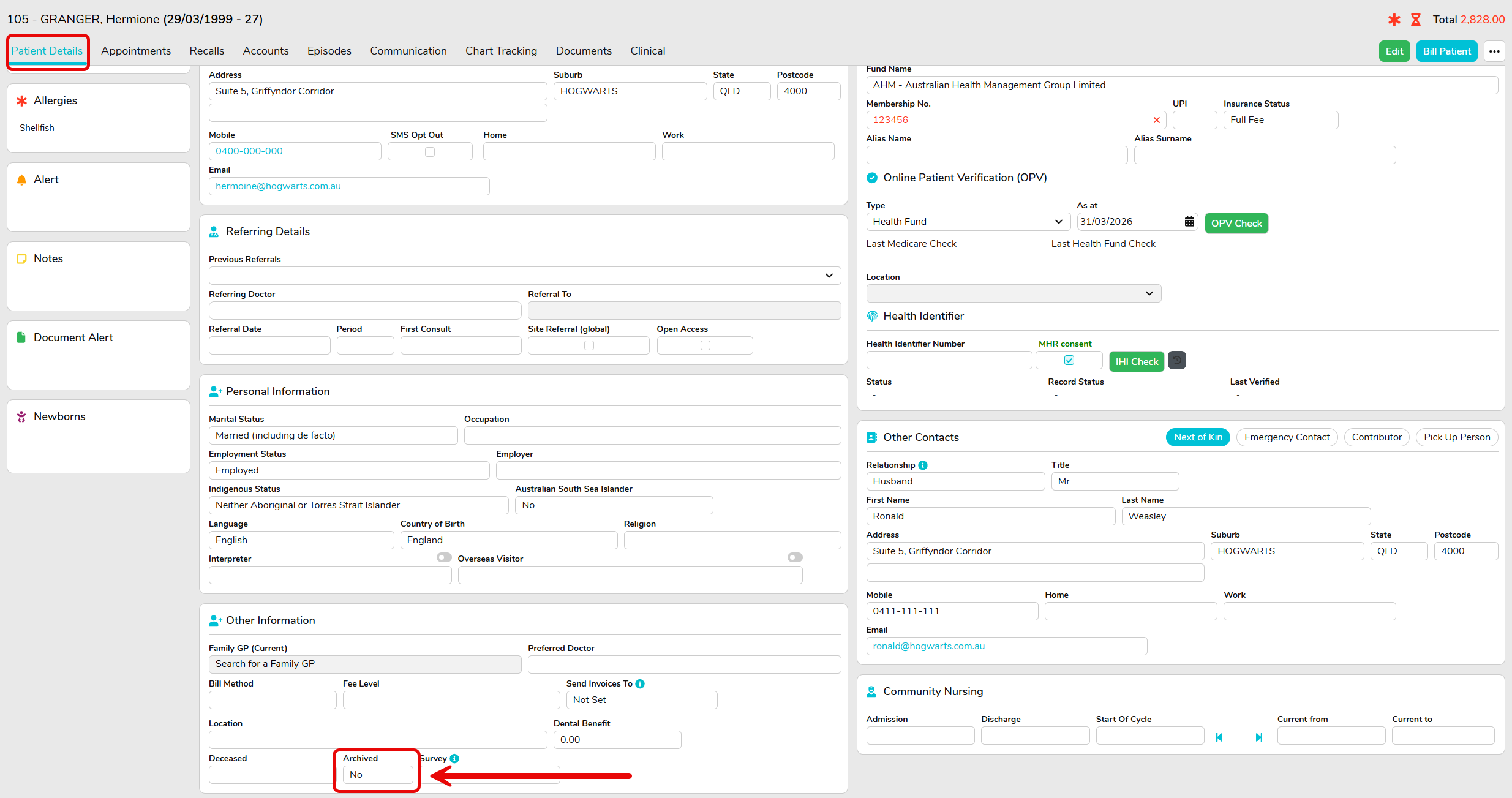
Go to the Patient Details tab and scroll down to the Other Information field and change the Archived status to Yes.
When searching for patients, the archived records will only appear if you tick Show Archived.

To make the record active again, simply change the Archived status on the Patient Details screen back to No.
Reinstating the chart record can also be done if you Add Chart Movement on the Chart Tracking tab again, changing the Status to Active.



