

Hospital Type B & Type C Certificates
What is a Type B or Type C Certificate?
The Australian Government classifies certain MBS procedures as Type A, Type B or Type C for private health insurance purposes.
In general:
- Type A procedures are usually performed in hospital and include part of an overnight stay.
- Type B procedures are usually performed in hospital without part of an overnight stay.
- Type C procedures do not normally require hospital treatment or accommodation.
There may be circumstances where a patient requires a different level of hospital treatment than would normally be expected for the procedure being performed.
For example, a patient undergoing a Type B procedure may require an overnight stay due to their medical condition or other special circumstances.
In these situations, appropriate certification may be required from the treating medical practitioner to support the hospital treatment provided.
Important: The requirement for a certificate and the clinical justification for the patient’s admission are determined by the relevant private health insurance requirements and the treating practitioner. If you are unsure whether certification is required for a particular patient, procedure or health fund, please confirm this with the relevant health fund or refer to the Australian Government Department of Health, Disability and Ageing.
For further information, see:
Australian Government Department of Health, Disability and Ageing – Type C hospital certification
https://www.health.gov.au/topics/private-health-insurance/reforms/type-c-hospital-certification
Although the Department page is titled Type C hospital certification, it also explains Type A, Type B and Type C procedure classifications and certification requirements.
Certificates in FYDO
Within FYDO, the certificate used for this purpose is referred to as the HC21 Back.
FYDO allows the certificate to be:
- printed for completion;
- scanned and stored against the patient; and
- included electronically with an Eclipse claim where it has been loaded correctly before the claim is transmitted.
Patient Class
The relevant Patient Class is loaded into FYDO with each National Procedure Banding update.
This classification is used as part of the claiming information associated with the patient’s episode.
FYDO shows this classification on numerous screens to assist users, such as the Make Appointment Screen and the Create Invoice screen.
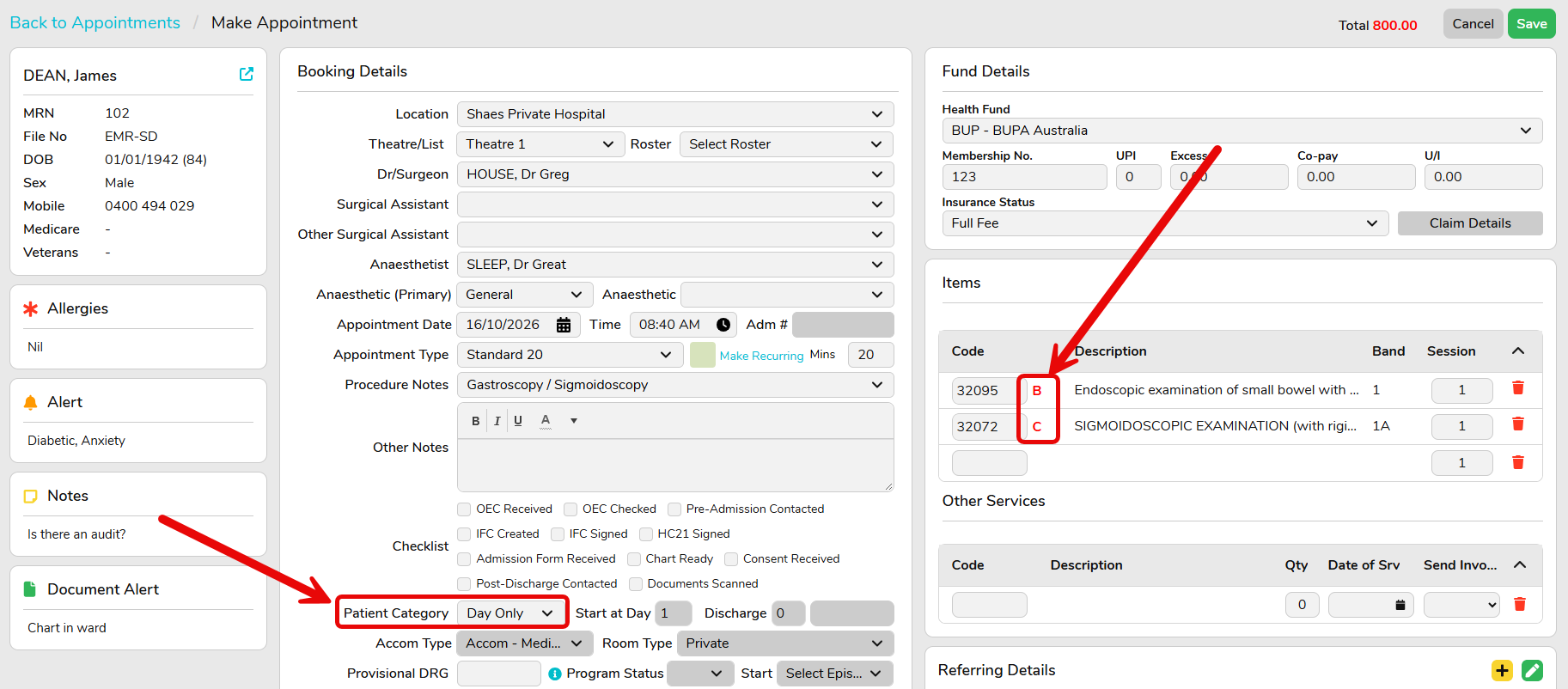
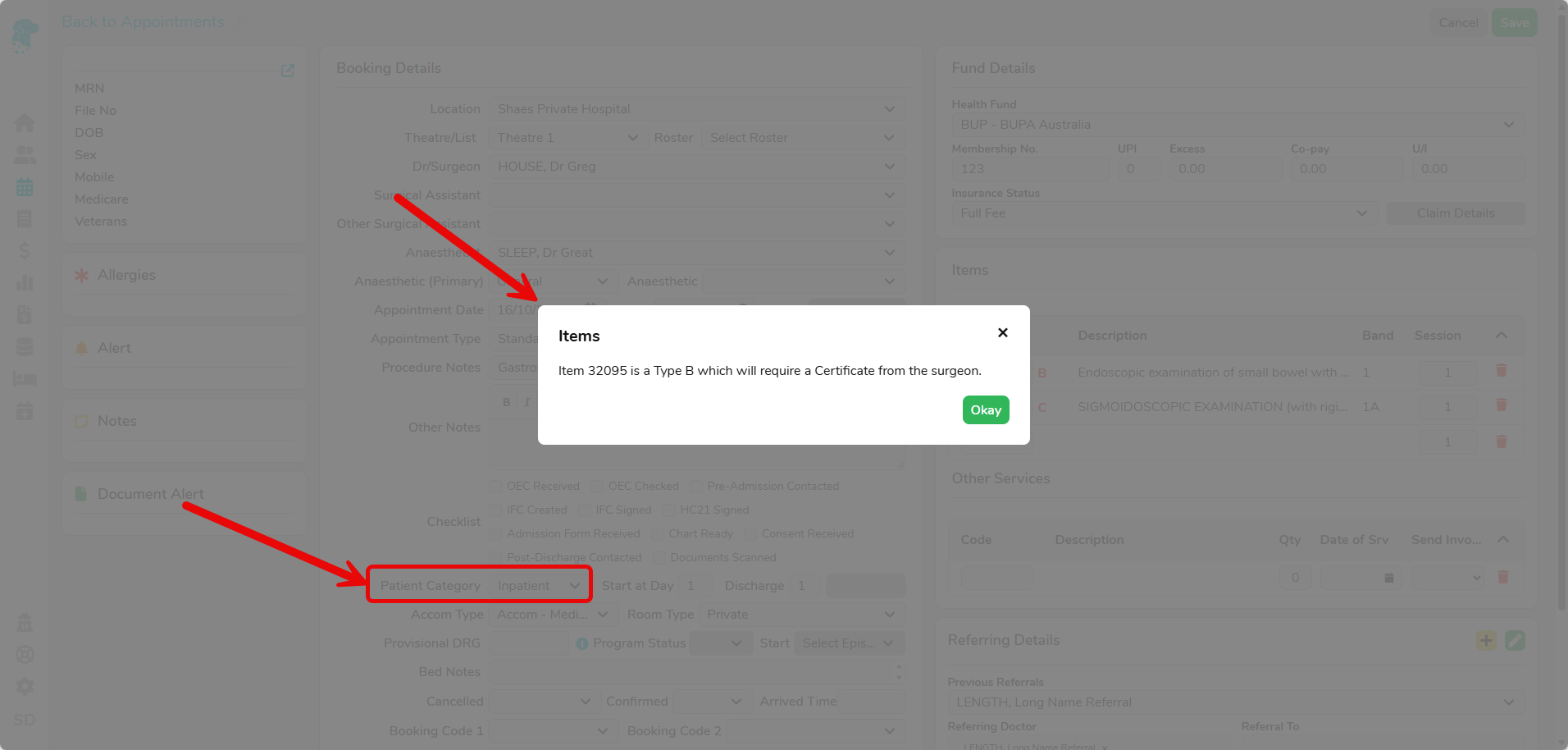
FYDO uses the Patient Category to determine if a certificate is required for the particular item numbers entered. For example, if an Inpatient has a Type B item number entered, FYDO will warn the user with the below pop-up:
Printing the Certificate from FYDO
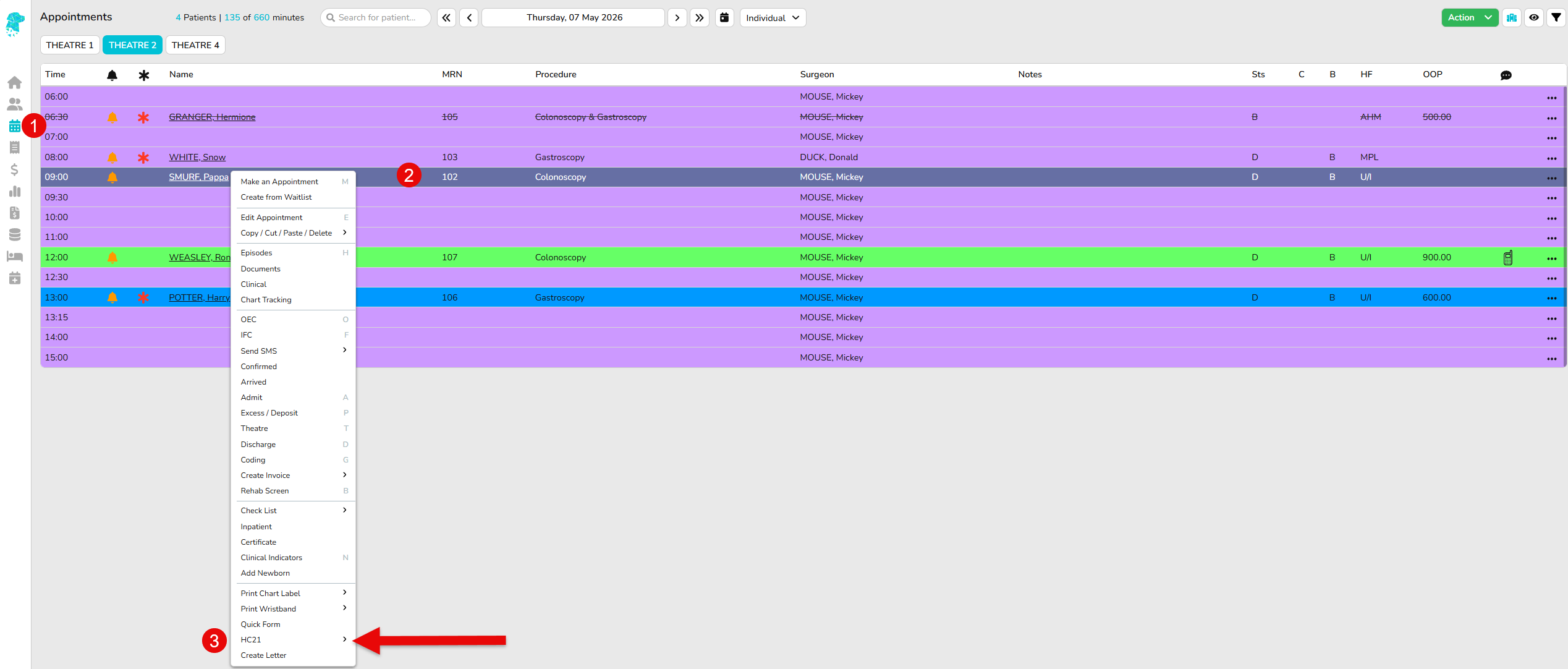
To acess the HC21 Back:
- Navigate to the Appointment screen
- Right click on the patient line
- Click HC21 then select HC21 Back
- The certificate will then download
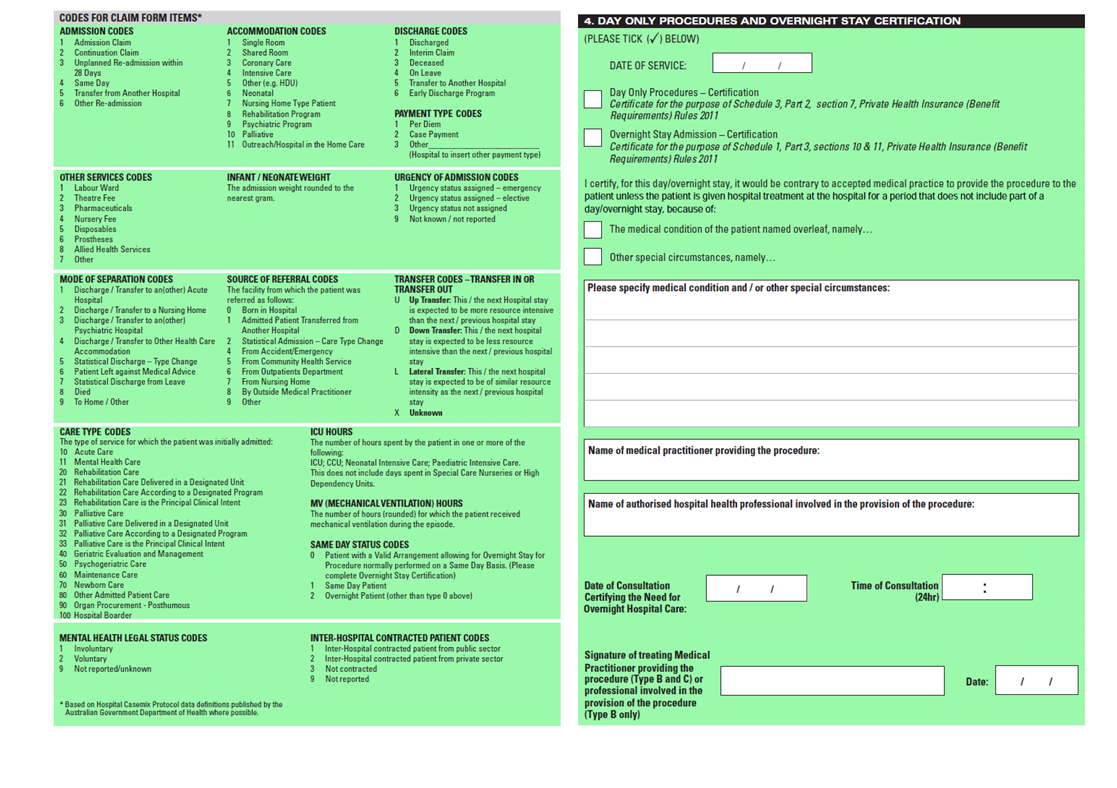
The certificate will need to be completed by the medical practitioner, ensuring they also sign it.
Completing the Certificate
The certificate should be completed by the appropriate medical practitioner in accordance with the applicable certification requirements.
The Department of Health advises that certification documentation should include sufficient information to identify:
- the patient;
- the certifying medical practitioner;
- the procedure being certified;
- the relevant medical condition or special circumstances; and
- the practitioner’s certification supporting the hospital treatment being provided.
The Department does not prescribe a specific certificate format; however, the required certification information must be documented appropriately.
Loading the Certificate into FYDO
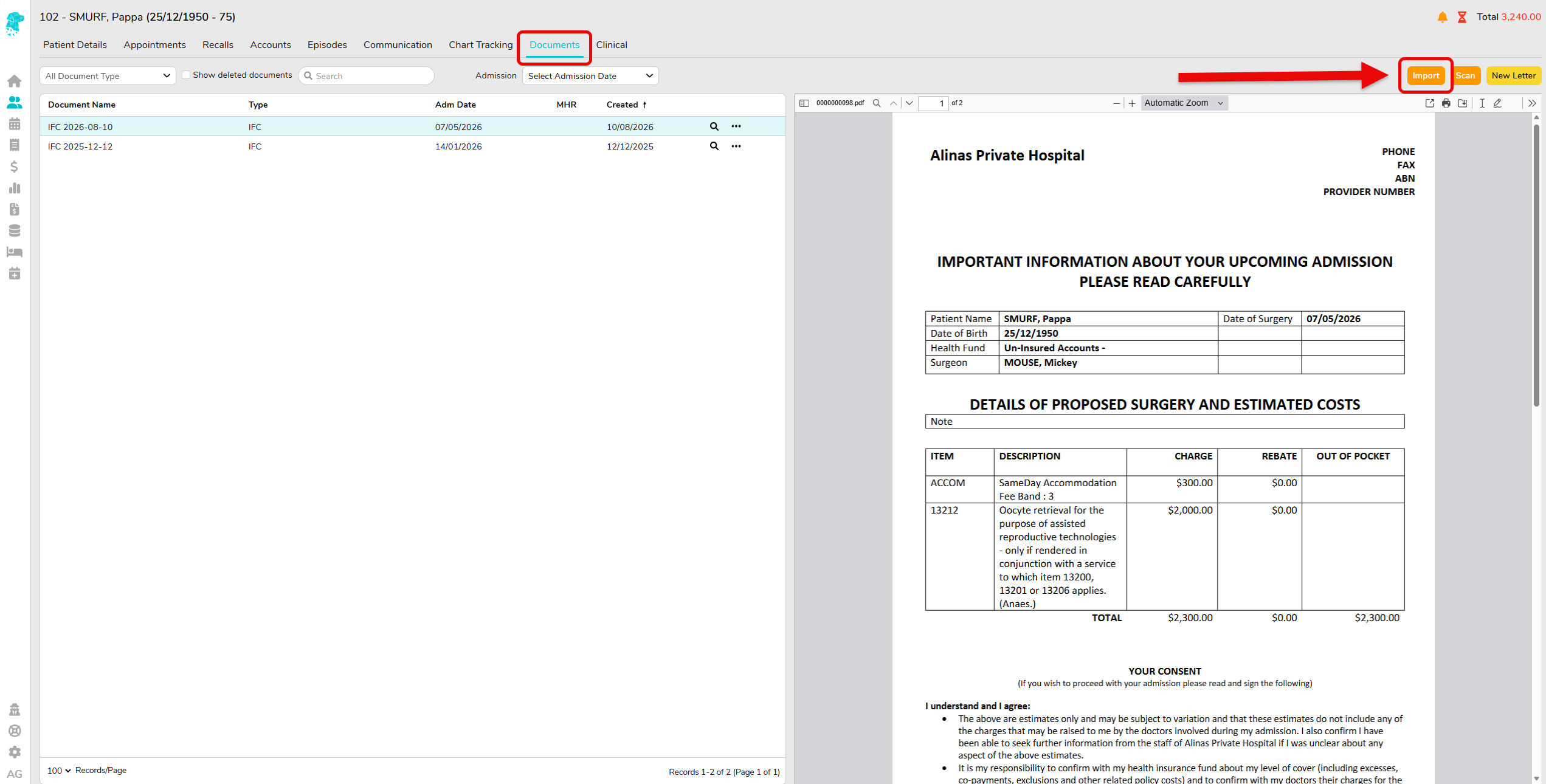
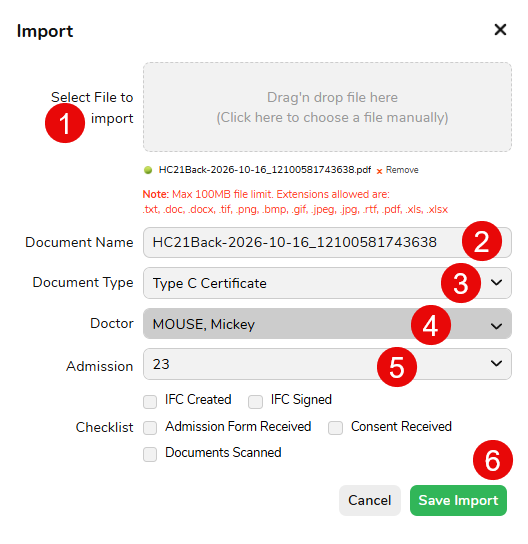
Once the certificate has been completed, it can be imported into FYDO via the patients Documents tab.
- Select the certificate file and drag into the import box, alternatively, you can click in the box to select the file manually
- Change the Document Name if required
- Select the Document Type
- Select the Doctor
- Select the Admission the certificate relates to
- Save Import
Electronic Transmission with Eclipse Claims
Where the completed certificate has been loaded into FYDO before the Eclipse claim is transmitted, FYDO can include the certificate electronically with the claim.
For this reason, the certificate should be completed and loaded into FYDO before transmitting the applicable Eclipse claim.
If the claim has already been transmitted before the certificate is loaded, the certificate can not retrospectively be attached to the previously transmitted claim.
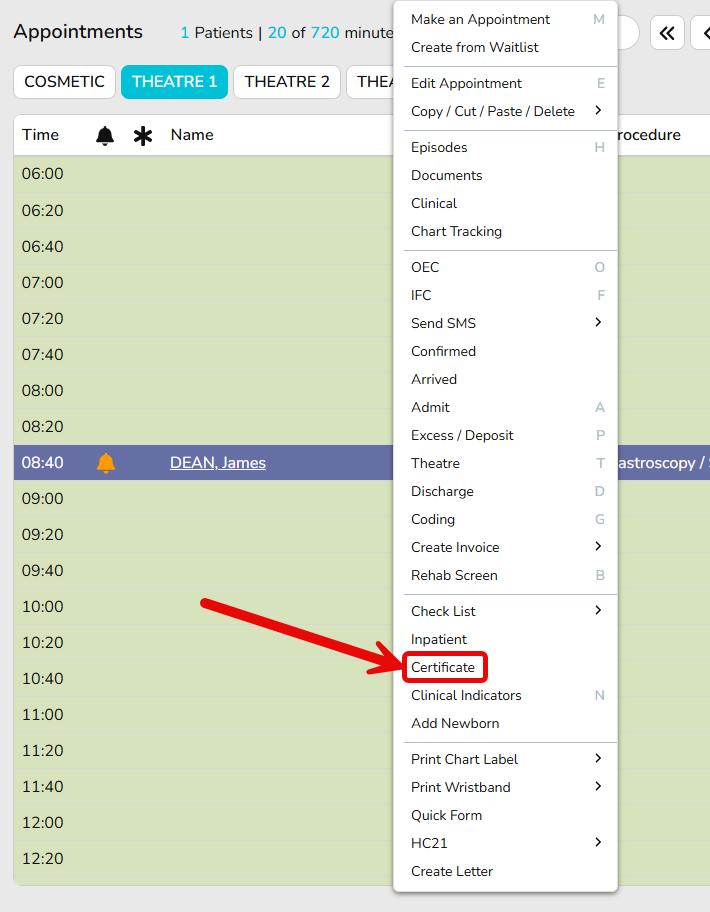
To send the Certificate electronically with the claim, complete the details on the Certificate screen. This can be found in the Right Click Menu under the heading Certificate:

Always Keep a Scanned Copy
Even where the certificate has been transmitted electronically with an Eclipse claim, some health funds may still request a manual copy of the certificate.
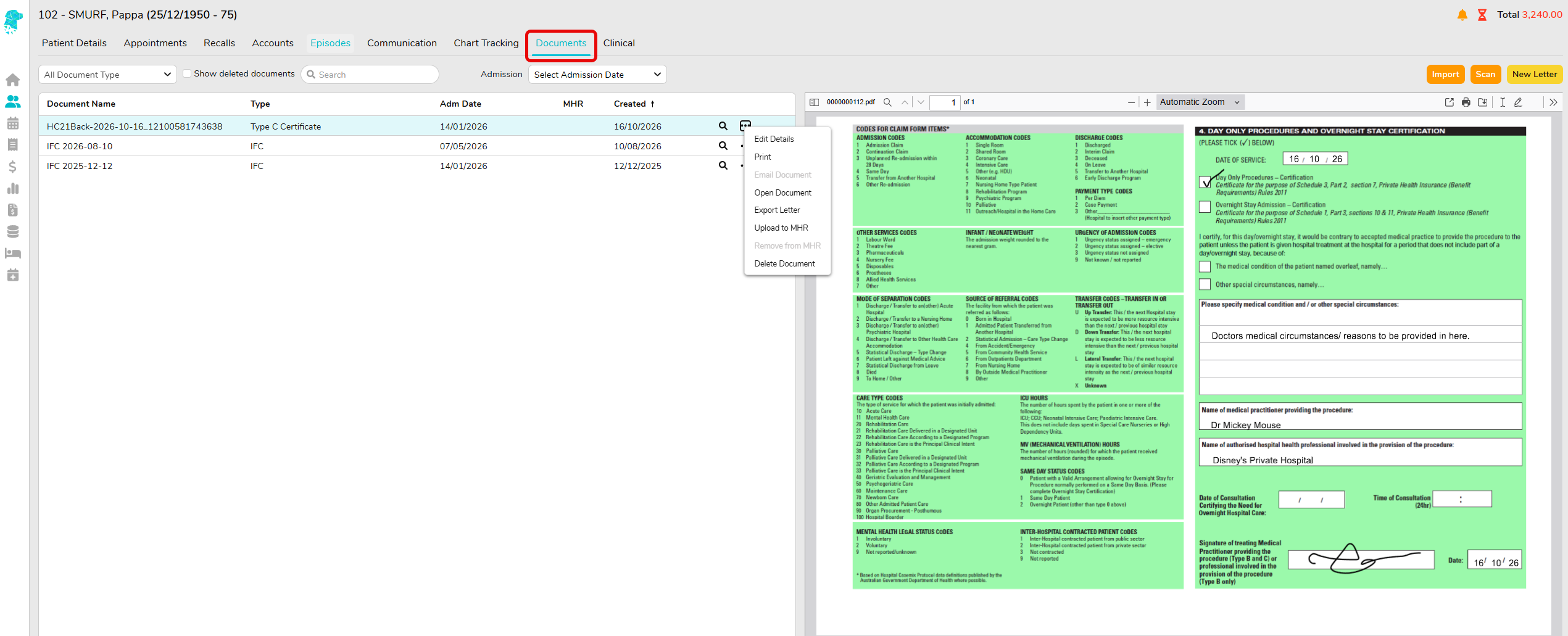
For this reason, always scan and save the completed certificate within the patient’s FYDO Documents.
This ensures a copy is readily available if the health fund requests further information or asks the hospital to provide the certificate manually.
Need More Information?
For questions regarding:
- whether a certificate is clinically required;
- what medical circumstances justify certification;
- private health insurance requirements; or
- whether a particular health fund will accept a certificate,
please contact the relevant health fund or refer to guidance provided by the Australian Government Department of Health, Disability and Ageing.
FYDO Support can assist with questions relating to printing, loading and transmitting certificates within FYDO.

